10
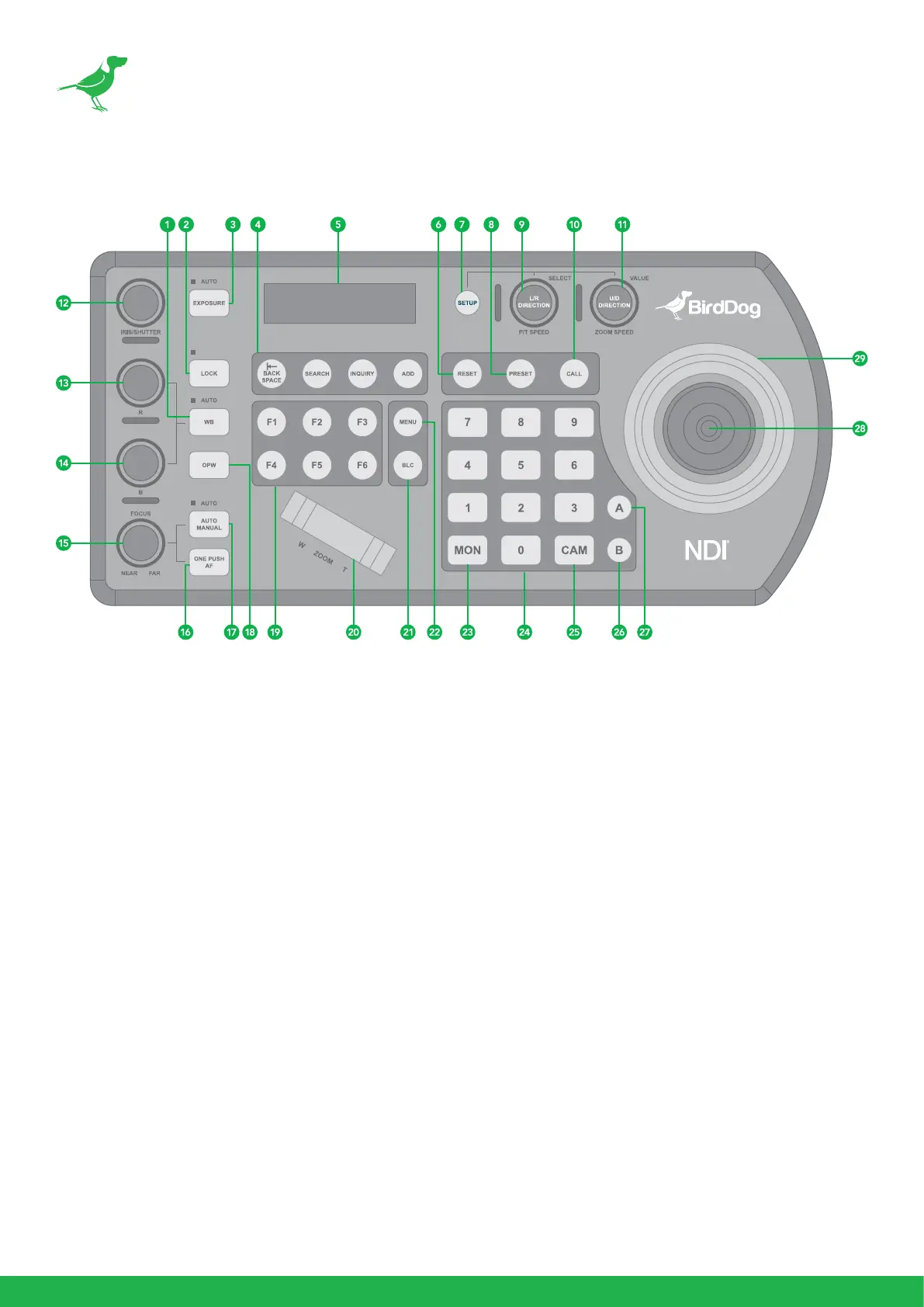
1. White Balance, (Auto, Manual)
• Press once for Auto.
• Press again to activate manual adjustments.
2. Lock
Locks all image adjustment buttons and dials.
3. Exposure (Auto, Iris PRI, Shutter PRI)
4. IP Interface Buttons
For interacting with IP cameras.
5. LCD Screen
For navigating PTZ Keyboard settings.
6. Reset
For clearing presets.
7. Setup
For keyboard menu setting.
8. Preset
For saving camera presets.
Keyboard Main Panel



 To Next Page