13
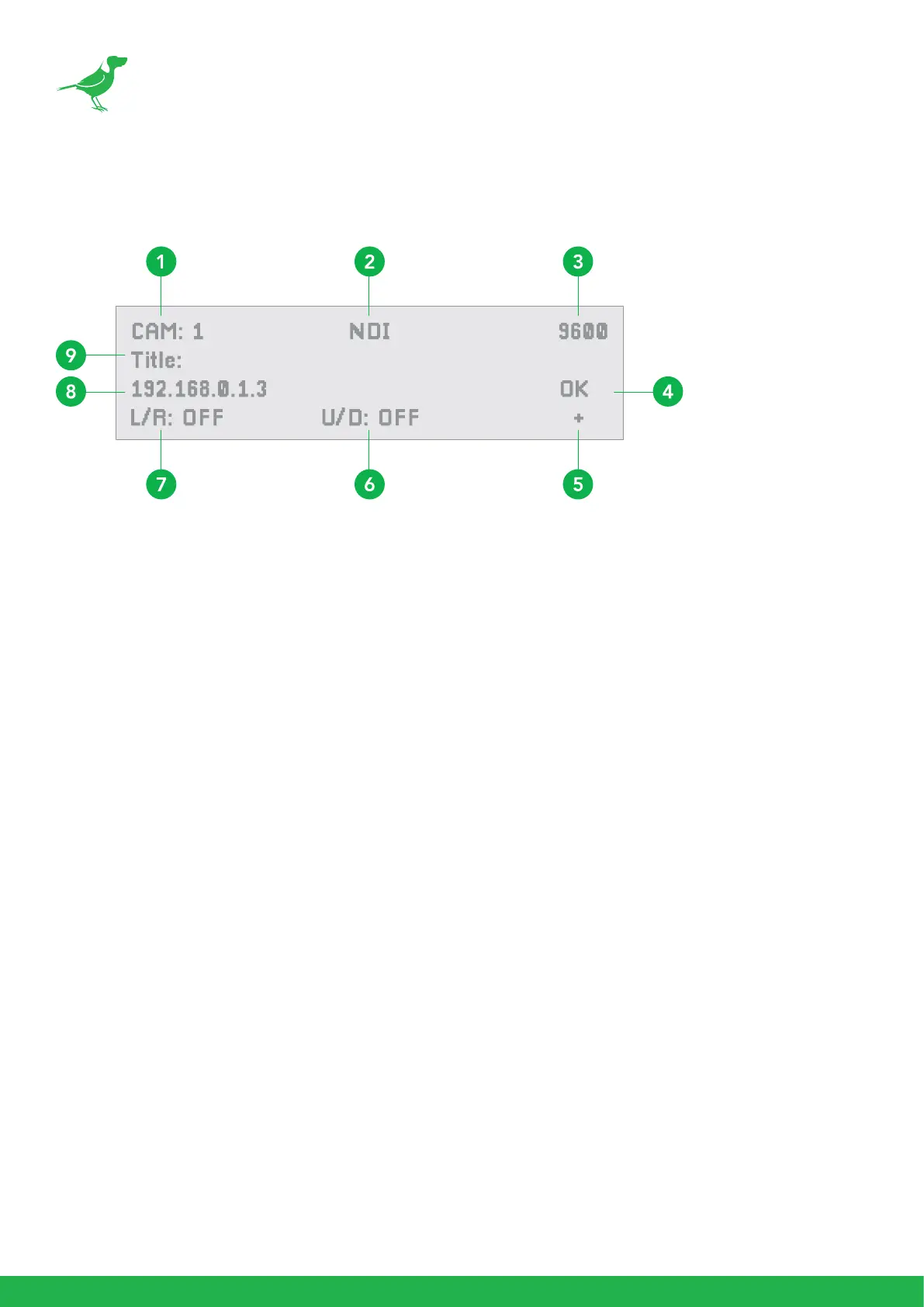
1. Camera identier
Identies the camera being controlled.
2. Protocol
3. Baud Rate
4. Communication Status Indicator (for the current device)
5. Network connectivity Indicator
a. “+” displayed means that the network is successfully connected.
b. “+” not displayed means that the network is not connected.
6. Tilt Reversal Indicator
7. Pan Reversal Indicator
8. IP Address (of the currently controlled camera)
9. Camera Title
Keyboard Screen



 To Next Page