30
Web User Interface Conguration Panel
The Web UI Conguration Panel (Web UI) allows you to remotely alter key settings of PTZ Keyboard,
and apply rmware updates.
To access the Web UI, point your computer web browser to the IP address of the device which can be
found in the Keyboard
IP Conguration
menu.
NOTE: The web address is case sensitive and is all lower case. Your computer will need to have
‘Bonjour’ services loaded in order to access the unit via it’s user given name. Apple devices come pre-
installed with Bonjour, while Windows devices require a small plugin available here: support.apple.com/
kb/dl999?locale=en_AU.
Dashboard
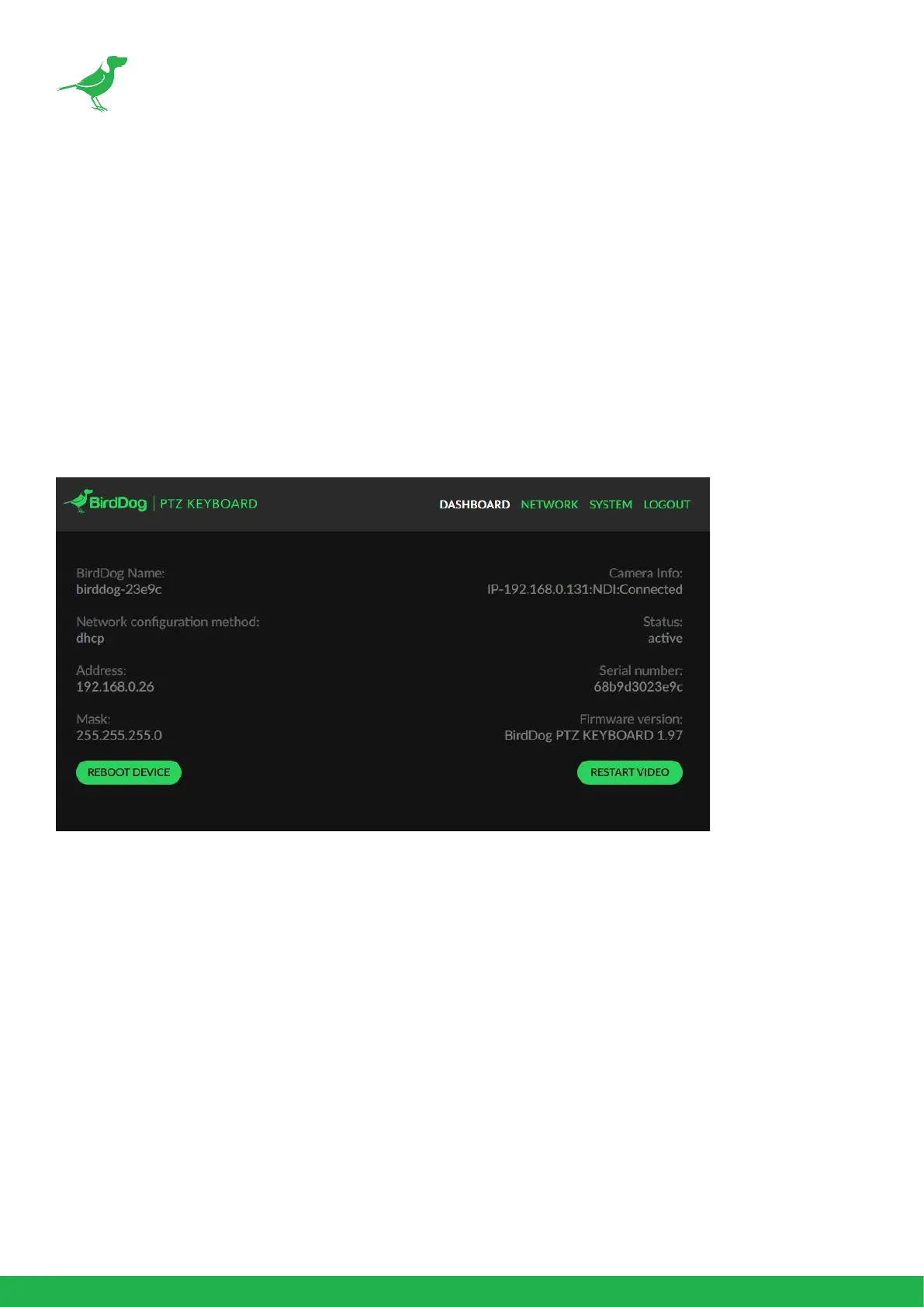
The Dashboard displays important PTZ Keyboard settings in one convenient window.
You can also:
• Reboot PTZ Keyboard
Allows you to remotely soft reboot the device, for example, after installing new rmware.
• Restart the video processing engine
Useful for ensuring that the NDI® video engine will process as per any manual settings you
may have made.



 To Next Page