23
Adding non-NDI® Cameras to the Keyboard
Manually adding cameras
The keyboard can store settings to control up to:
• 255 cameras by RS485 PELCO protocol separately.
• 7 cameras by VISCA via RS422 group A separately.
• 7 cameras by VISCA via RS422 group B separately.
• 255 cameras by VISCA-Over-IP protocol separately.
• Total 255 cameras by cross protocol mix-controlling.
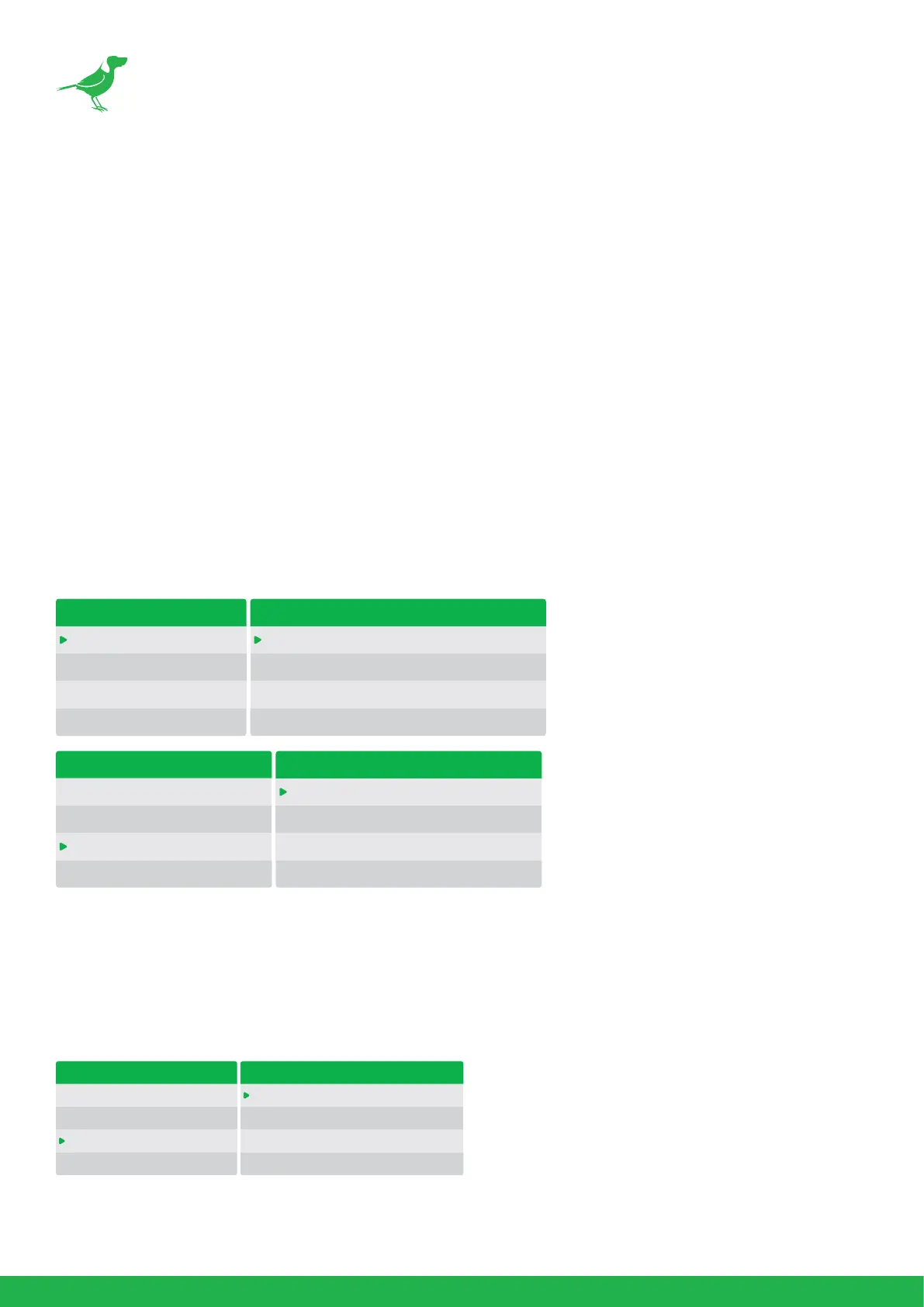
Use the Zoom Speed dial to select which camera slot to assign a camera. Each camera can be
congured to be controlled using any of the following protocols: VISCA, PELCO-D, PELCO-P, VISCAIP
(VISCA over IP), CGI.
If VISCA, PELCO-D, or PELCO-D are selected as the protocol, the Baud Rate Setting screen will be
displayed. Use the Zoom Speed dial to set the baud rate. Click the Zoom Speed dial to save, and then
exit this menu.
Adding a VISCA over IP Camera to PTZ Keyboard
Adding a camera manually from Local Area Network (LAN)
Select VISCAIP (VISCA over IP) as the protocol and click the P/T Speed dial to display the VISCAIP
conguration menu.
CAMERA SETTING MENU
CAM001
TITLE: -
PROTOCOL: VISCA
EXIT
BAUD RATE SETTING
BAUD RATE: 9600
EXIT
MAIN SETUP MENU
CAMERA SETTING
KEYBOARD SETTING
EXIT
CAMERA SETTING MENU
CAM001
TITLE: -
PROTOCOL: VISCA
EXIT
CAMERA SETTING MENU
CAM001
TITLE: -
PROTOCOL: VISCAIP
EXIT
VISCAIP CONFIGURATION MENU
IP ADDRESS:
192.168.0.100
EXIT



 To Next Page