41
Serial Port Connection
The controller supports serial RS232/RS422 and IP Cross protocol mix-control. It allows you to use
RS232/RS422/IP control on one controller to control cameras (Protocol support: VISCA, PELCO D/P,
VISCA over IP, CGI*) in a single system.
RS232 Connection
Use for the controller with non-BirdDog camera connection.
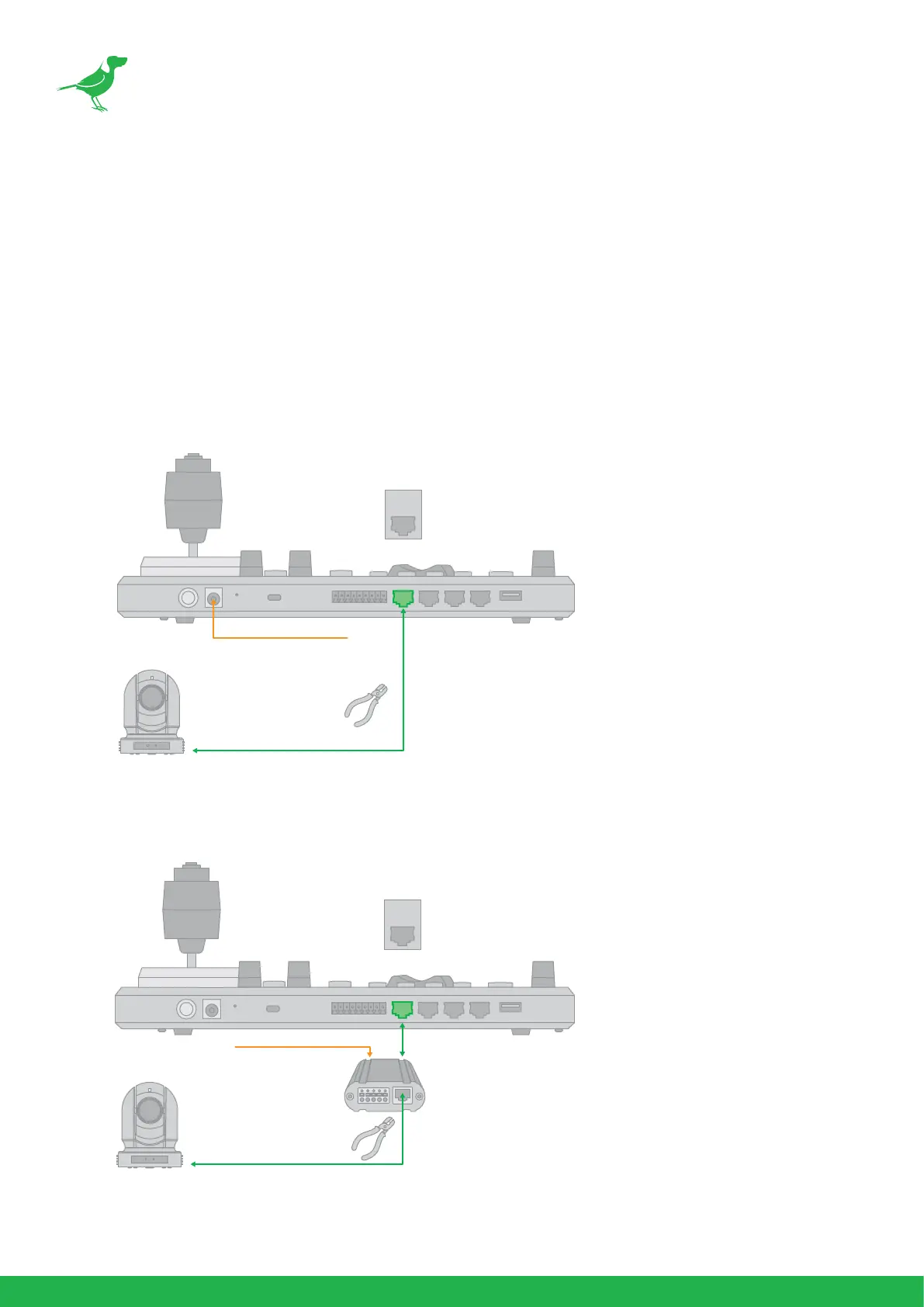
1. RS232 connection using network cable (follow T-568B standard pinout at keyboard end):
a. 1 to 1 connection - Follow the pinout for the RS232 port on the keyboard to use CAT5/6 cable to
make a cable suitable for controlling your camera.
b. Use Junction Box, 1 to 1 connection - Follow the pinout for the RS232 port on the keyboard and
Junction Box to use CAT5/6 cable (follow T-568B standar pinout between keyboard and Junction
Box) to make a cable sutable for controlling your camera via Junction Box.
12V DC Power Adaptor
Pin No.
1
2
3
4
5
6
7
8
Function
-
-
GND
-
-
GND
RXD
TXD
Color
Orange/White
Orange
Green/White
Blue
Blue/White
Green
Brown/White
Brown
RS232
1 8
Ethernet Cable
12V DC Power Adaptor
Pin No.
1
2
3
4
5
6
7
8
Function
-
-
GND
-
-
GND
RXD
TXD
Color
Orange/White
Orange
Green/White
Blue
Blue/White
Green
Brown/White
Brown
Ethernet Cable
RS232
1 8



 To Next Page