26
Interacting with Cameras
Options for Calling a Camera
1. Use the keypad to call the camera by CAM ID.
a. Enter the CAM ID on the keypad.
b. Press CAM.
OR
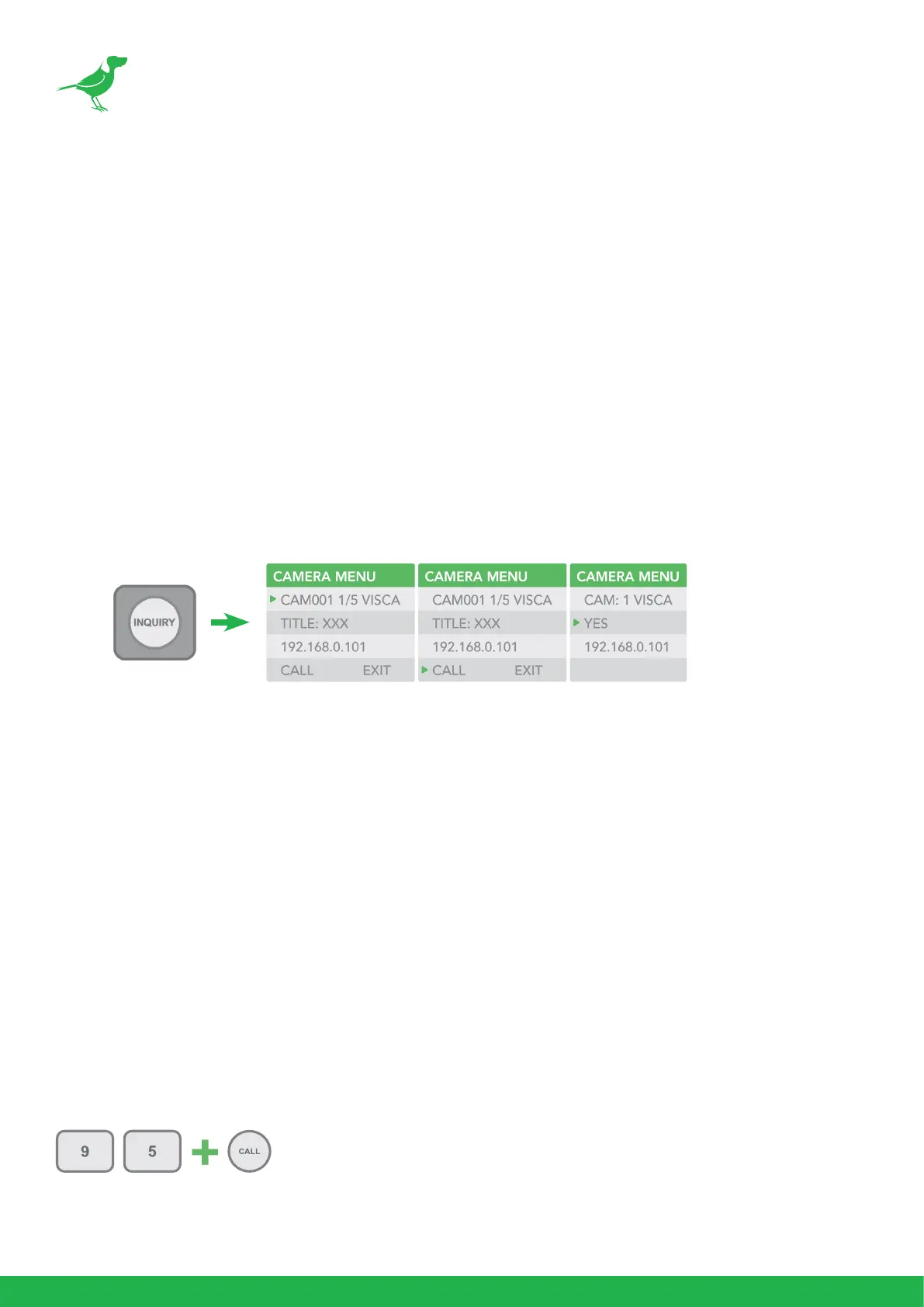
2. Call the IP cameras by selecting from a list of available devices.
a. Press the INQUIRY button.
b. Select a protocol.
c. Scroll through the list using the Zoom Speed dial.
d. Move the cursor to Call, and click the P/T Speed dial.
Controlling Cameras
Engaging the Camera OSD Menu for non-IP cameras
1. Press the MENU button on the keyboard to to display the OSD menu.
2. Navigate the menu by using the joystick.
• Move up / down to navigate through menu options.
• Move the joystick to the right to send an “Enter” command.
• Move up / down to adjust values.
• Move the joystick to the left to send an “Exit” command.
Engaging the Camera OSD Menu for PELCO-D Cameras
On the alphanumeric keypad, call preset 95 to engage the menu (type 95, and then press the CALL
button).



 To Next Page