25
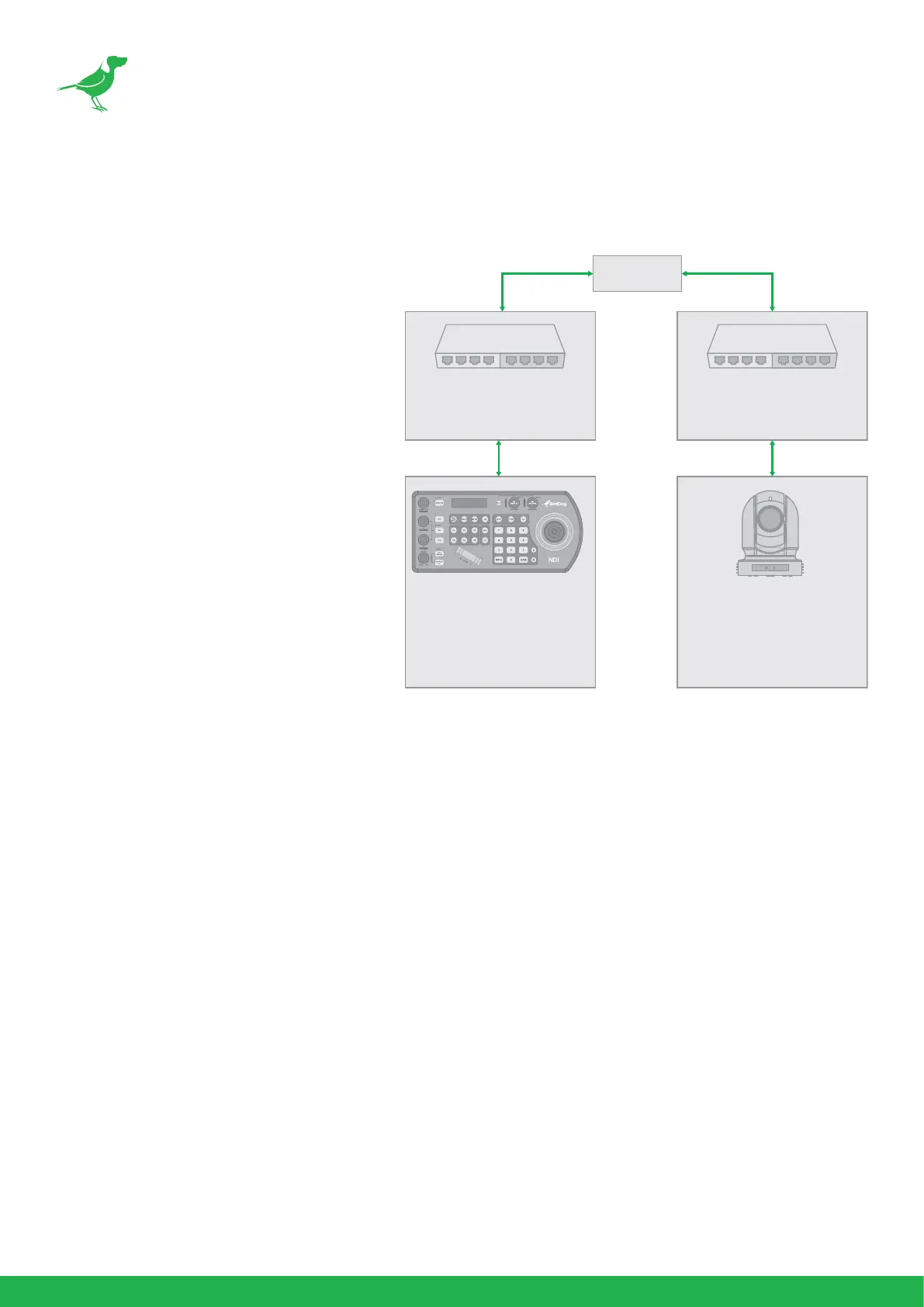
Adding VISCA over IP Cameras Under WAN Control
Make the following changes at the camera and PTZ Keyboard.
At the Camera Location:
1. For commands to ow from outside
the network in to a camera, ports
must be opened. Contact the
network administrator at the camera
location to create a port-forwarding
rule in the router allowing commands
to ow through the necessary ports
using these values:
• Source/ external port: 52381
• Destination / internal port:
52381
• IP Address: IP Address of the
camera
• Protocol: Both (TCP and UDP)
At the Keyboard Location:
1. Set the keyboard to DHCP.
2. Contact the network administrator at the Keyboard location to create a port-forwarding rule in the
router allowing commands to ow through the necessary ports using these values:
• Source/ external port: 52381.
• Destination / internal port: 52381.
• IP Address: IP Address of the keyboard.
• Protocol: Both (TCP and UDP).
3. In the Setup menu of the Keyboard:
a. Add the VISCA over IP camera using the WAN IP of the camera location as the IP Address.
b. Click the P/T Speed dial to save.
INTERNET
WAN Address: XXX.XXX.XXX.XXX
LAN Address: 192.168.0.1
Port-forward port: 80 (default)
WAN Address: XXX.XXX.XXX.XXX
LAN Address: 192.168.0.1
Port-forward port: 80 (default)
IP Address: 192.168.0.13
Subnet Mask: 255.255.255.0
Gateway: 192.168.0.1
Port: 80
Username: admin
Password: admin
VISCAIP CONFIGURATION MENU
IP Address: XXX.XXX.XXX.XXX
Exit



 To Next Page