31
Network
IP Address Conguration
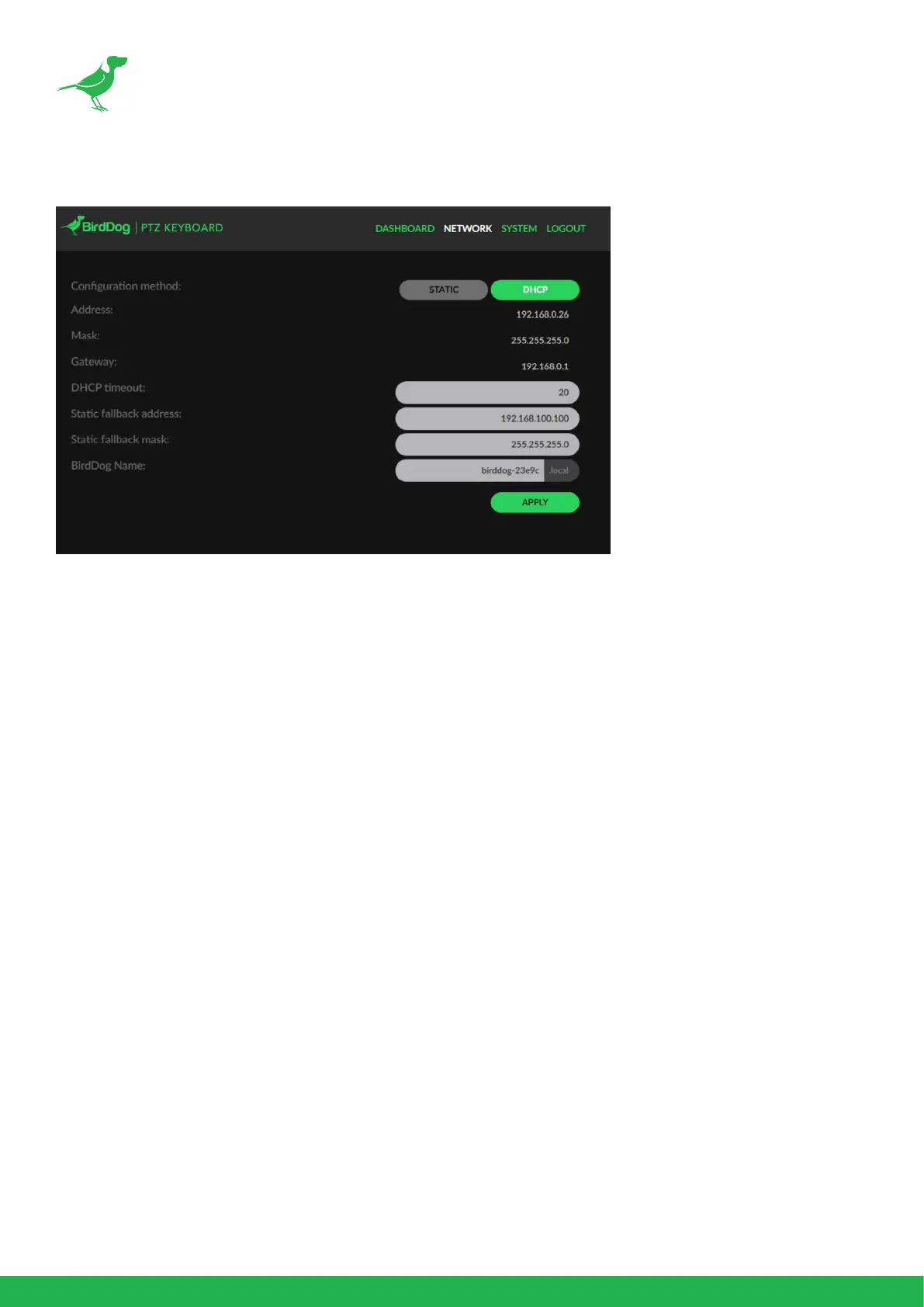
You can congure PTZ Keyboard to operate on the network with a dynamic (DHCP) IP address,
or a xed address. Most corporate, education and home networks have a DHCP server present on
the network to allow this to occur. Usually your Internet Router provides this. For smaller networks
DHCP networking is generally suitable, however larger networks with managed operations will often
determine each device needs to have a dedicated and static IP address.
DHCP
DHCP is set as the network conguration by default for PTZ Keyboard.
Static
To enable a static IP address, change the conguration method to Static and enter the required details
in the Address, Mask and Gateway elds.
NOTE: The Address and Mask elds must be correct or PTZ Keyboard will not be visible on the
network and a factory reset will be required in order to recover the unit.
Static Fallback Address / Static Fallback Mask
Some standalone or private networks may not have a DHCP server. After 30 seconds of searching for
an automatically assigned IP address PTZ Keyboard will fall back to a default address: 192.168.100.100
In order to access the web conguration panel on a network which is congured to a dierent subnet,
change your computers IP address to match the BirdDog unit. Once you gain access to the BirdDog
Dashboard panel, choose your IP address to match the rest of the devices on your network.
For instructions on setting your computers IP address please consult your computer operating system
manual or IT support resources.



 To Next Page