44
RS422 Connection
Use for the controller with non-BirdDog camera connection. For BirdDog camera connection see the
separate section following.
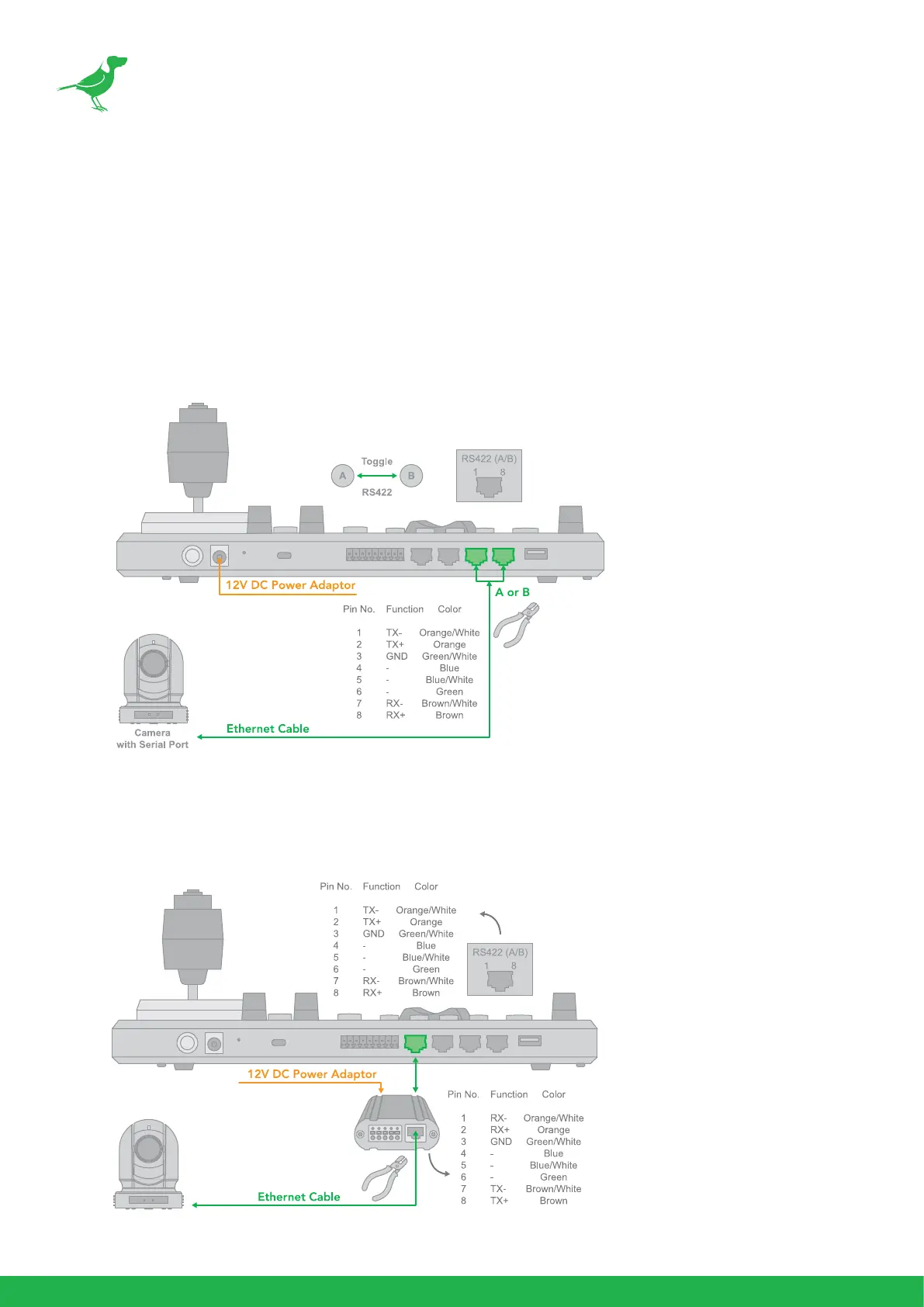
Follow the diagram below for the following options:
1. RS422 connection using network cable (follow T-568B standard pinout at keyboard end):
a. 1 to 1 connection - Follow the pinout for the RS422 port on the keyboard to use CAT5/6 cable
to make a cable suitable for controlling your camera.
b. Use Junction Box, 1 to 1 connection - Follow the pinout for the RS422 port on the keyboard and
Junction Box to use CAT5/6 cable (follow T-568B standar pinout between keyboard and Junction
Box) to make a cable suitable for controlling your camera via the Junction Box.



 To Next Page