Begin by connecting the power supply supplied with the equipment into the power
plug and into the wall outlet. Then turn the printer on by clicking the switch on the
back of the machine.
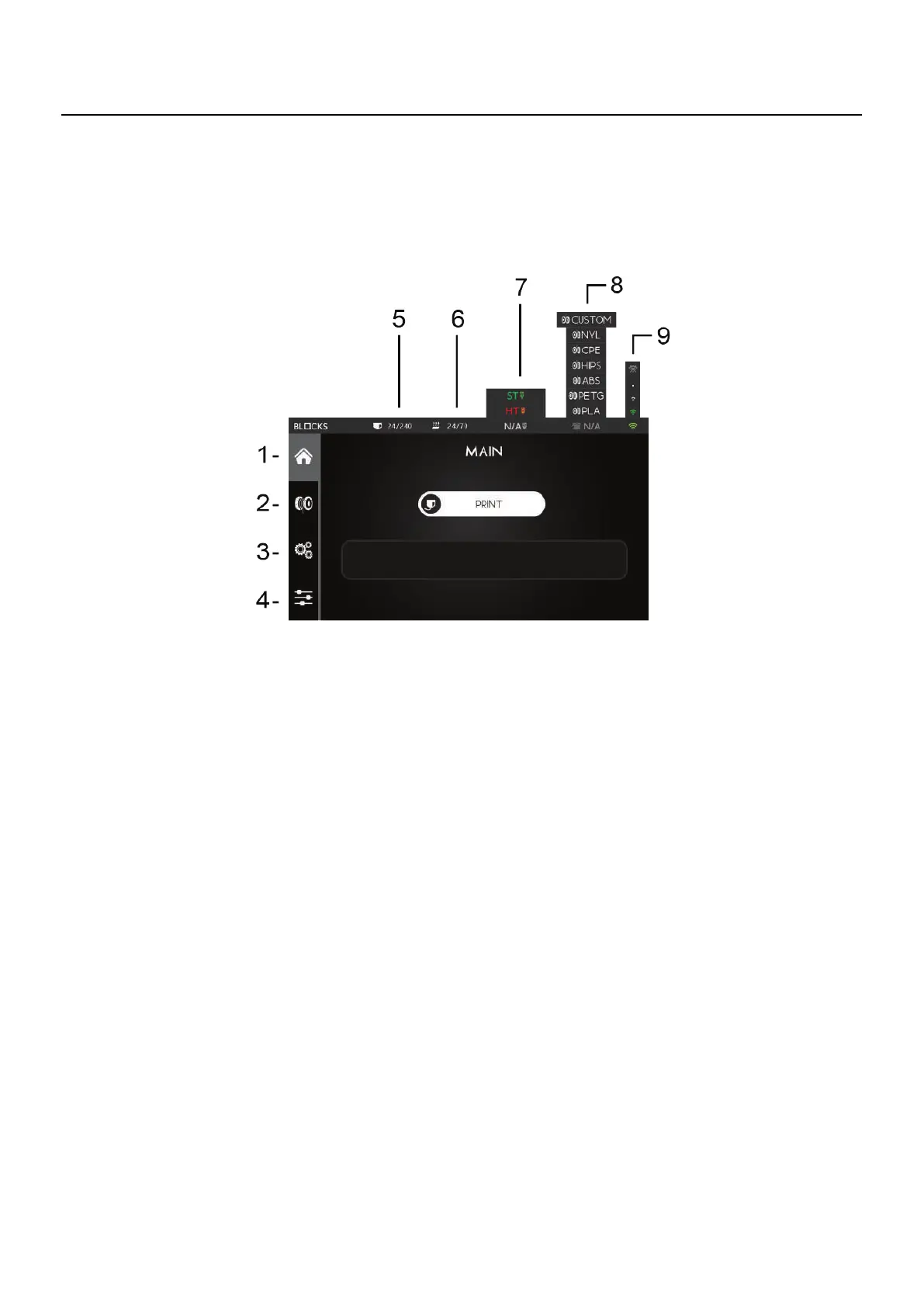
07.1 Touchscreen
1. Main - From here you can start a print from a USB drive or view the progress of the print while
printing
2. Filament Option - This option allows you to manage the material by loading or unloading it
3. Control Option - Consists of 5 submenus responsible for the calibration, motion, temperature
control and maintenance of the machine
4. Utilities Option - From here you can:
4a. Change the language
4b. Customize the LEDs color according to your preference
4c. Execute the Self-Check procedure in order to detect malfunctions
4d. Access information about the machine such as latest firmware update
4e. Total operation time among others
4f. Execute factory reset
5. Nozzle Temperature - Current/Target
6. Bed Temperature - Current/Target
7. Print Core type and Nozzle Diameter
8. Filament Type
9. Wi-Fi Signal
07
Operation



 To Next Page