08.1 Cleaning the Nozzle
After several prints it is normal for the nozzle to show some dirt due to the accumula -
tion of plastic debris. To clean it it is necessary to set the nozzle temperature to 220ºC
in the temperature menu on the Control Option. After reaching this temperature, the
Attention
At this temperature the hot end can cause burns, the user is advised to use tweezers to
handle the cleaning object to be used.
08.2 Firmware update
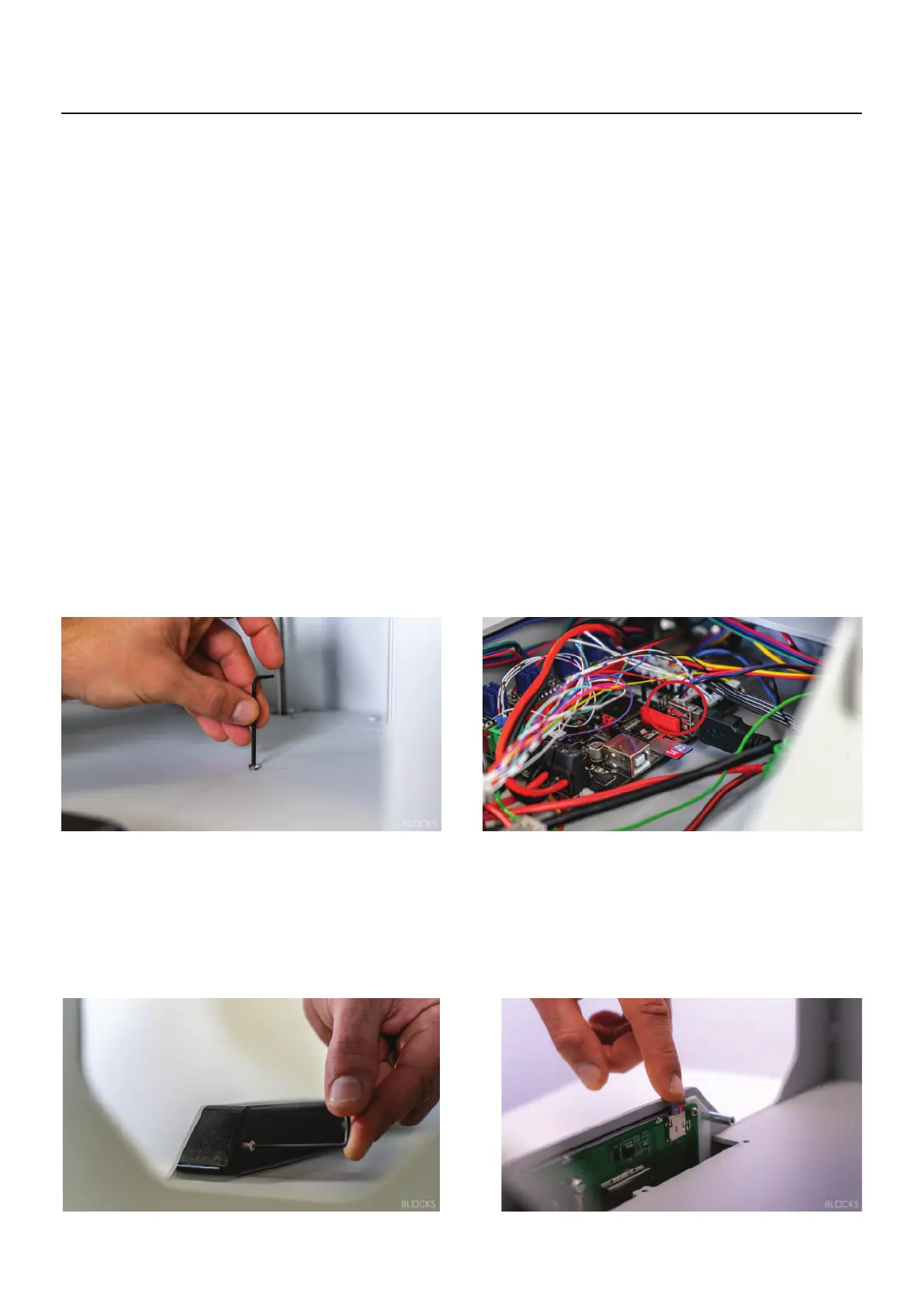
Then please remove the 3 screws of the eletronics cover inside the machine as shown
in the image and insert the micro SD card in the motherboard. Now it´s time to turn
file. After that you can remove the micro SD card and close the eletronics cover. If your
printer's serial number is BLKR21-002-00X then the firmware update will be done using
the USB stick. Just put the file provided by our support or available online on our website
inside the usb stick and put the pen in the printer. After restarting the printer the
firmware will be updated.
08.3 LCD update
the 2 screws of the LCD cover and insert the micro SD card in the LCD with the new
automatically. After that you can put the LCD cover back in place.
08
Maintenance
For the LCD update, make sure that you turn off the machine first. Then please remove
firmware inside of it. Now you can turn ON the machine and the firmware will install
on the machine, the firmware will update automatically from the microSD firmware
For the firmware update of the machine, make sure that you turn off the machine first.
operator can use a dry cloth or cleaning paper to remove the filament residues.



 To Next Page