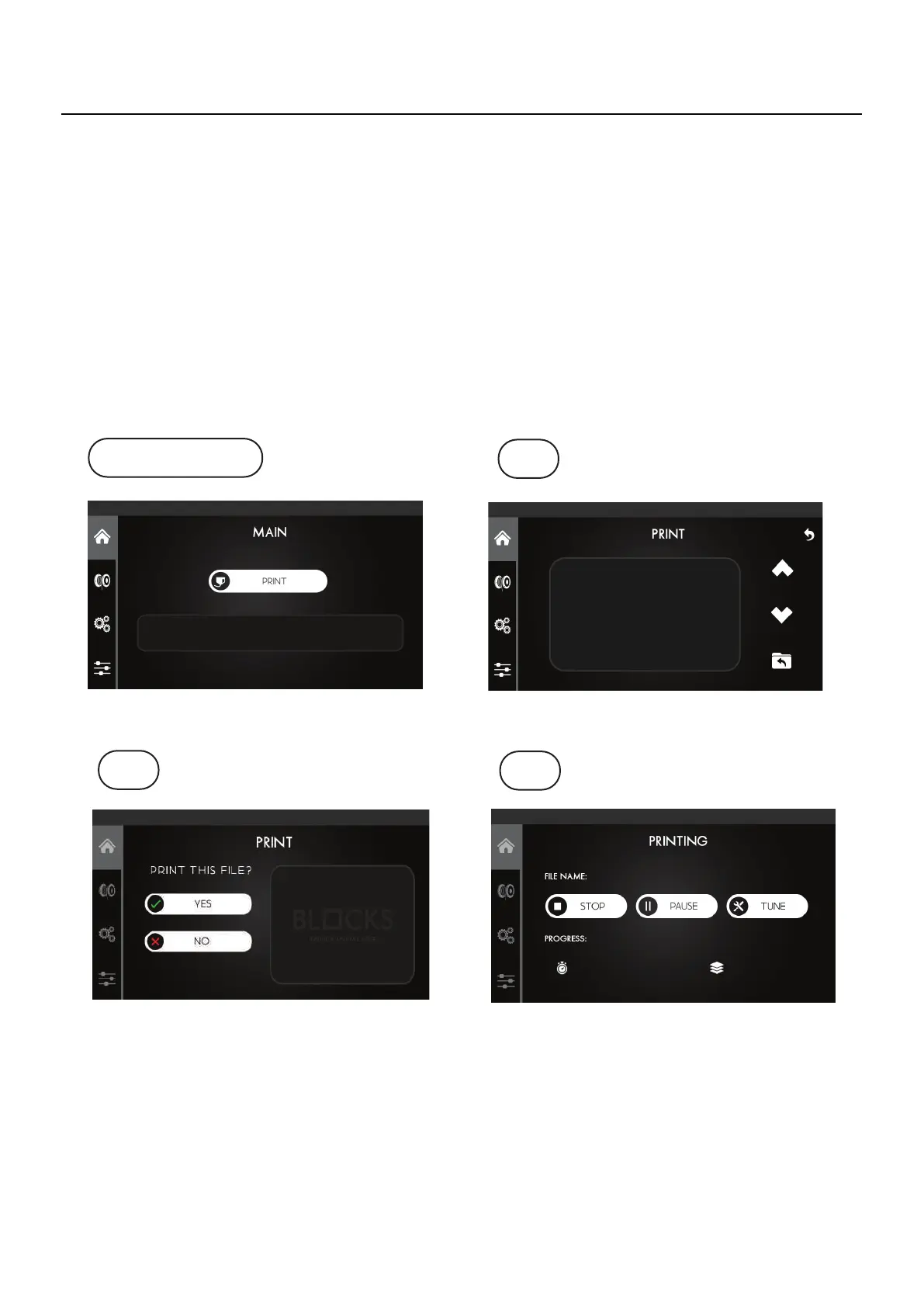
1. Insert the USB Drive into the USB slot next to the screen.
2. Remove the build plate and apply some of the adhesive spray provided by Blocks.
3. Press the
Print
option on the touchscreen.
4. Select the file you want to print and confirm
5. At this stage the machine will heat the plate and the extruder to the preconfigured
temperatures and will begin the printing process.
07.7.3
Starting a print
Main Screen
1
2
3
07
Operation



 To Next Page