For additional support, refer to the FAQs and Troubleshooting section.
CONGRATULATIONS,
YOU’RE CONNECTED!
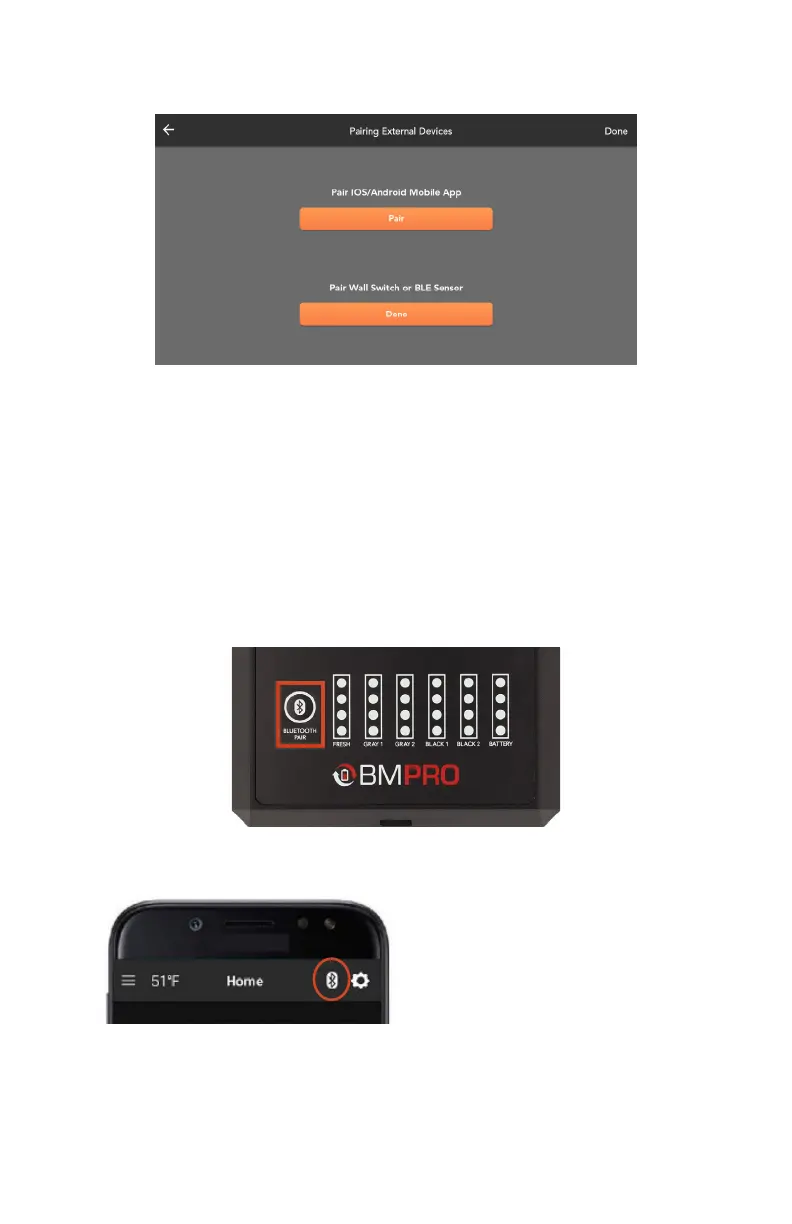
PAIRING TO THE NODE WITH AN RV CONTROL PANEL (MODEL DEPENDENT)
To pair to the Node with the RV Control Panel:
1. Launch the BMPRO Connect+ app on your phone and choose the device
installed in your RV.
2. Press the Bluetooth Pair button on the RV Control Panel. When in pairing
mode, this button will begin flashing.
3. Your smartphone will begin pairing to the Node.
5. From your mobile device, follow the prompt to connect to the Node.
6. Your device is now connected to the BMPRO Connect+ System.
4. Underneath Pair iOS/Android Mobile App, select Pair.
17



 To Next Page