SWITCH
The Switch communicates via Bluetooth to the Node, giving you additional
control of RV features.
CHECKING THE BATTERY IN YOUR SWITCH
The Switch is powered by a standard CR2032 3V Lithium Cell coin battery.
To check if the battery needs replacing:
1. In the page navigation sidebar, at the bottom, select the settings icon.
2. Press Battery Levels.
3. Press any button on the Switch you are checking.
Once the button has been pressed, the app will refresh with the Switch
battery status.
LOW indicates the battery in the wall switch needs replacing.
REPLACING THE BATTERY IN YOUR SWITCH
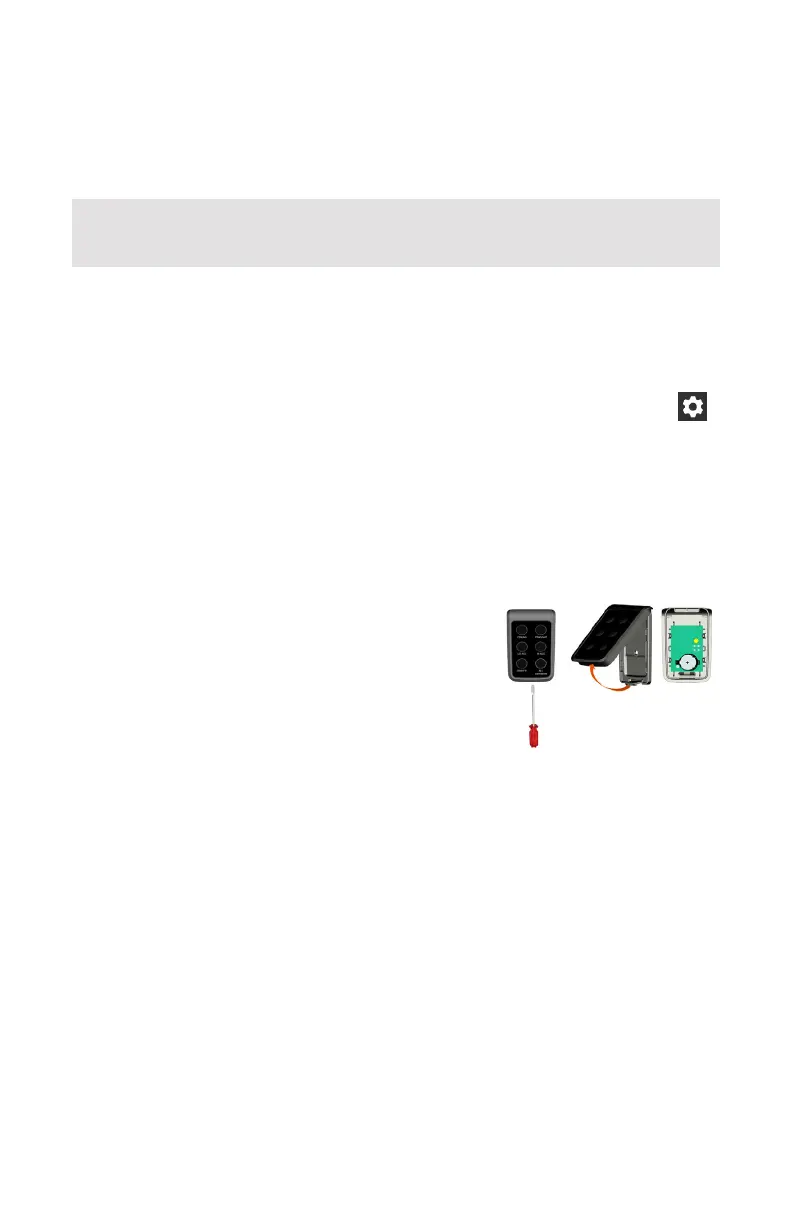
To replace the battery, unclip the Switch Button
Pad. Using a flathead screwdriver, pry open the
Switch Button Pad and remove the battery from
the holder. Insert the new battery in the holder
with the positive side facing up.
Any Switch you install in your RV has been paired to the Node at the factory and is
ready for immediate use.
45



 To Next Page