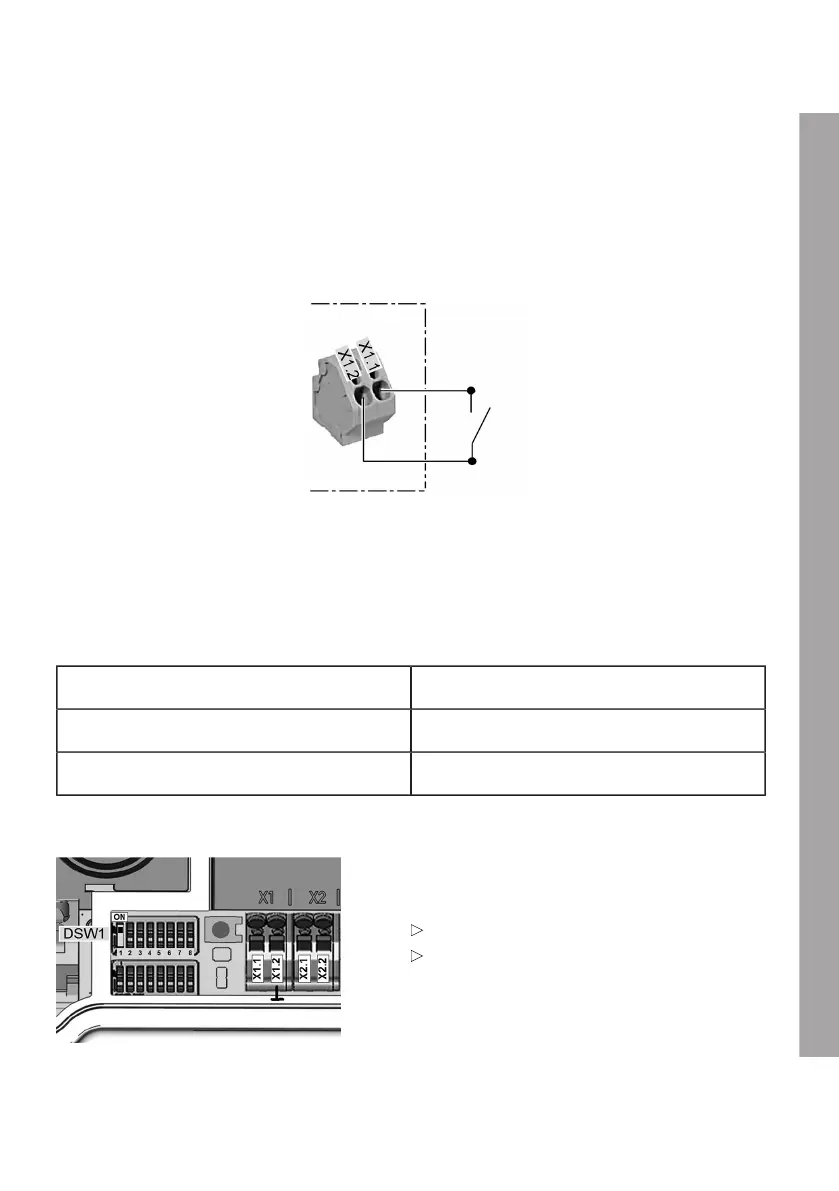
Enable input X1
The enable input is designed for use with a floating contact. Using the enable input, it is possible
to control the Wallbox using external components (for example an external key switch, ripple control
receiver from the power supplier, domestic controller, time switch, combination lock, photovoltaic
system, etc.).
Circuit diagram:
Electrical requirements/Connection:
Safe isolation from dangerous voltages must be ensured outside the device for this control cable.
1. Connect the wires on enable input X1 as shown in the circuit diagram.
Logical function:
Enable contact Status of Wallbox
Open DISABLED
Closed READY
DIP switch setting:
The use of the enable input must be activated by
a DIP switch setting.
Use enable input:
Yes: DSW1.1 = ON
No: DSW1.1 = OFF (default)
EN
35











 To Next Page