Battery type
for Keyless Ride radio-oper-
ated key
CR 2032
Install seal 1 and battery
cover 2.
Red LED in instrument cluster
flashes.
The remote-control is again
ready to be used.
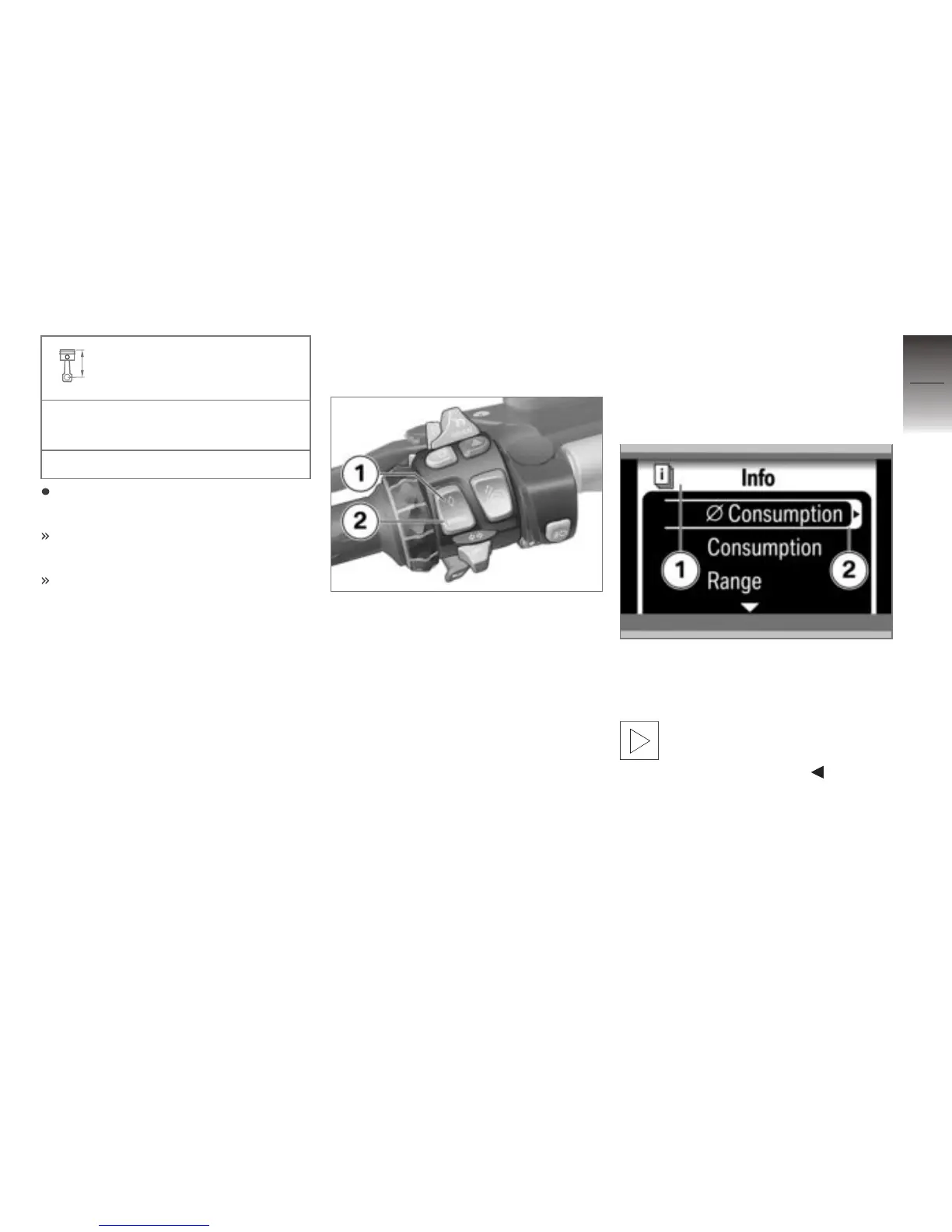
Multifunction display
Selecting menu
Press button 2 to step through
the sequence of menus, starting
with the Dynamic ESA menu.
Each successive press of but-
ton 2 opens the next menu; the
total number of menus depends
on the equipment options fitted
on the motorcycle.
You can also use button 1 to di-
rectly access your predefined
favorite menu.
With the exception of the Au-
dio area, the Settings
menu can only be called with the
motorcycle at a standstill.
The selected menu is displayed
in position 1. The selected sub-
menu 2 is marked by a border.
A list of all the menus can
be found in the separate
Quick Reference Guide.
4
53
z
Operation


 To Next Page