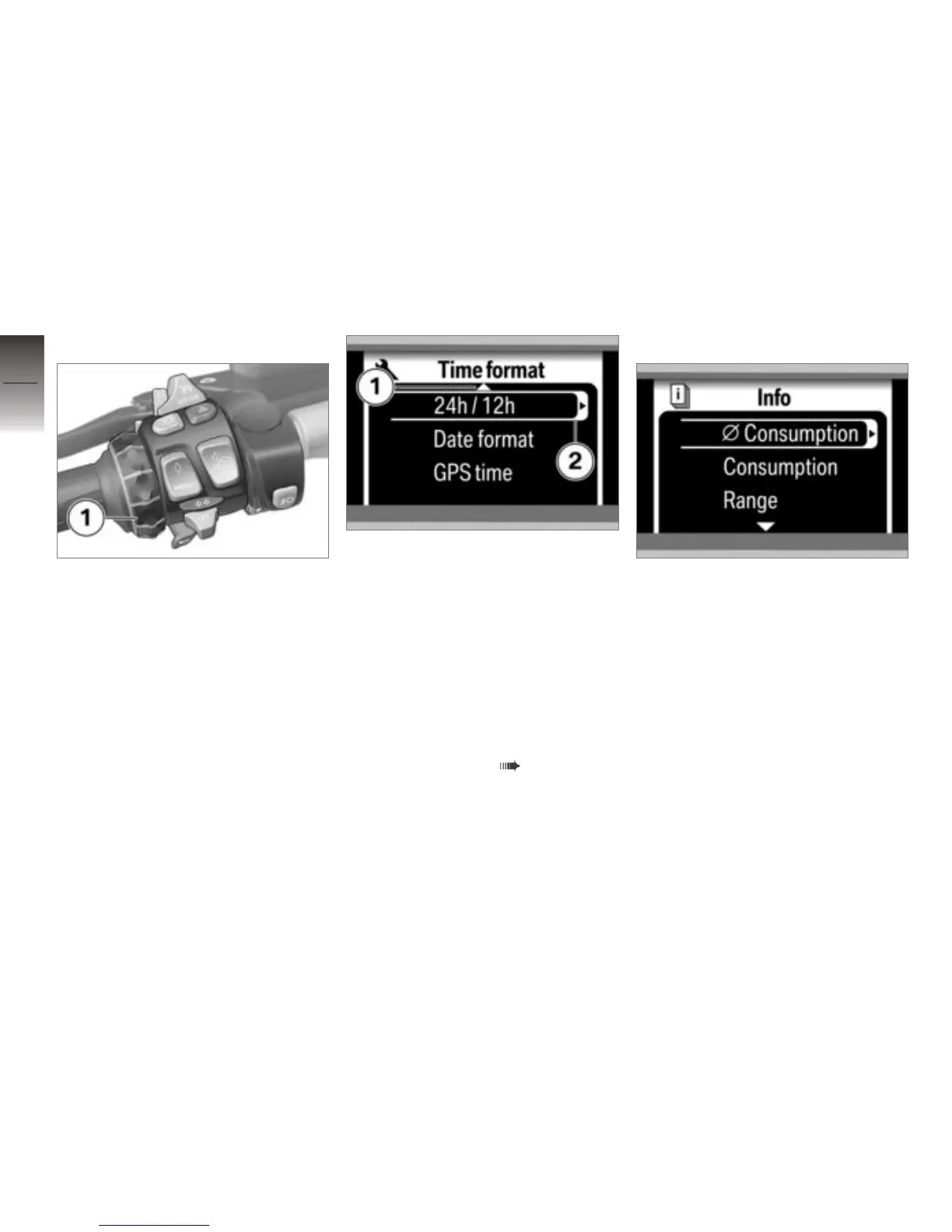
Selecting menu item
Move the cursor within the menu
using the Multi-Controller 1.
An arrow 1 on the upper or lower
edge of the display indicates that
by turning the Multi-Controller
in the corresponding direction,
you can access additional menu
items. If the arrow 2 is shown on
the cursor, then you can call up a
submenu by pressing the Multi-
Controller to the right (different
meaning for average values and
list selection, see ( 54)).
Setting parameters
Direct selection
If you move the cursor to a menu
item that requires no other set-
tings, your selection goes active
right away.
4
54
z
Operation



 To Next Page