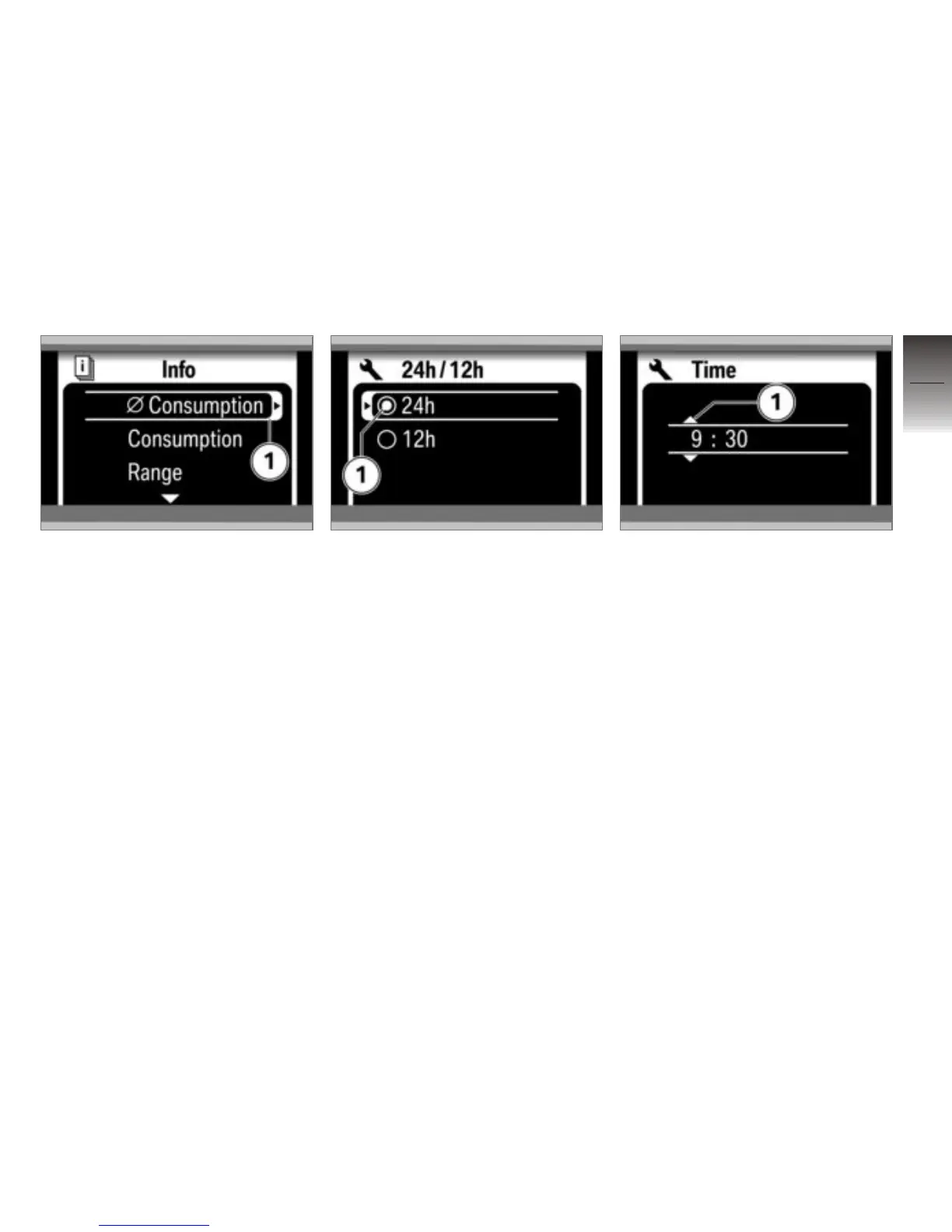
Resetting settings
You can reset average values
marked with an arrow 1 by long-
pressing the Multi-Controller to
the right.
Selecting from a list
A circle 1 beside each selectable
item means that the items are
part of a selection list. A circle
with a dot indicates the item that
is currently selected.
If you want to change the se-
lection, move the cursor to an-
other item in the list and press
the Multi-Controller to the right
to either activate or deactivate
the parameter you selected.
Setting numerical values
If there are one or more numeri-
cal values between the arrows 1,
you can increase the values by
turning the Multi-Controller up
or reduce the values by turning
it down. By pressing the Multi-
Controller to the right or left, you
can change between the values.
4
55
z
Operation



 To Next Page