13
User's Manual
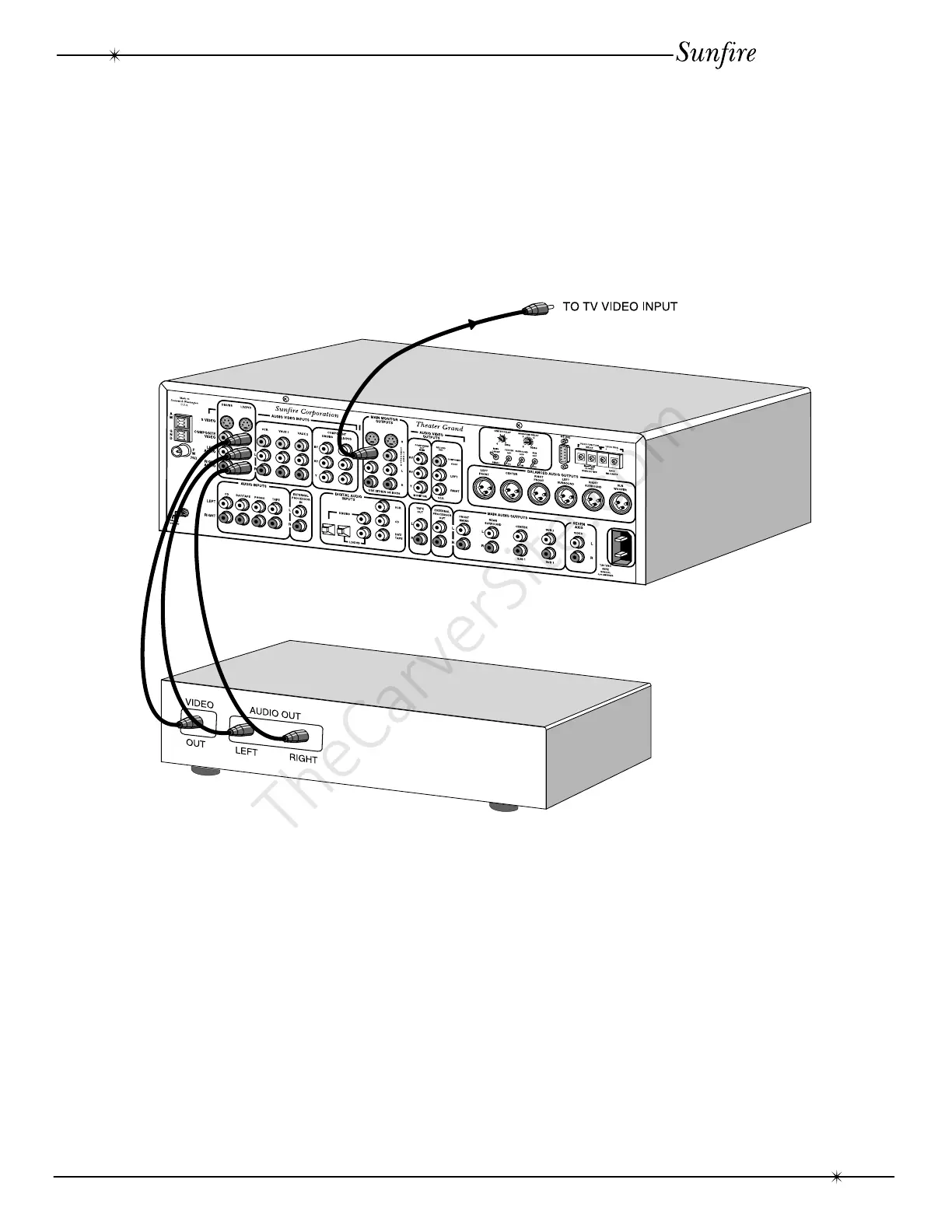
DVD Connections-analog audio and composite video
System Configurations
The following pages show some typical
connections that you might make in your installa-
tion. They show how the inputs and outputs of
the Theater Grand Processor are connected to
various audio and video components.
When the DVD input is selected on the
front panel or the remote control, the DVD’s
audio will play in your system and the video is
sent to the TV.
As with all the video connections that
follow, you must make sure that your TV
monitor is set to look at it’s correct video input
or you will not see the picture.
System Configurations



 To Next Page