32
User's Manual
Dolby Pro Logic mode
The delay time adjustment allows the
surround speakers to be delayed in time
relative to the front speakers. This should be
done after the volume level calibration has
been completed.
In a live performance, you will hear a
direct sound and a reflected echo effect from
the side and rear of the room. In your home
theater, the front speakers give you the direct
sound and the surround speakers will simu-
late the reflected sound. For a realistic
reproduction of the live event, the surrounds
must be delayed in time, simulating the extra
distance of a direct sound going past you,
hitting the rear wall and reflecting back to your
listening position. The delay adjustment
allows for different room sizes.
The adjustment procedure is as follows:
1. Touch DSP on the remote until PRO
LOGIC appears in the front panel
display.
2. Touch SURROUND on the remote and
SUB ON or SUB OFF will appear in
the display. Use the + or - on the
remote to select SUB ON.
3. Touch SURROUND a second time
and follow the calibration procedure on
the previous pages, or touch it again to
skip over the calibration.
4. The front panel display will show a
small bar-graph of the delay time.
5. Use the plus and minus on the remote
to adjust the level. There are four
choices: 15, 20, 25 and 30 millisec-
onds. An average setting is 15 or
20ms, larger rooms may need 25 or
30ms but feel free to experiment.
6. Touch SURROUND again to return to
normal listening.
Dolby Digital mode
The delay time adjustment in Dolby
Digital mode is not needed to account for
room reflections, but for the difference in
distance between your listening position and
the various speakers. The sound from the
surrounds and the center speaker should
reach you at the same time as the sound from
the front speakers.
Sound travels approximately one foot per
millisecond (ms). If your center speaker is
2 feet closer to you than the main speakers,
then it’s sound will reach you 2 ms before the
sound from the main speakers does. In this
case, you should set the center delay to 2 ms.
If your surrounds are 5 feet closer to you
than the main speakers, set the surround
delay to 5 ms.
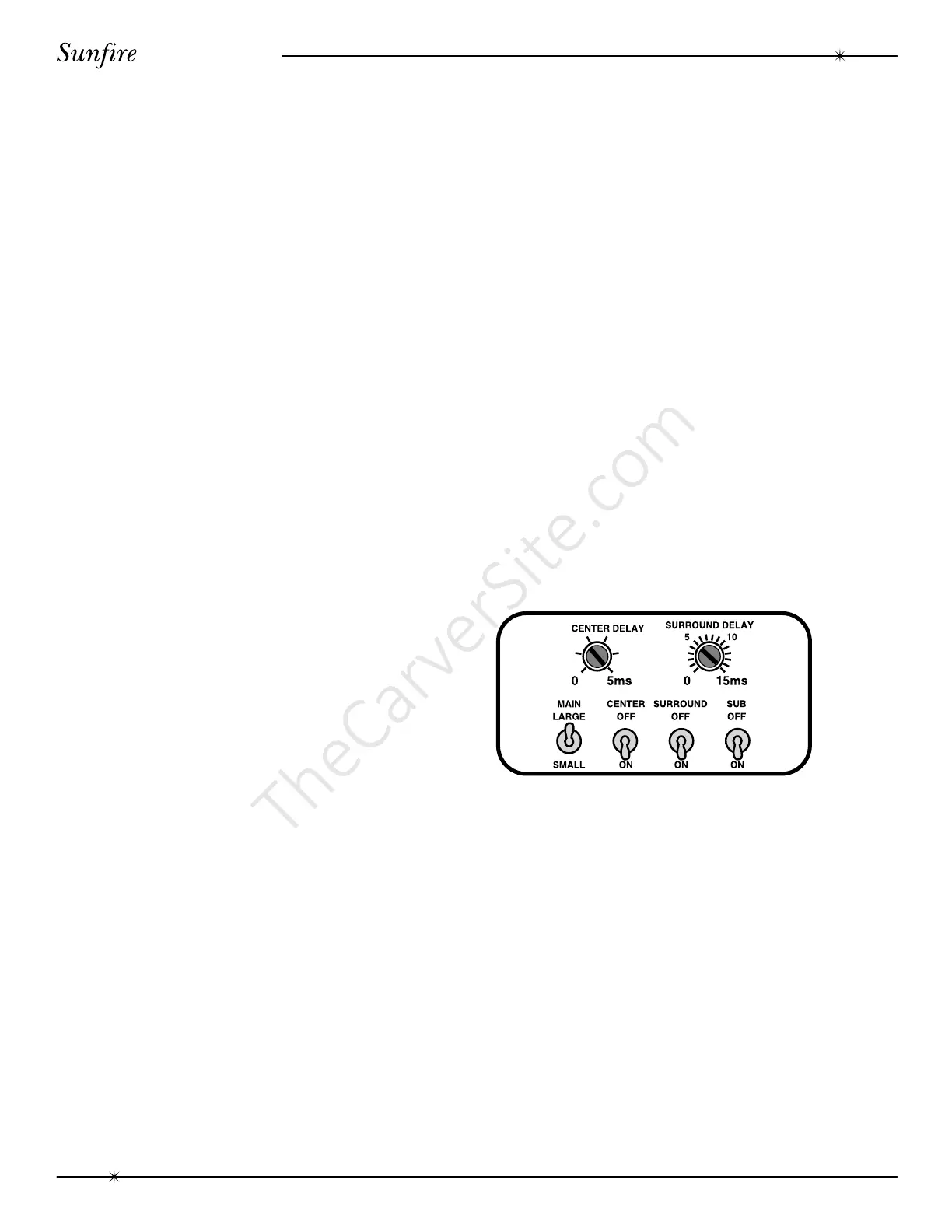
The adjustment is done using the two rear
panel controls and your fingers or a small
screwdriver.
CENTER DELAY
The delay ranges from 0 to 5 ms in
1ms steps.
SURROUND DELAY
The delay ranges from 0 to 15 ms in
1ms steps.
NOTE: If you have found the surround
delay time for Dolby Digital operation, just add
15 ms to that time to give you the delay
setting for Dolby Pro Logic mode, see step #5.
Adjusting the Delay time
Delay Time



 To Next Page