23
User's Manual
The principle behind bass management is
that unlike higher frequencies, it is difficult to
discern exactly from which direction lower
bass is coming from. The Theater Grand
Processor has a bass management system
for Dolby Digital or DTS playback which
allows you to choose whether your front
speakers will play the full frequency range, or
if the bass will be redirected to the subwoofer.
The center and surround bass information is
also sent to the subwoofer.
The advantages of redirecting the bass to
a subwoofer are :
• The overall bass of the system is
improved as subwoofers are specially
designed for this frequency range.
• The subwoofer can simultaneously
play the bass from all of the speakers,
in addition to it’s own effects channel.
• There is no loss in perception of the
position of movie or music sound
effects.
• Smaller speakers can be used as they
do not have to reproduce the low
frequency range. This leads to a
saving in expense and room space.
• Your amplifiers will not have to repro-
duce the low frequency power.
The Theater Grand Processor acts as an
electronic crossover, with a crossover point
fixed at 80 Hz, splitting the audio range into
two parts:
The bass frequencies below 80 Hz
The frequency range above 80 Hz
NOTE: Dolby Digital and DTS modes are
designed especially for complete systems with
center, surround and subwoofer speakers
present. You need to have all the speakers to
get the best performance from your home
theater. For example, if you do not have a
subwoofer than the low frequency effects
(LFE) channel will be missing.
These switches only affect the Dolby Digital
and DTS surround modes, except where noted.
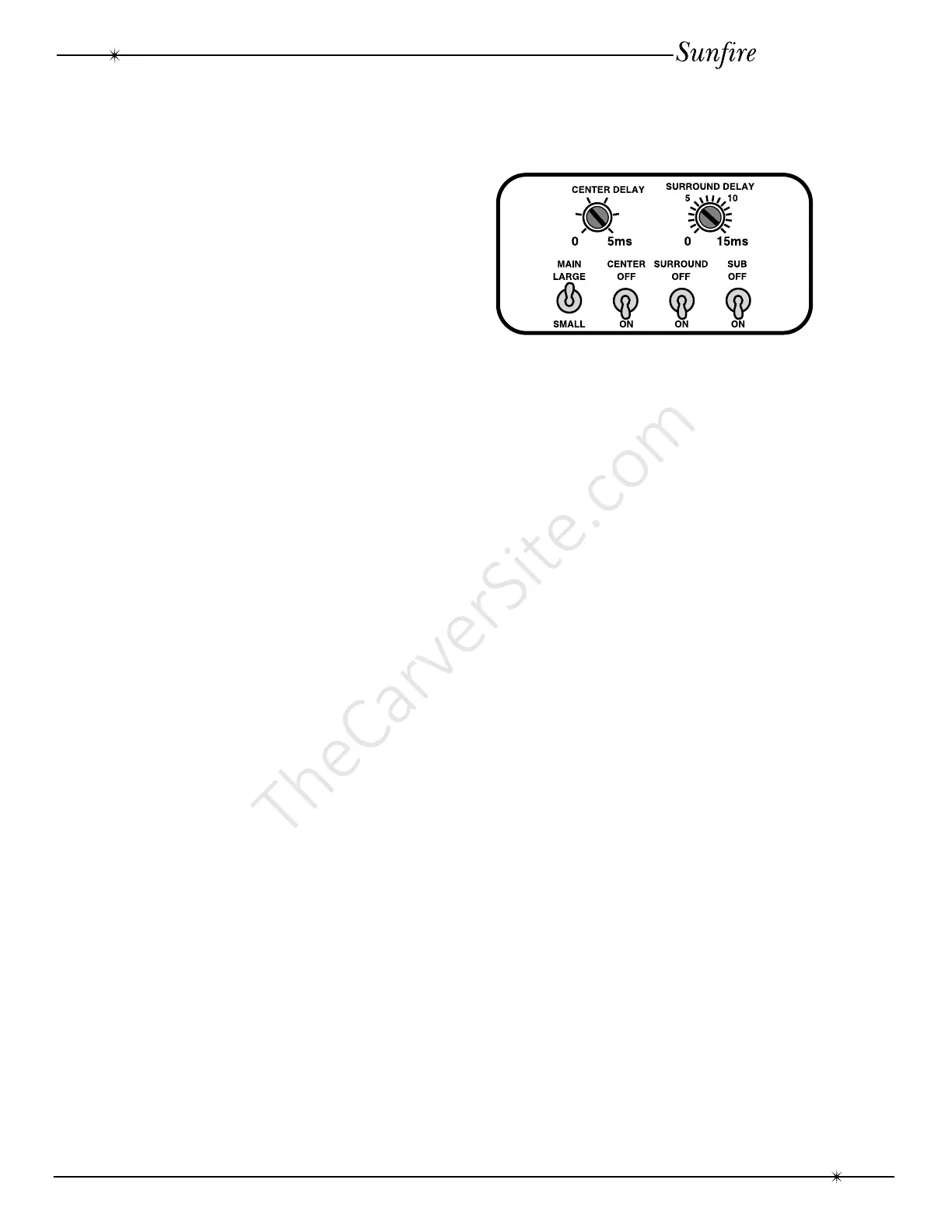
MAIN LARGE/SMALL
• Set this switch to LARGE if your front
left and right speakers are capable of
good bass performance. They will then
receive the full frequency range.
• If they are smaller speakers, set the
switch to SMALL. They will then
receive the higher frequency range
above 80 Hz. The frequencies below
80 Hz are redirected to the subwoofer.
You might try this position even if you
do have large front speakers.
CENTER ON/OFF
• Set this switch to ON if you have a
center speaker.
• In the OFF position, the center channel
information is redirected to the front
speakers. This is a “PHANTOM”
center channel and it also works in
Dolby Pro Logic.
• In both cases, the center bass below
80 Hz is sent to the subwoofer.
SURROUND ON/OFF
• Set this switch to ON if you have
surround speakers. The surround bass
below 80 Hz is sent to the subwoofer
SUBWOOFER ON/OFF
• Set this switch to ON if you have a
subwoofer.
• If you do not have a subwoofer, you
must have large main speakers to
hear the bass below 80 Hz.
Bass Management
Bass Management



 To Next Page