30
User's Manual
The calibration procedure allows you to
adjust the volume level of each speaker in
turn until they are all equal. This will give you
the best home theater performance. You
should only do this calibration when you are
sitting in your usual listening/viewing position.
Preliminary: Play a movie and adjust the
volume for a comfortable listening level. The
volume of the calibration test noise is linked to
the initial setting of the volume control, so if the
test noise is too quiet, leave the calibration
mode, turn the main volume up a little and retry.
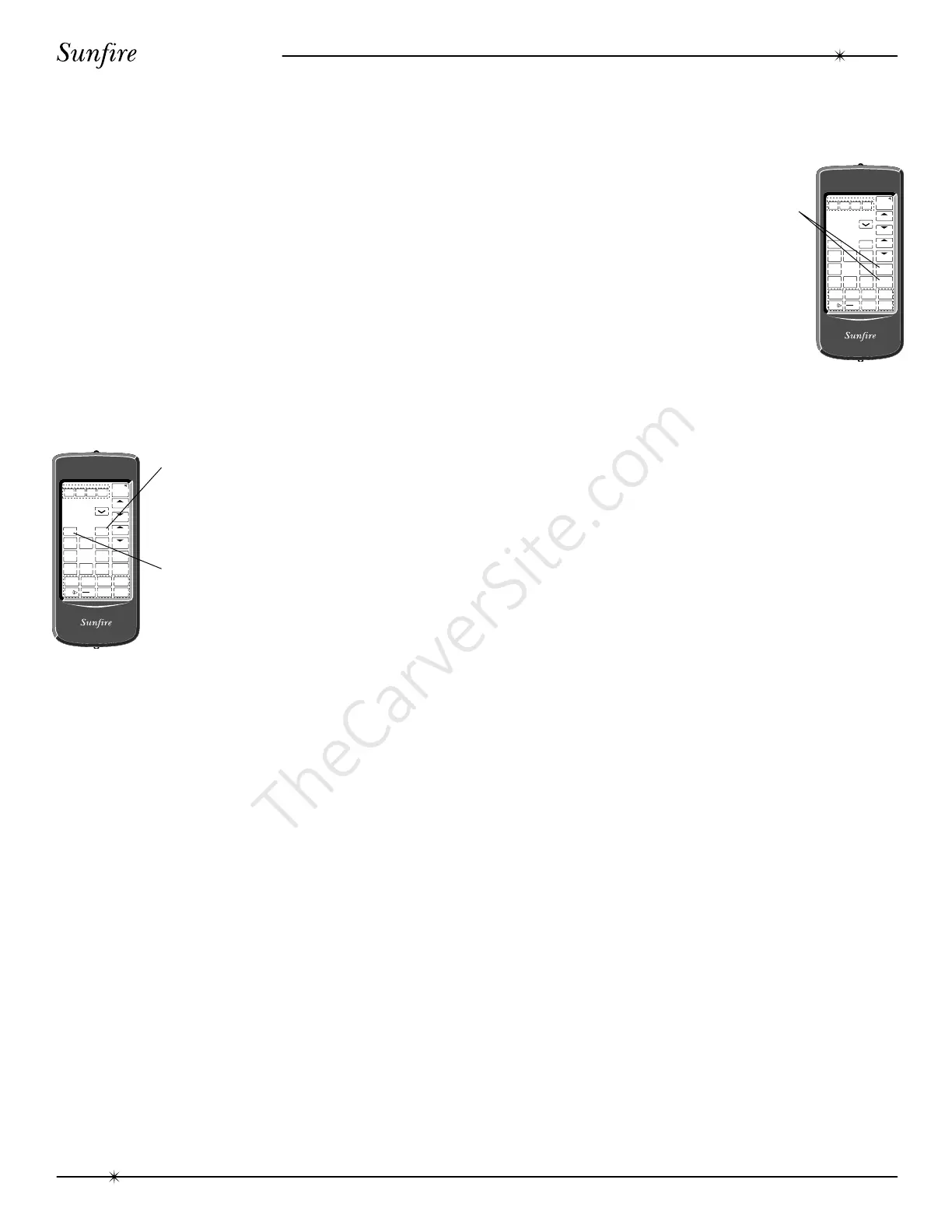
1. Touch the AMP key on the remote
control.
2. Touch DSP on the remote until PRO
LOGIC appears in the front panel
display (it must be in Dolby Pro Logic
before calibration, otherwise not all of
the speakers will be tested).
3. Touch SURROUND on the remote and
SUB ON or SUB OFF will appear in
the display. Use the + or - on the
remote to select SUB ON.
4. Touch SURROUND a second time to
display and start the following TEST
modes in sequence:
TEST L: a test signal for your left
front speaker
TEST C: a test signal for your center
speaker
TEST R: a test signal for your right
front speaker
TEST RS
:
a test signal for your right
surround speaker
TEST LS: a test signal for your left
surround speaker.
TEST SUB:
a test signal for your
subwoofer.
5. While the test noise is playing in each
speaker, the volume can be adjusted
using the plus or minus keys on the
remote control. Adjust the speakers
until they are all equal in volume.
The best results are obtained if
you use a Sound Pressure Level Meter
(SPL). This is a hand held meter which
will accurately measure and display
the sound level. We recommend that
you adjust all of the speakers until they
are playing within 1 dB of each other,
as measured on the SPL meter scale.
Without a meter, you can still obtain
good results with careful listening.
6. Touch SURROUND on the remote to
finish this procedure. The DELAY
TIME can then be adjusted, as de-
scribed on page 32.
When all of the speakers are adjusted,
the main volume control can then move all of
the speakers up and down at the same time.
They will keep the same relative levels, that
is, they will still be playing as loud or as quiet
as each other.
The Dolby Digital, Dolby Pro Logic and
DTS soundtracks are designed to be played
back in a calibrated home theater. The
sounds that you hear from your movie will be
at the correct relative level, as the movie
sound director designed them. You should
repeat the calibration if you change any of the
amplifiers or speakers, or if you move the
listening location closer to the speakers.
NOTE: If you are listening in STEREO and
want to adjust the balance, you can use this
procedure on the left and right speakers and the
subwoofer.
RESET
SURROUND
V.A U X
DAT/TAPE VCR1
+
-
PHONO
TV
VCR CD LD
AMP
TAPE
TUNER
SEL1 SEL2
TUNER CD
LD DBS/BS
DSP
DELETE LEARN MACRO
VOLUME
CHANNEL
POWER
DELETE ERROR OK LEARN BAT LOW
RESET
SURROUND
V.A U X
DAT/TAPE VCR1
+
-
PHONO
TV
VCR CD LD
AMP
TAP E
TUNER
SEL1 SEL2
TUNER CD
LD DBS/BS
DSP
DELETE LEARN MACRO
VOLUME
CHANNEL
POWER
DELETE ERROR OK LEARN BAT LOW
Calibration
Calibration



 To Next Page