36
User's Manual
Recording
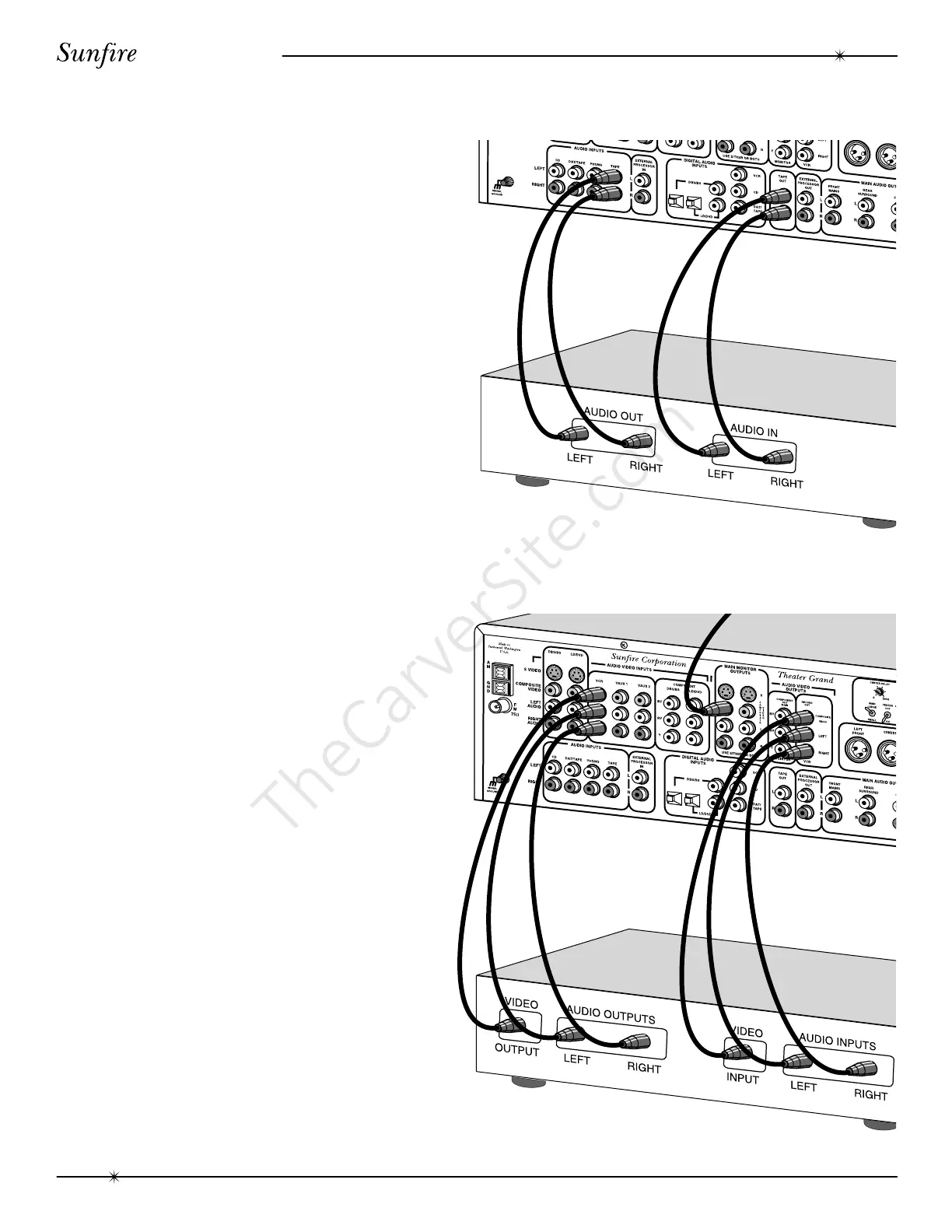
Recording to a tape player
The source playing in the Theater Grand
Processor can be recorded using the left and
right audio outputs. The tape player will
receive a straight copy of the source signal
going in, unaffected by the volume, tone or
any surround modes.
• Turn off the Fully Automatic mode.
• Manually select the source such as
CD and play it through your system.
• Set your tape player to record and adjust
the input levels for the best perfor-
mance. Once the levels are correct, you
can reset your source to the beginning
and make your recording.
• Do not select another input while you
are recording.
• Especially do not select DAT/TAPE
while you are recording, otherwise you
may encounter feedback.
Recording to a VCR
Any video source playing in the Theater
Grand Processor can be recorded using the
left and right audio and the video outputs. The
VCR will receive a straight copy of the source
signal going in. The signal is not affected by
the volume, tone or any surround modes.
• Select the video source and play it
through your system.
• Set your VCR to record.
• Do not select another input while you
are recording.
• Especially do not select VCR while you
are recording, otherwise you may
encounter feedback.
record
record
play
play
recording



 To Next Page