26
User's Manual
RESET
SURROUND
V. AU X
DAT/TAPE VCR1
+
-
PHONO
TV
VCR CD LD
AMP
TAPE
TUNER
SEL1 SEL2
TUNER CD
LD DBS/BS
DSP
DELETE LEARN MACRO
VOLUME
CHANNEL
POWER
TRANSMITTER
RECEIVER
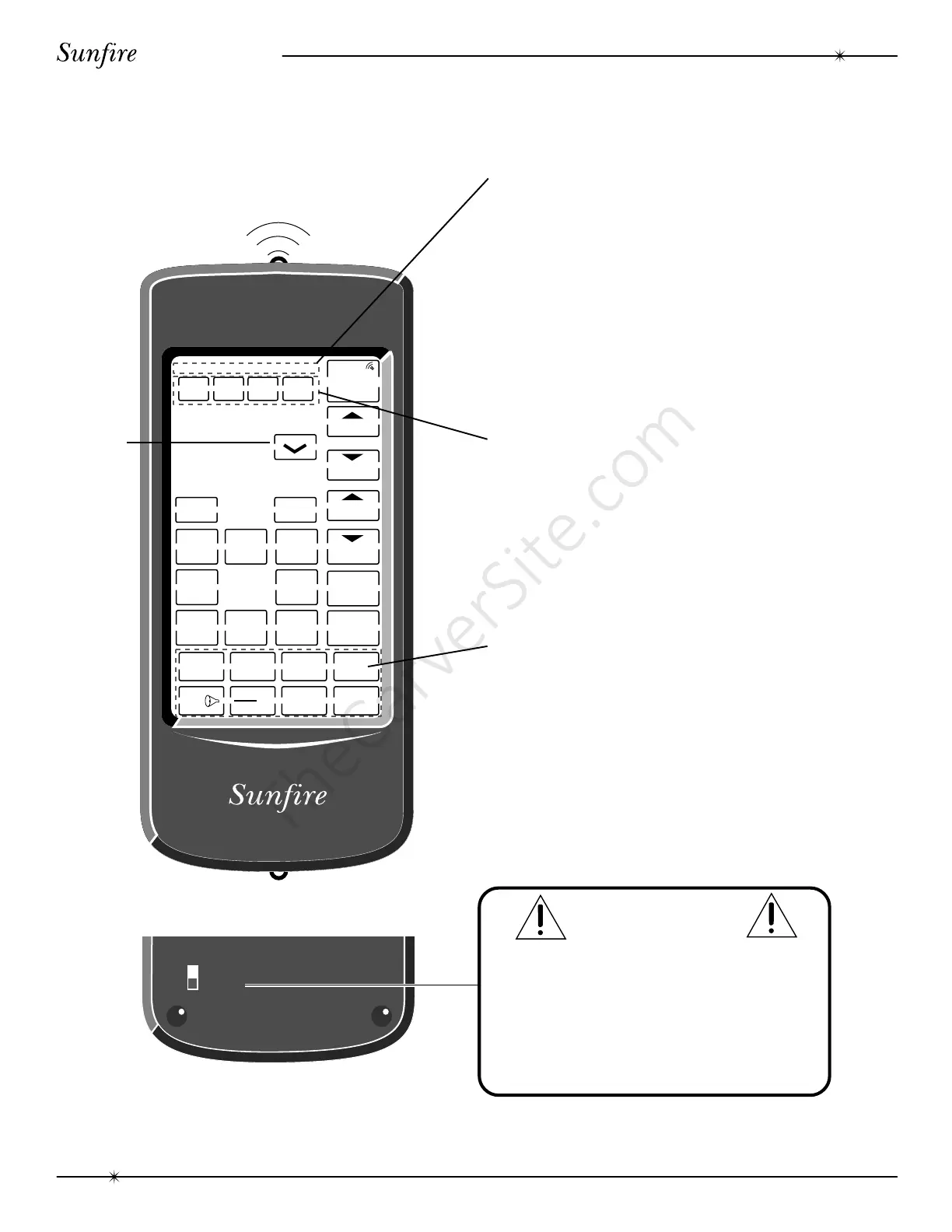
WINDOW
DELETE ERROR OK LEARN BAT LOW
STATUS INDICATORS
DELETE: Indicates when the remote is in the
delete mode.
ERROR: Displays when there is an error in
learning a function or the key has
not been programmed.
OK: Indicates that the selected function
is working correctly or has been
learned.
LEARN: Indicates when the remote is in the
learning mode.
BAT LOW:
Indicates that the batteries need to
be replaced.
OPERATION KEYS
RESET: Do not use this feature, see the
Caution note below.
DELETE: Used to delete the memory of a
single key.
LEARN: Used to learn functions from other
remote controls.
MACRO: Used to learn a macro function,
which is a series of steps that can
be recalled by touching a single key.
COMPONENT SECTION
These two rows of keys are used
to choose components to operate.
CONTROL KEYS
The Learn feature allows the
remaining keys to operate the
other remote controlled equipment
in your system. In the Amp display
shown, these keys are used to
control your Theater Grand
Processor, selecting the input,
changing the volume etc.
CAUTION
On the rear panel is a FUNC switch. This
MUST
be OFF during normal use.
NEVER press RESET when the FUNC switch
is in the ON position, it will wipe out all program-
ming, and you will have no way to control your
Theater Grand Processor.
OFF
FUNC
ON
The Remote Control
Remote Control
MUTE



 To Next Page