27
User's Manual
RESET
REAR CENTER FRONT
SURROUND
V. AU X
DAT/TAPE VCR2 VCR1
+
-
PHONO
TV
VCR CD LD
AMP
TAPE
TUNER
SEL1 SEL2
1
A
2
v
TUNER CD
LD DBS/BS
CENTER
DSP
DELETE
DELETE ERROR OK LEARN BAT LOW
LEARN MACRO
VOLUME
CHANNEL
POWER
RESET
SURROUND
V. AU X
DAT/TAPE VCR1
+
-
PHONO
TV
VCR CD LD
AMP
TAPE
TUNER
SEL1 SEL2
TUNER CD
LD DBS/BS
DSP
DELETE
DELETE ERROR OK LEARN BAT LOW
LEARN MACRO
VOLUME
CHANNEL
POWER
RESET
10 0
789
456
123
SURROUND
MENU TIMER SCAN
+
-
RECALL
TV VCR CD LD
AMP
TAPE
TUNER
SEL1 SEL2
1
A
MTS MUTE
ANT/CATV TV/VIDEO
DELETE
DELETE ERROR OK LEARN BAT LOW
LEARN MACRO
VOLUME
CHANNEL
POWER
SEL1
1
A
RESET
10 0
789
456
123
SURROUND
MENU TIMER SCAN
+
-
RECALL
TV VCR CD LD
AMP
TAPE
TUNER
SEL1 SEL2
MTS MUTE
ANT/CATV TV/VIDEO
DELETE
DELETE ERROR OK LEARN BAT LOW
LEARN MACRO
VOLUME
CHANNEL
POWER
RESET
10 0
789
#
456
123
KARAOKE
TV VCR CD LD
AMP
TAPE
TUNER
SEL1 SEL2
DELETE
DELETE ERROR OK LEARN BAT LOW
LEARN MACRO
VOLUME
CHANNEL
POWER
PLAY
STOP
REC
RESET
10 0
789
456
123
PLAY
EDIT
SHUFFLE
REPEAT
STOP
TV
VCR CD LD
AMP
TAPE
TUNER
SEL1 SEL2
DELETE
DELETE ERROR OK LEARN BAT LOW
LEARN MACRO
POWER
RESET
10 0
789
456
123
PLAY
EDIT #
CX
SHUFFLE
REPEAT
STOP
TV
VCR CD LD
AMP
TAPE
TUNER
SEL1 SEL2
DELETE
DELETE ERROR OK LEARN BAT LOW
LEARN MACRO
POWER
KARAOKE
RESET
10 0
789
456
123
REC PLAY
STOP
TV
VCR CD LD
AMP
TAPE
TUNER
SEL1 SEL2
DELETE
DELETE ERROR OK LEARN BAT LOW
LEARN MACRO
CHANNEL
POWER
AMP
TAPE
TUNER
SEL2
1
A
2
v
TV VCR CD
LD
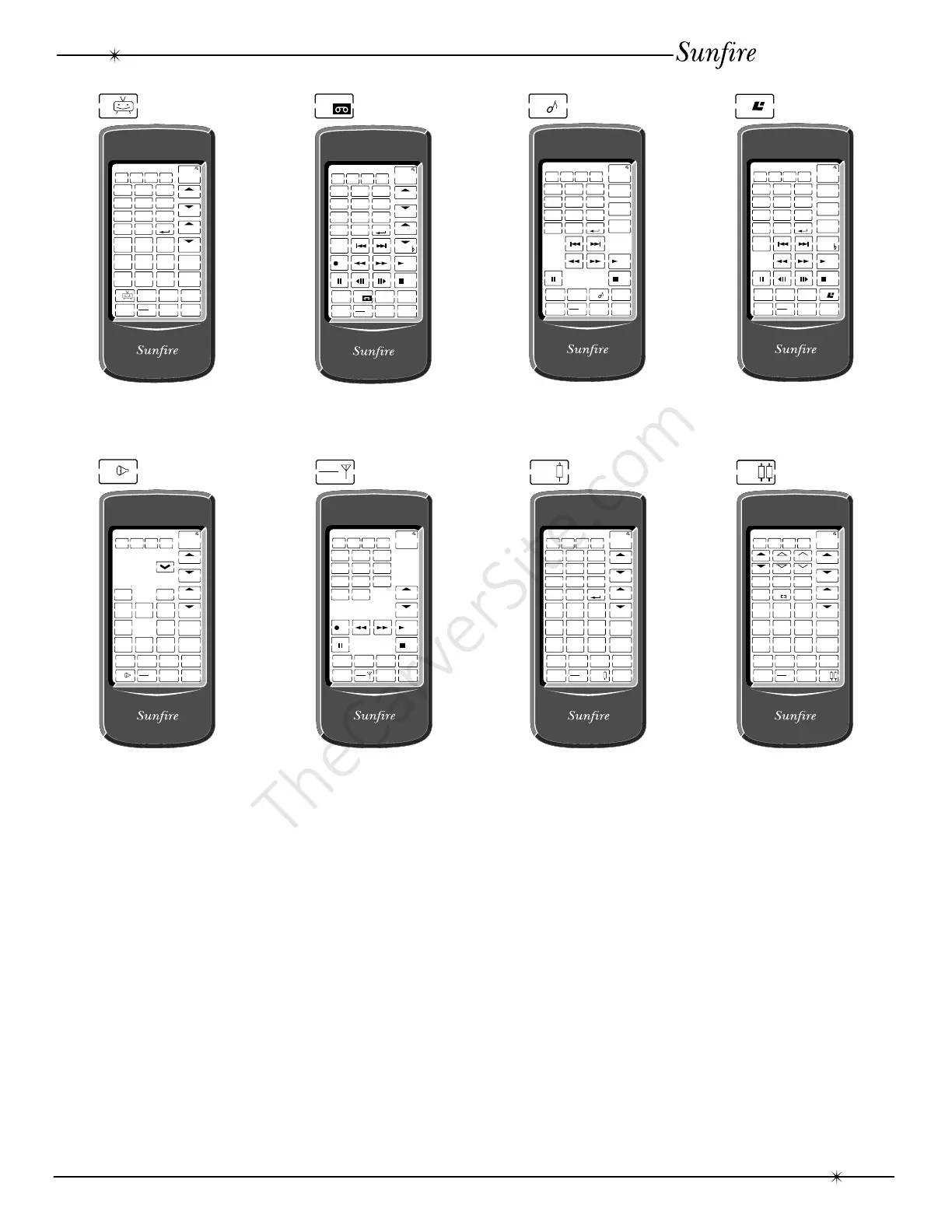
Eight Remotes in one.
Each component key brings up a different
display as shown above. The keys which
appear can learn the commands from your
original component’s remote. SEL 1 and
SEL 2 can be used for any other components
you might have.
Initially, only the AMP and TUNER
displays have any keys which have been
programmed. These allow you to operate the
Theater Grand Processor. You can follow the
LEARN procedure to teach the Sunfire remote
how to operate your other equipment.
If you touch any component key and hold
it down for two seconds, a simpler display
appears. This shows only the basic settings of
your component, hiding little-used keys. If you
touch and hold down the same component
key for two seconds, the standard display will
be restored.
Display Lighting
The remote will auto-sense if it is dark
enough to turn on the display lighting. It will
then light up when a key is touched, and fade
off after a few seconds.
Remote Control



 To Next Page