7
User's Manual
RESET
SURROUND
V. AU X
DAT/TAPE VCR1
+
-
PHONO
TV
VCR CD LD
AMP
TAPE
TUNER
SEL1 SEL2
TUNER CD
LD DBS/BS
DSP
DELETE
DELETE ERROR OK LEARN BAT LOW
LEARN MACRO
VOLUME
CHANNEL
POWER
AMP
Tuner
controls
Selecting a
surround mode
Volume
adjustment
Selecting an
input
Tone
controls
Tuner
Presets
RESET
10 0
789
456
123
REC PLAY
STOP
TV
VCR CD LD
AMP
TAPE
TUNER
SEL1 SEL2
DELETE
DELETE ERROR OK LEARN BAT LOW
LEARN MACRO
CHANNEL
POWER
TAPE
TUNER
Power
on/off
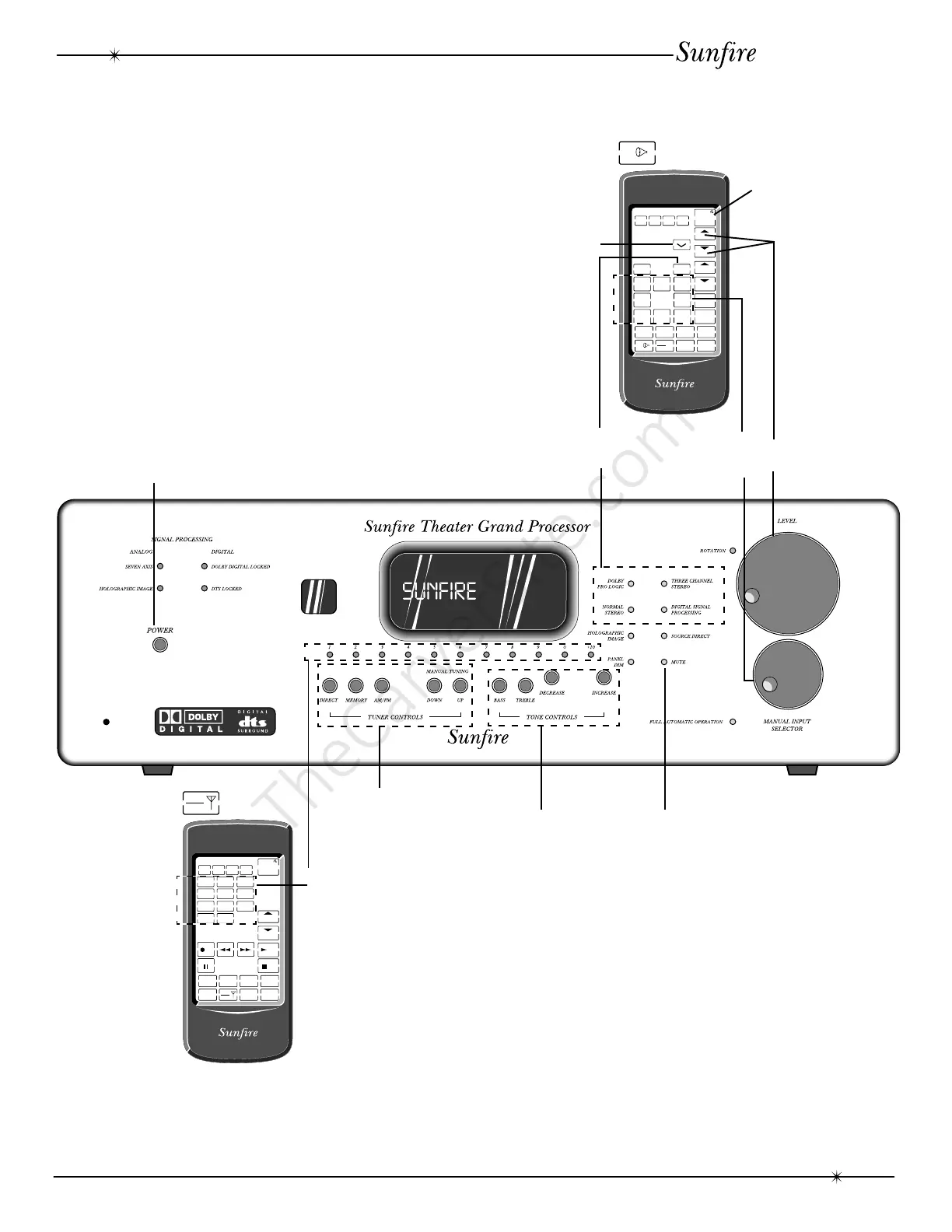
Most features of the Theater Grand
Processor can be operated by the remote
control’s AMP section. The Tuner station
presets are in the remote’s TAPE/TUNER
section.
For the best home theater performance,
you must first follow the calibration and delay
adjustment procedures.
In stereo use, the calibration can be used
to adjust the balance of the left and right
speakers and to adjust the subwoofer level.
Power
on/off
DSP
Calibration Procedure: Page 30-31
Delay Adjustment: Page 32
Remote Control: Page 26-29
Surround Modes: Page 33-34
Overview
Overview
Mute
Mute



 To Next Page