35
User's Manual
Using the Tuner
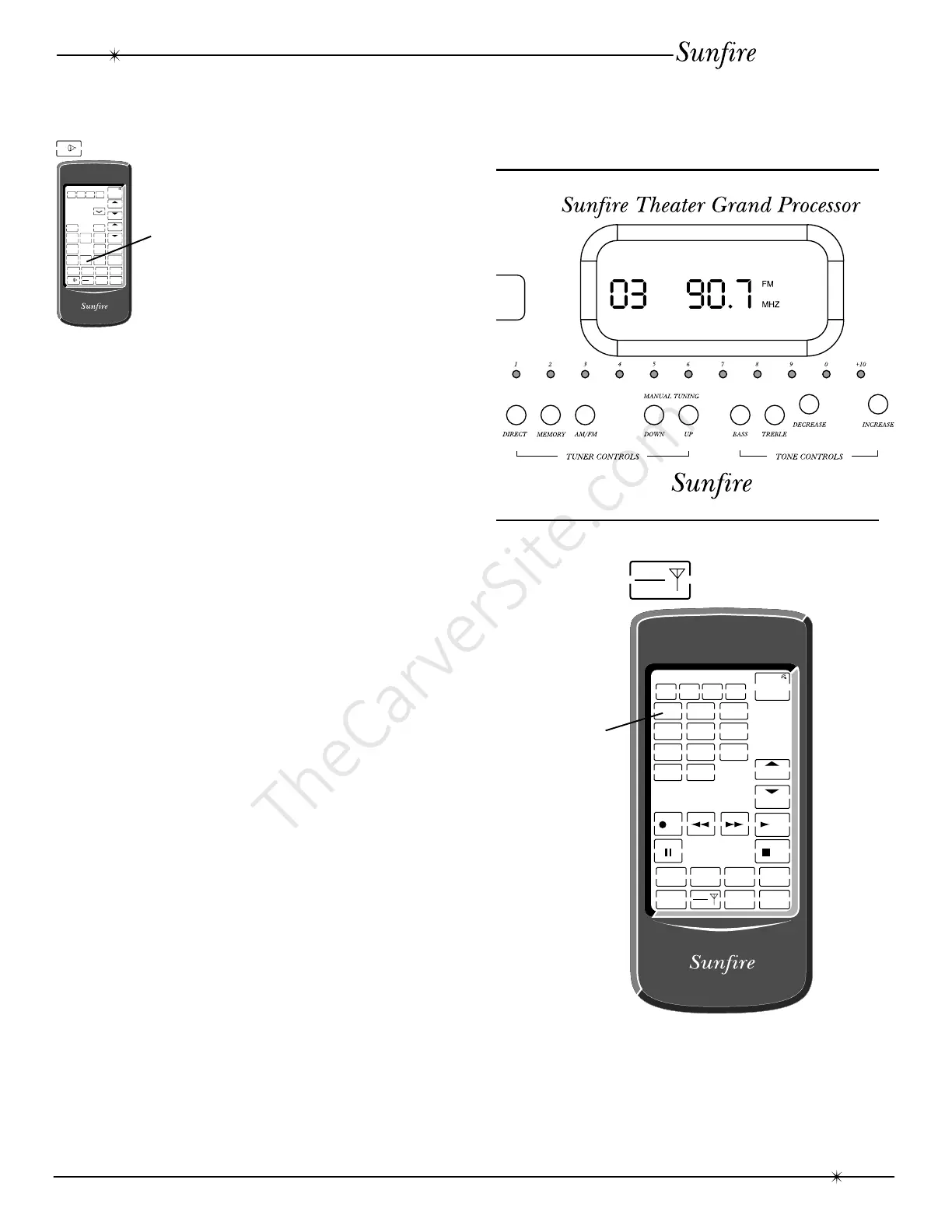
The Tuner is selected either by rotating
the manual input selector on the front panel,
or by touching the TUNER key in the remote’s
AMP display.
The front panel display changes to show
the frequency and preset number of the last
station you were listening to.
Tuning Stations Manually
Use the AM/FM button to select either the
AM or FM band and then use the UP and
Down buttons to move up and down the band.
The tuner will automatically lock on to the next
station it finds.
The FM Tuner can tune stations from 87.5
MHz to 108.0 MHz in steps of 0.1 MHz
(.05 MHz steps for some international models).
The AM Tuner can tune stations from
530 to 1700 kHz in steps of 10 kHz
(9 kHz steps for some international models).
Tuning Stations Directly
Use the AM/FM button to select either the
AM or FM band and then press the DIRECT
button. Within a few seconds, enter the
station’s frequency by using the preset
number buttons, either on the front panel or
on the remote’s TAPE/TUNER display.
Setting the Presets
Once you have tuned in a station, press
MEMORY, followed by a number from 1 to 40,
using the preset numbers. For numbers
between 10 and 19, press the +10 button first.
For numbers between 20 and 29, first press
the +10 button twice; press it three times for
numbers between 30 and 39; Press it four
times to reach the last preset 40.
Recalling a Preset Station
Once you have selected the Tuner, you
can select and tune in a preset station by
pressing the number buttons, either on the
front panel or on the remote’s TUNER display.
RESET
10 0
789
456
123
REC PLAY
STOP
TV
VCR CD LD
AMP
TAPE
TUNER
SEL1 SEL2
DELETE
DELETE ERROR OK LEARN BAT LOW
LEARN MACRO
CHANNEL
POWER
TAPE
TUNER
RESET
SURROUND
V.A UX
DAT/TAPE VCR1
+
-
PHONO
TV
VCR CD LD
AMP
TAPE
TUNER
SEL1 SEL2
TUNER CD
LD DBS/BS
DSP
DELETE
DELETE ERROR OK LEARN BAT LOW
LEARN MACRO
VOLUME
CHANNEL
POWER
AMP
Using the Tuner
Preset
numbers



 To Next Page