8
User's Manual
Front Panel Features
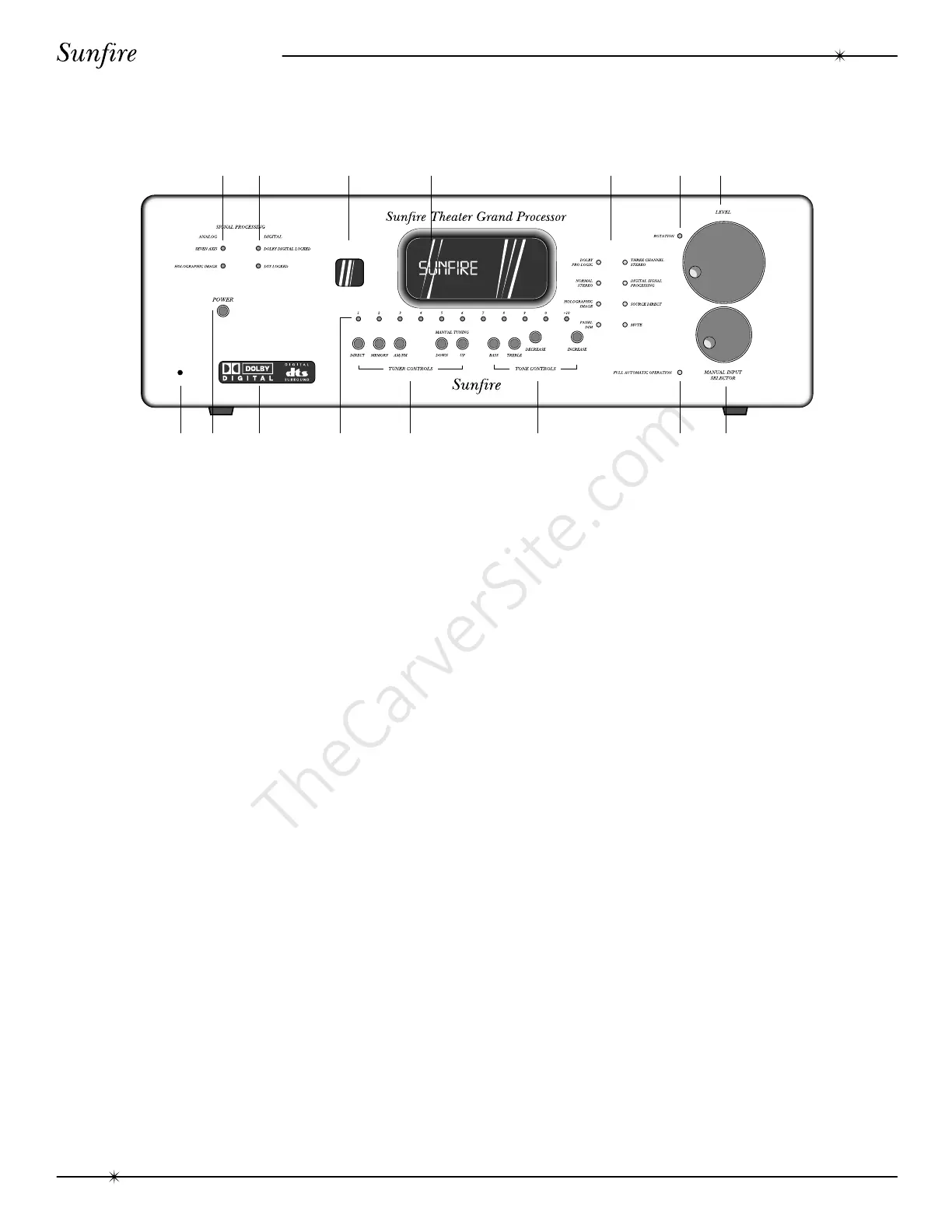
12 3 4 5 6 7
910 11 12 13 1415
8
1. Analog Signal Processing
SEVEN AXIS
This light is always on. It indicates that
the Theater Grand Processor is
capable of delivering seven channels of
surround sound. (There are two extra
outputs for side channels).
HOLOGRAPHIC IMAGE
This light is on when the Holographic
Image circuit is engaged.
2. Digital Signal Processing
DOLBY DIGITAL LOCKED
This light is on when a Dolby Digital
signal is being decoded.
DTS LOCKED
This light is on when a DTS signal is
being decoded.
3. Remote Receiver Window
This window should be clean and free
from obstruction for the remote control to
work correctly.
4. Processor Display Window
This display shows which input is selected,
the tuner frequency, volume level and other
useful features during normal use and calibration.
5. Mode Buttons
DOLBY PRO LOGIC
This activates the Dolby Pro Logic
processing, which operates with
surround encoded source material.
NORMAL STEREO
This is the standard two channel stereo
mode.
HOLOGRAPHIC IMAGE
This circuit adds a three dimensional
effect, especially to stereo listening.
PANEL DIM
The front panel lights have three levels:
bright, medium, or low.
THREE CHANNEL STEREO
This mode adds a center channel to the
left and right front channels.
DIGITAL SIGNAL PROCESSING
This adds Jazz, Stadium or Cathedral
ambience to stereo sources.
SOURCE DIRECT
This allows you to bypass the
processor’s tone control settings.
MUTE
This turns off the sound. Press it again
to return to the previous volume level.
Front Panel Features



 To Next Page