29
User's Manual
3. Touch the component key labelled
VCR on the Sunfire remote.
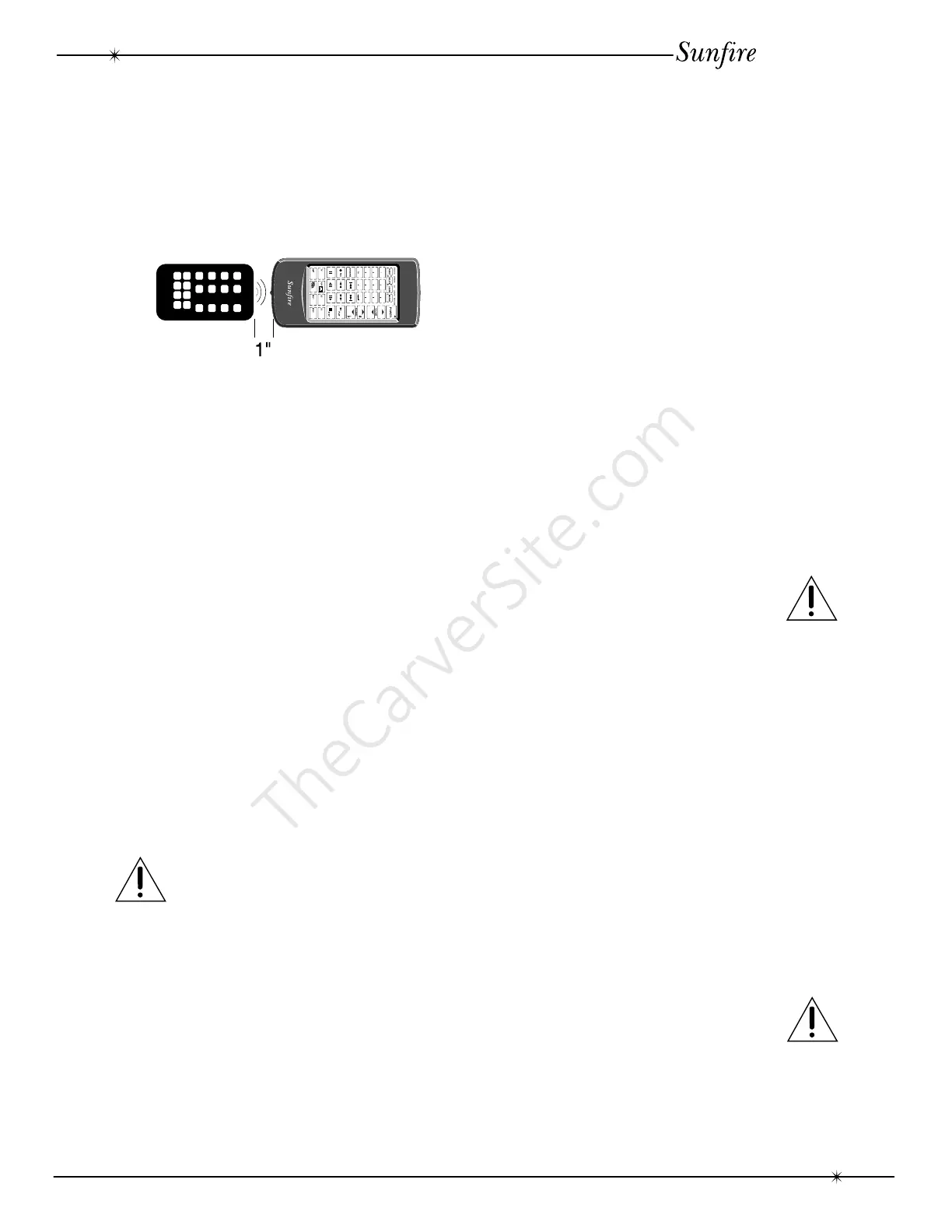
4. Line up the front of your VCR’s remote
with the Sunfire remote’s IR receiver (bottom
edge). Keep them an inch or two apart.
5. Touch the Play key on the Sunfire
remote, and while holding it down, touch the
Play key on your VCR’s remote.
6. When LEARN flashes, the key has
been learned. Repeat step 4 to learn more
functions from your VCR’s remote.
7. To learn from other remotes, for
example a LaserDisc player, select LD on the
Sunfire remote and repeat step 4 onwards.
8. If you see an ERROR display, it means
that the learning process didn’t work. Try
repeating the process with the remotes a bit
closer together, or further apart. It is usually
best if both remotes are on a flat surface, with
the front of the original remote at the same
height as the IR receiver on the Sunfire’s
bottom edge. Also, don’t do this procedure in
bright lighting.
9. After you’ve finished programming the
Sunfire remote, touch the LEARN key again
and the LEARN symbol will disappear. The
LEARN function will also turn off automatically
if no key is touched for over two minutes.
10. VERY IMPORTANT: Turn the FUNC
switch OFF when finished.
The Macro Feature
The MACRO feature lets you store and
recall up to 10 of your previously Learned
functions with a single key. That way you don’t
have to touch a number of different keys to
turn on a component, switch the inputs, and
so on.
To use the MACRO feature:
1. Turn over the Sunfire remote control
and turn ON the FUNC switch.
2. Touch the LEARN key for two seconds.
This will activate the LEARN function.
3. Touch the MACRO key (there is no
MACRO light so do not wait for it).
4. Touch a key that has not already been
programmed to perform a function. This will
become the key learning the Macro.
5. Choose up to 10 separate (already
learned) keys, such as turning on your TV,
switching to VCR input, switching on the
tuner, and so on. Touch them in the same
order you want them to be played back.
6. Touch the MACRO key again to finish
the process.
7. Touch the LEARN key again to turn off
the LEARN function.
8. VERY IMPORTANT: Turn the FUNC
switch OFF when finished.
Now, each time you touch the key chosen
in step 4, the Sunfire remote will run through
the keys chosen in step 5 in sequence.
Deleting Learned functions
You can delete the programming on
individual keys.
To use the DELETE feature:
1. Turn over the Sunfire remote control
and turn ON the FUNC switch.
2. Touch the DELETE key for two sec-
onds. The DELETE light will flash.
3. Touch the key which you want to
delete.
4. Repeat steps 2 and 3 until you have
deleted all the keys you want.
5. VERY IMPORTANT: Turn the FUNC
switch OFF when finished.
Remote Control



 To Next Page