EasyManua.ls Logo

Boca Systems Lemur-S - Page 30

Boca Systems Lemur-S
57 pages
Print Icon
To Next Page IconTo Next Page
To Previous Page IconTo Previous Page
Loading...
29
Print Head Guide
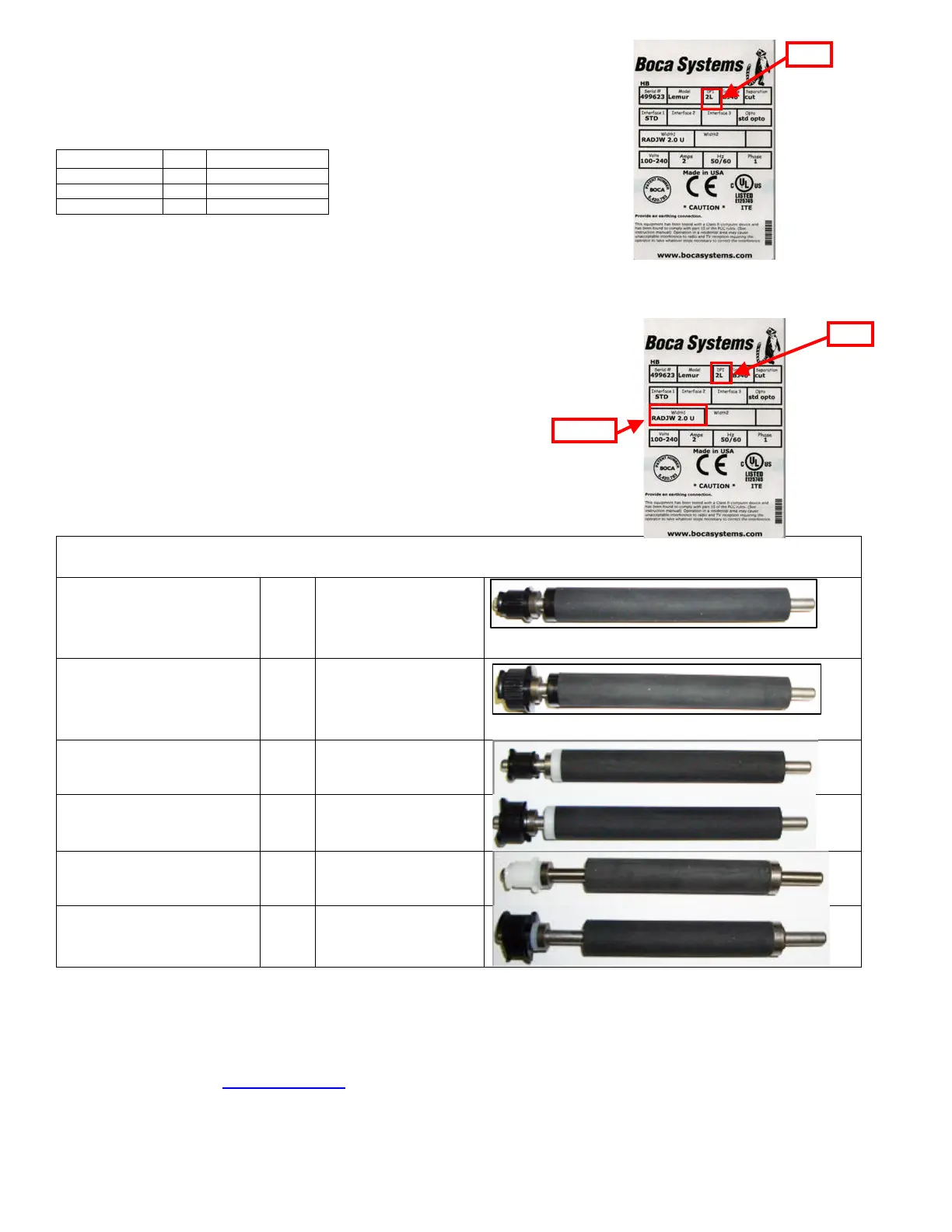
A DPI of a printer may be determined by taking a look at the DPI area of the
printer’s serial number tag.
The below chart should aid in determining the correct print head to order.
Platen Guide
Platen type of a printer may be determined by taking a look at the DPI & Width#
area of the printer’s serial number tag. In the above example you see the
letter “U” at the end of the Width# ID. This indicates the printer has a UPG paper
guide. The platen currently in the printer may look different than the below replacement
platen photos.

PLASTIC PRINT CAGE UNIVERSAL PAPER GUIDE (UPG)
ADJ4, ADJW, RADJ4,
RADJW
(There will be a letter U at the
end)
2L
423760-L4B-200-U
ADJ4, ADJW, RADJ4,
RADJW
(There will be a letter U at the
end)
3L
423760-L4B-300-U
ADJ2
(There will be a letter U at the
end)
2L
423760-L4B-200-
UADJ2
ADJ2
(There will be a letter U at the
end)
3L
423760-L4B-300-
UADJ2
RADJW
(There will be letters UR at the
end
2C/2L
423760-L3B-1-200P
RADJW
(There will be letters UR at the
end
3L
423760-L3B-1-300P
Click here to return to > Table of Contents
Width
DPI
Print head p/n
Does not matter
3L
300L4
Does not matter
2L
200L4
UPG-R
2C
200C3
DPI
DPI
Width#

Related product manuals