6.0 Media Load Procedure
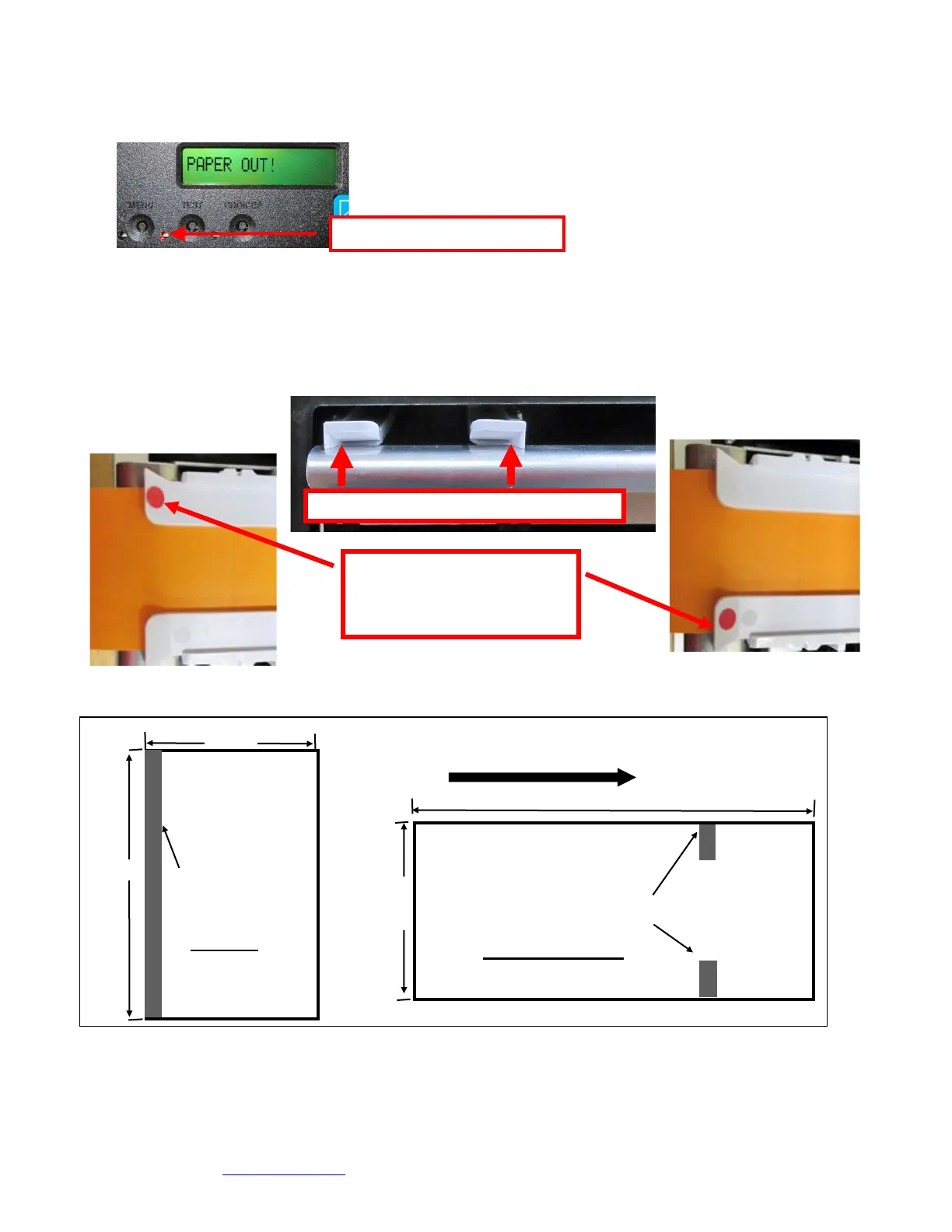
1. Turn the printer on and wait five seconds. The red CHECK PAPER led will be illuminated (if your
printer has an optional LCD then it will display PAPER OUT).
2. Begin loading the tickets through the entrance slot with a smooth motion until the ticket stock comes to
a stop (at this point the stock is between the thermal head and platen). Keep pressure against the
stock and the printer will automatically feed the ticket stock.
The printer will auto measure the media by feeding it forward and then retracting back into the printer. If the
printer is set for Ribbon mode, then is will feed one complete label or ticket out of the printer.
When loading 5.50” long ticket stock the black timing mark should be closest to the leading edge of the ticket (the first part
that goes into the printer). When loading 2.0”” long cinema ticket stock the black timing mark should be furthest away
from to the leading edge of the ticket (the first part that goes into the printer).
Click here to return to > Table of Contents
The black timing mark on the
back of your ticket stock should
past under the side with the dot
and is facing down towards the
black mark sensor.



 To Next Page