APPENDIX I – BLUETOOTH CONNECTION
If your printer is equipped with an optional Bluetooth interface port then you will see the following in the Interface 2 or
Interface 3 field of the serial number tag.
• BT+ - Printer is configured for Bluetooth Classic Mode.
• BLE+ - Printer is configured for Low Energy Mode.
BLUETOOTH CLASSIC
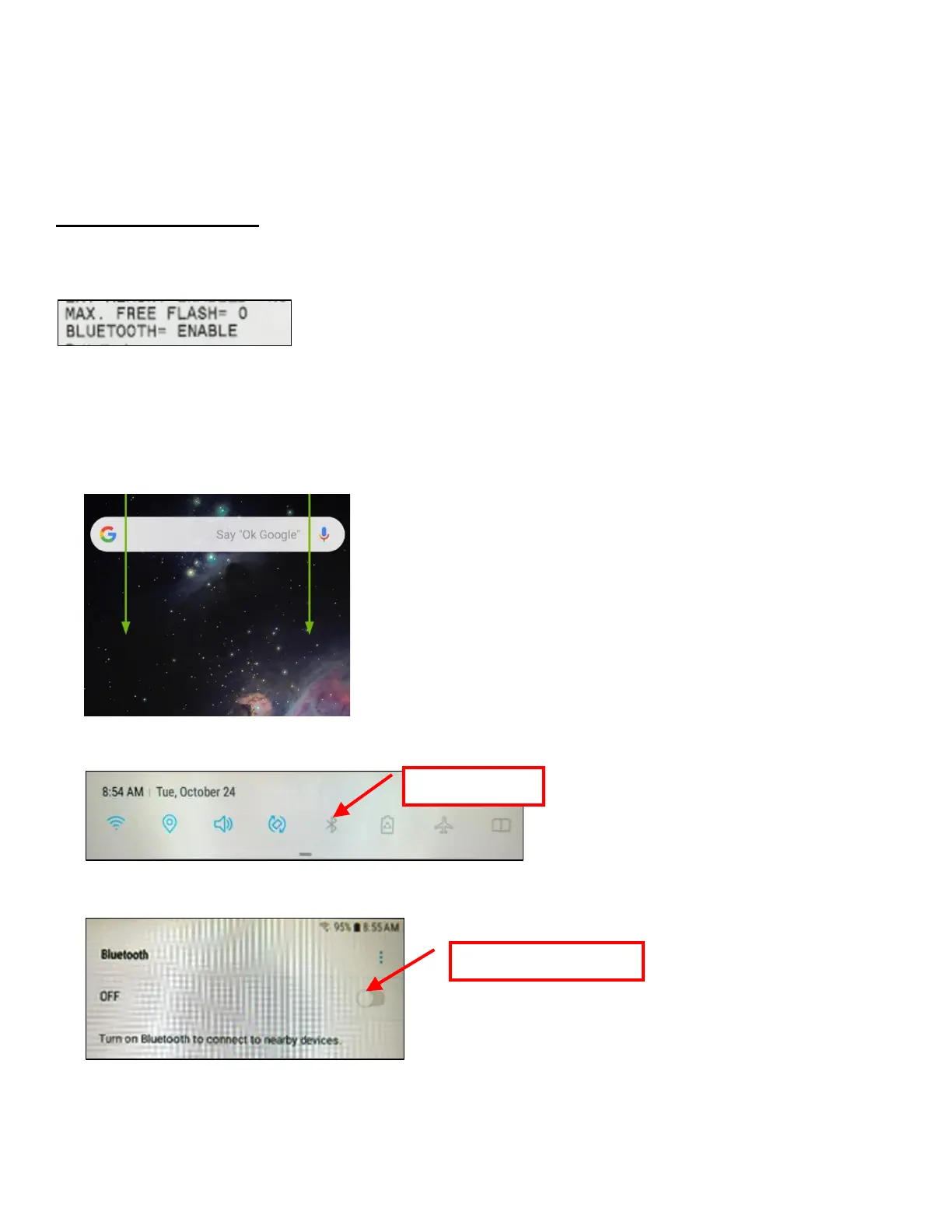
If the printer has optional Bluetooth interface and it is enabled then you should see BLUETOOTH = ENABLED on the self-
test printout that is issued when the printer’s center TEST button is pressed.
Android Connection
The below provides an overview of an Android connecting to a BOCA printer with optional Bluetooth interface.
1. Swipe down from the top of the screen.
2. Press and hold the Bluetooth icon to access the Bluetooth screen.
3. If Bluetooth is OFF then turn ON.



 To Next Page