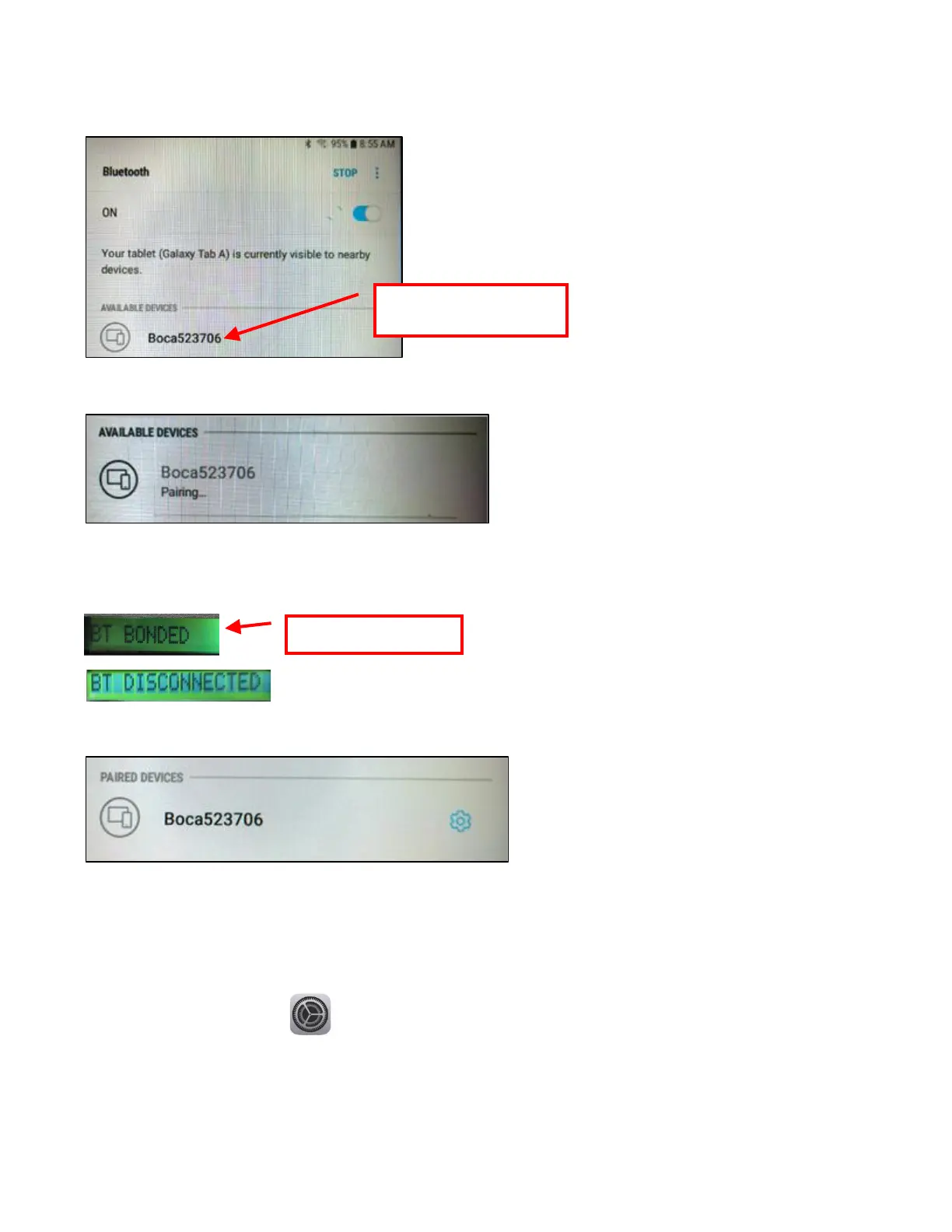
4. Once turned ON, a list of Bluetooth devices will be shown. Under AVAILABLE DEVICES you should see the serial
number of the printer you are trying to pair to (Boca######) For example if your printer was serial number 523706
then you would see Boca523706.
Tap on the BOCA printer you want to pair.
5. You will see the below during the pairing process.
6. If the printer has an optional LCD display, you will see the following:
The BT DISCONNECTED means the device has disconnected the interface channel but it is still paired with the
printer.
7. You will see the below once the printer has been paired to the device.
iPad Connection
The below provides an overview of an iPad connecting to a BOCA printer with optional Bluetooth interface.
1. Touch the setting icon.
2. When setting menu comes up click on Bluetooth.
3. Turn Bluetooth ON if it was OFF.



 To Next Page