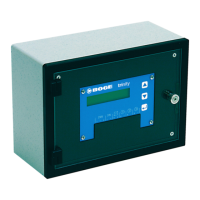
BOGE base control for scroll compressors Page 11
Layout and Function 3.2 Layout of the Control Unit
LCD Display (1)
The control display provides an overview of the individual functions of the con-
trol and allows you to monitor compressor operation, apply settings and cor-
rect these if necessary.
"Fault" and "Ready"
Indicator Lamps (2 and 3)
Tab. 3.1: Meaning of the Indicator Lamps
Info and Enter Keys
(4 and 5)
The user can navigate between the individual displays and apply settings or
changes to parameters using the Info and Enter keys:
Tab. 3.2: Functions of the Info and Enter keys
LED Designation Meaning
Fault
(red)
– Flashing: the control is signaling a fault.
– Rapid flashing: the control is signaling
a warning / maintenance message.
Ready
(green)
– Lights up: the compressor is ready for operation.
Key Designation Function
Info key
– To switch between the displays for calling up various
pieces of information that can be issued by the con-
trol.
– To change a value.
Enter key
– To edit values.
– To confirm a setting.



 To Next Page