51
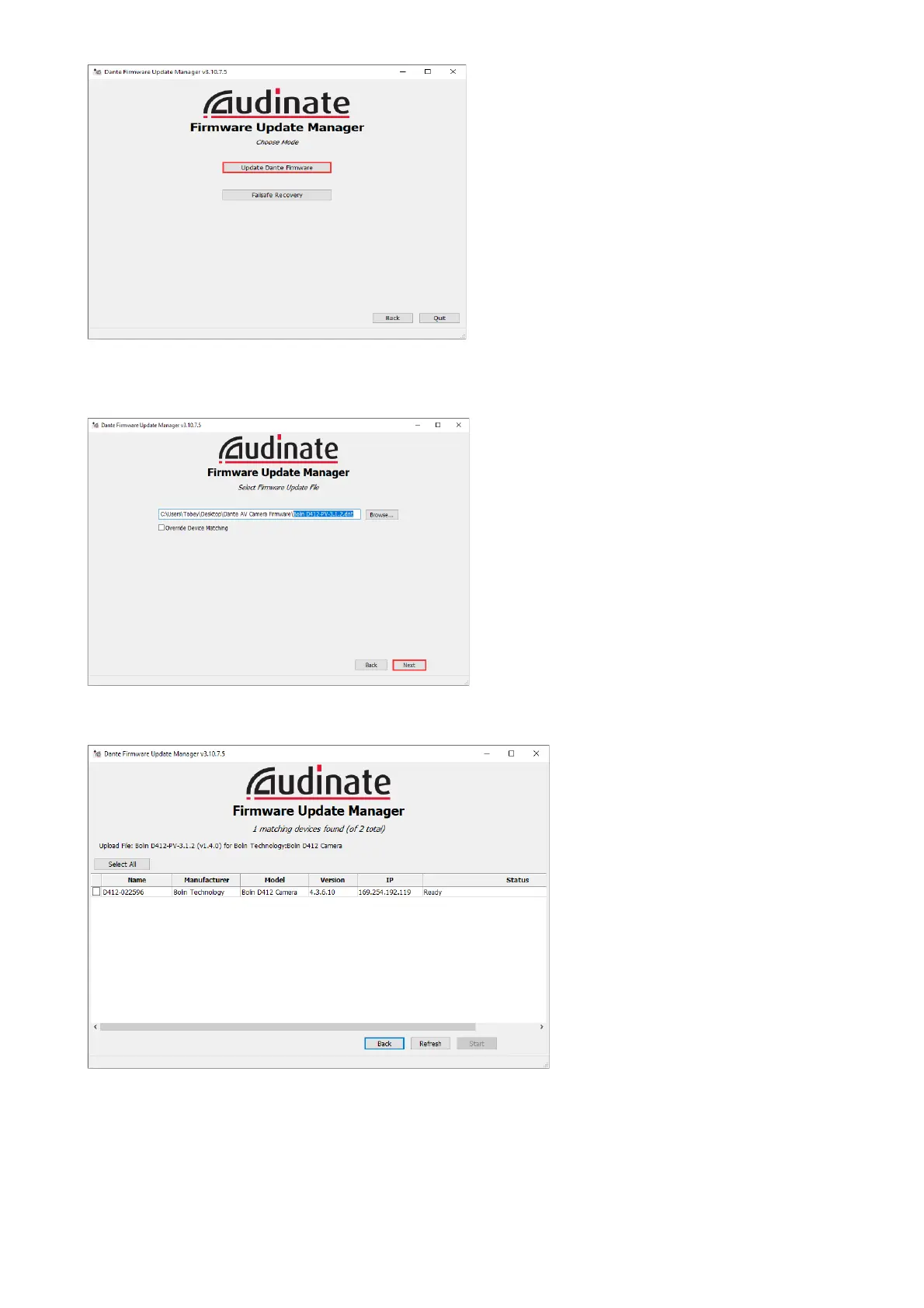
3. Click Browse…button to select the Dante AV firmware file, for example for Dante AV Camera, and
then go to next;
4. Firmware Update Manager will auto search the Dante AV device, it takes around 10 seconds, then
will list all the devices on the network that match the software.
5. Please select the device consistent with the firmware file been selected and click Start button to
continue the upgrade operation.
If no device is detected, please disable any antivirus program, and try again.
*Make sure the SKU number is correct


 To Next Page