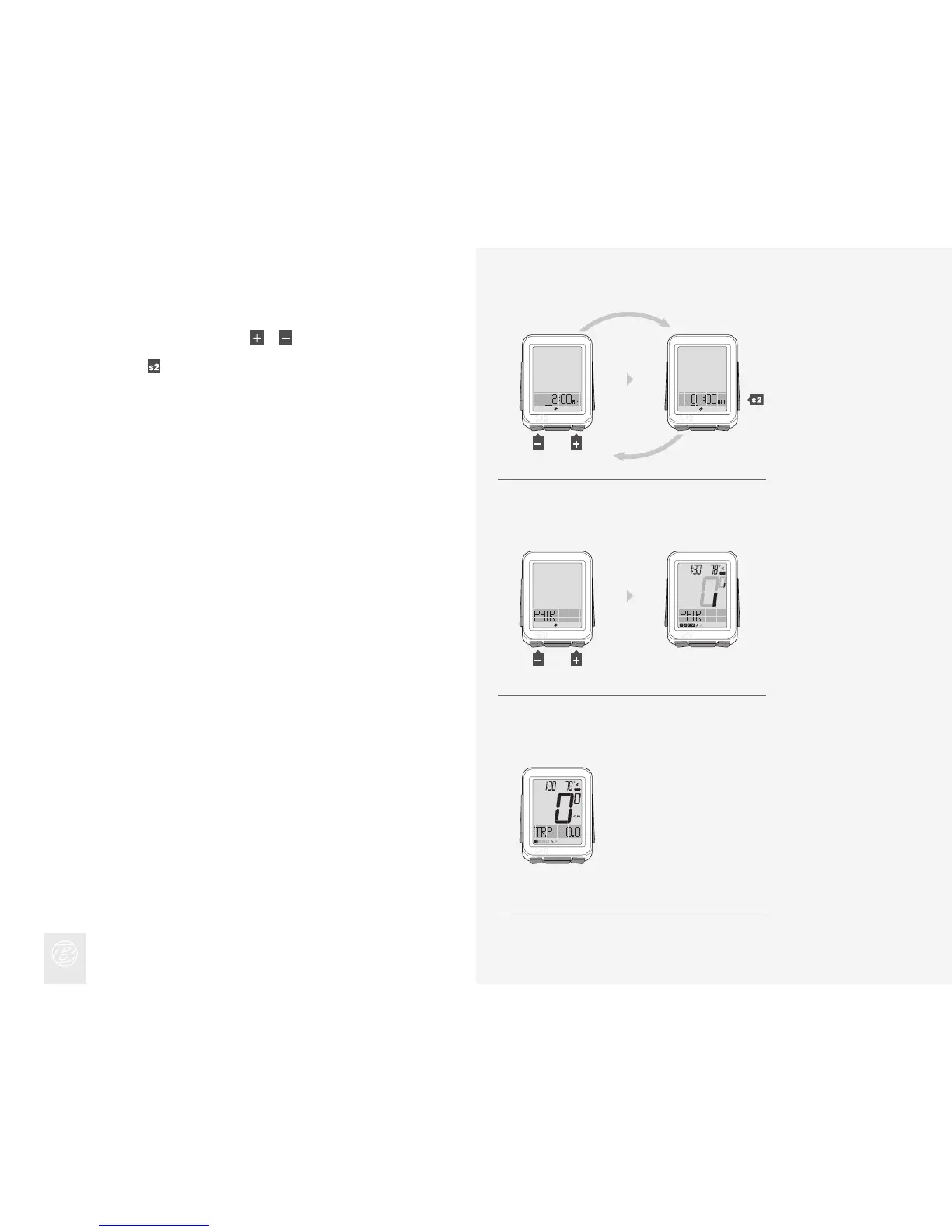
To change the underlined digit, press or .
To select, press
.
Repeat step 9 to change and select the other digits.
If you selected the 12hr clock, you also must select AM or PM.
9.
9.
10.
When PAIR appears, make the sensor(s) send a signal (spin the wheel, turn
the crank, etc.).
The computer indicates it is performing the Pairing procedure.
10.
Figure 8. Ride Mode with Speed Displayed.
When the NODE changes to Ride mode with Speed displayed (Figure 8), it
is ready for use.
If an icon does not appear after the Pairing procedure, do one of the following:
• Force Pair
• Press the Reset (erase settings) button to start over
• See the Troubleshooting section.
(or)
(or)











 To Next Page