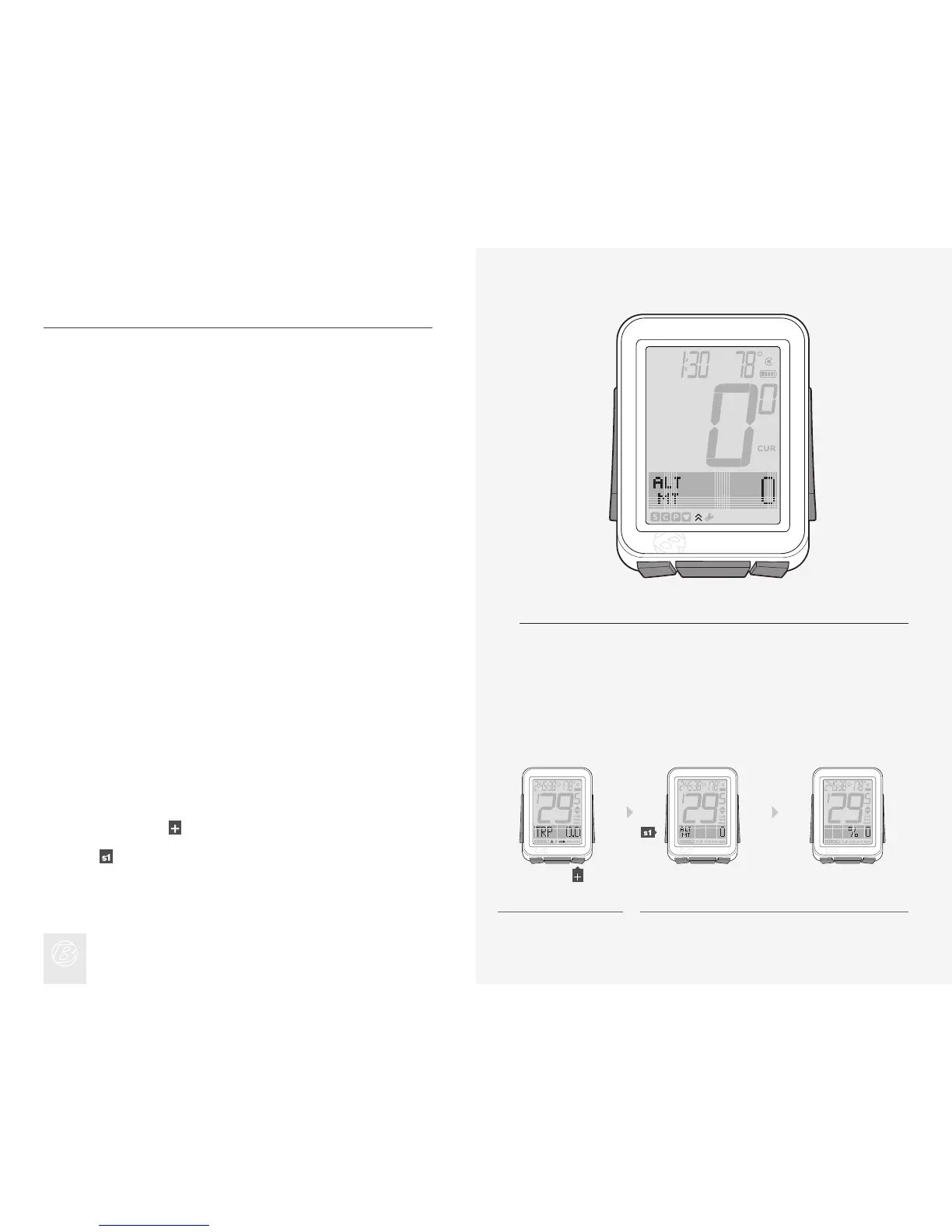
ALTITUDE (ALT)
The NODE 2 can calculate ALT, or altitude. Altitude is the height above sea level.
The NODE adds altitude values from bike1 to those of bike2.
Features of Altitude Function
The altitude function can calculate changes in altitude during a ride, including
loss, gain, and total change (Figure 18). The altitude function can also calculate
the current and maximum grade, the percent of climbing over a distance.
To View Grade (%), Trip (TRP), and Total (TTL)
MT = meters
FT = feet
In Ride Mode, scroll
to ALT.
Scroll
.
Grade (%) appears, then Trip altitude (TRP+) appears, then Total altitude
(TTL+) appears.
1.
2.
Figure 18. Altitude Function.
1. 2.











 To Next Page