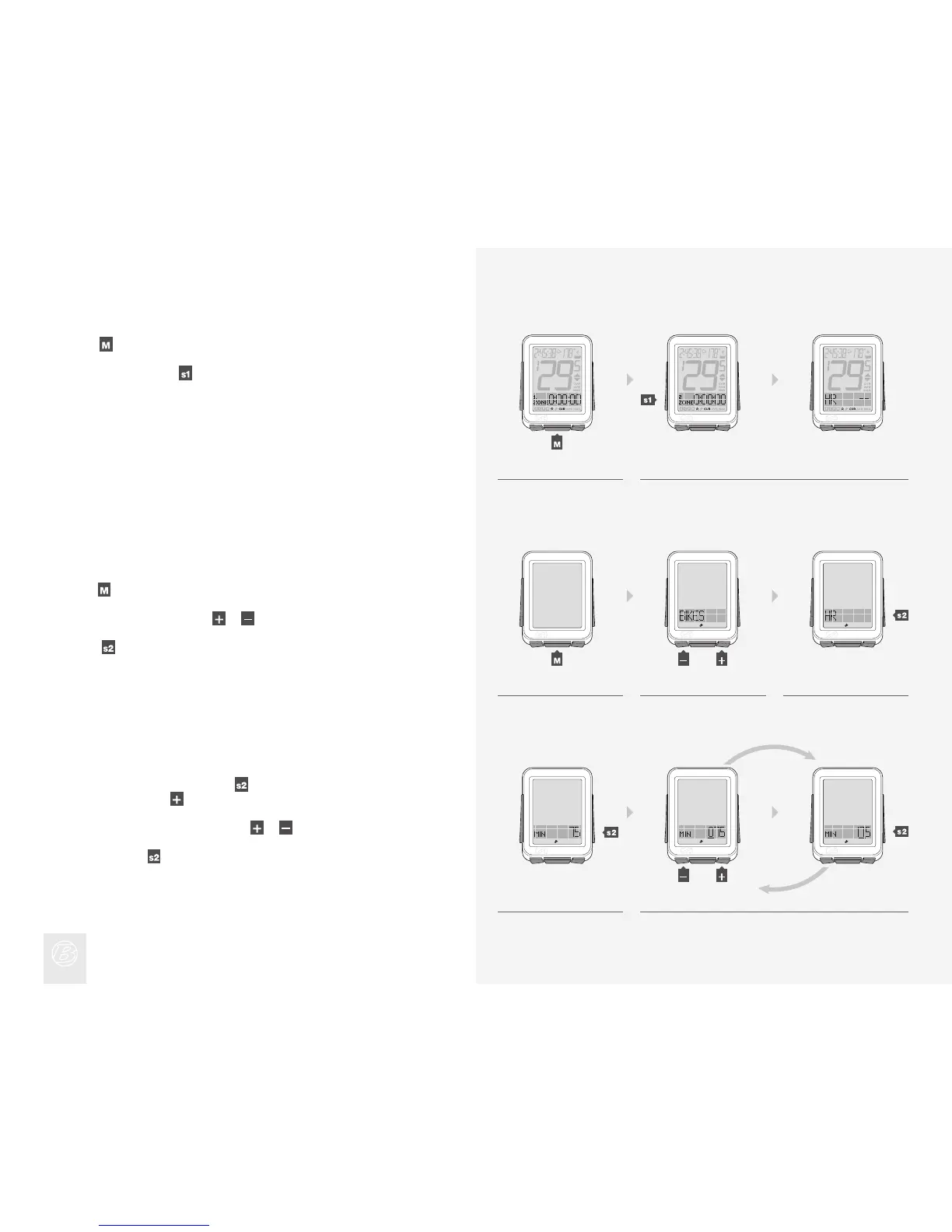
Zone 1 appears, showing the time spent in Zone 1 since the last Trip Restart.
Scroll
to see Zones 1 through 5.
To return to HR, press
.
4.
5.
Setting Heart Rate Zones
4. 5.
1. 2. 3.
4. 5.
Hold for three seconds to go to Setting mode.
When BIKES appears, scroll
or to HR.
Press
.
1.
2.
3.
To change the MIN number, press
.
To go to MAX, press
and go to step 6.
To change the underlined digit, press
or .
To select, press
.
Repeat step 5 for the other digits.
4.
5.
(3 sec)
(or)
(or)











 To Next Page