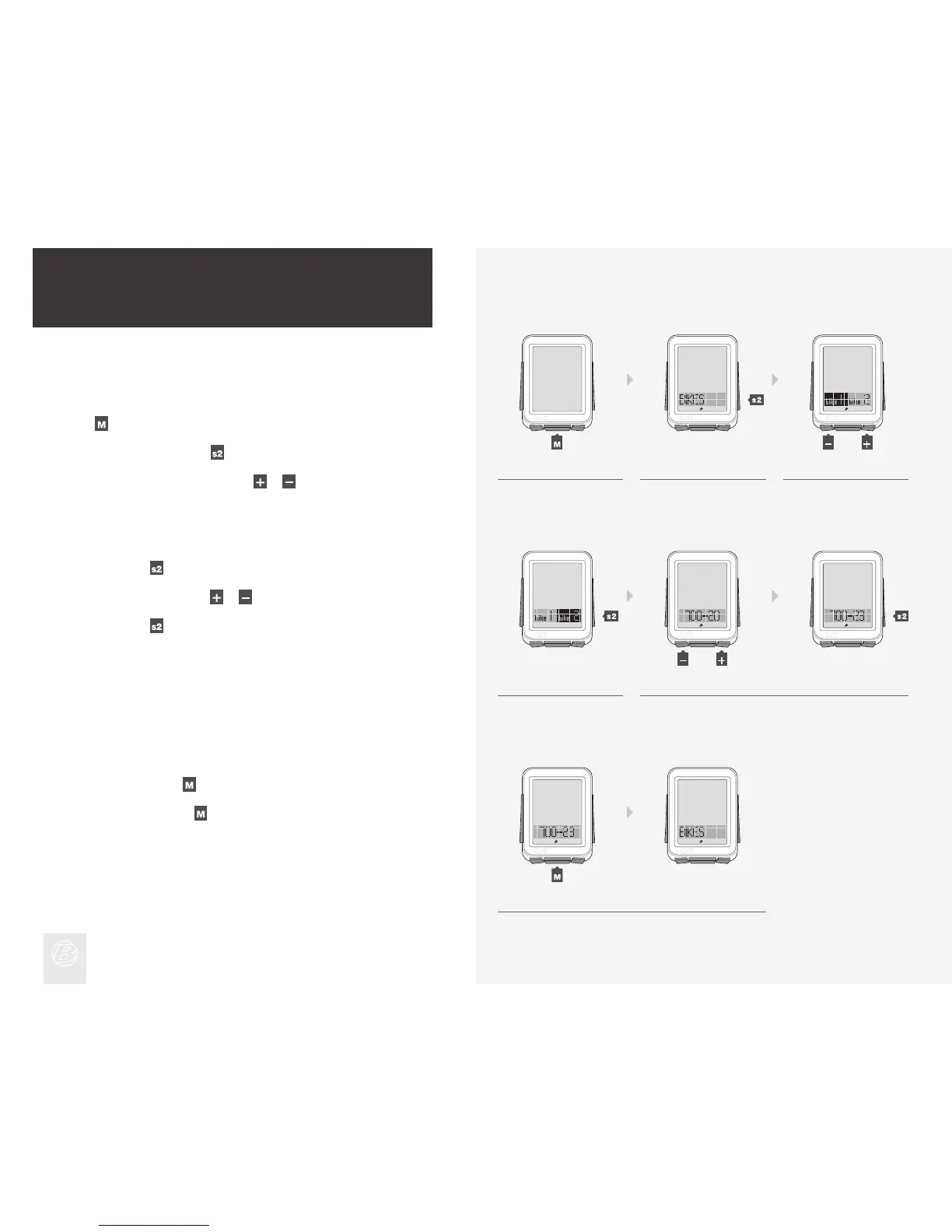
Hold for three seconds to go to Setting mode.
When BIKES appears, press
.
To change from bike1 or bike2, press
or .
1.
2.
3.
This section explains how to perform setup for a second bike or set a custom
wheel size.
To Perform Setup for a Second Bike
Advanced Setup
5.
4.
1. 2. 3.
To select, press .
To change wheel size, press
or .
To select, press
.
4.
To save and exit, press
.
To go to Ride mode, hold
for three seconds.
5.
(3 sec)
(or)
(or)











 To Next Page