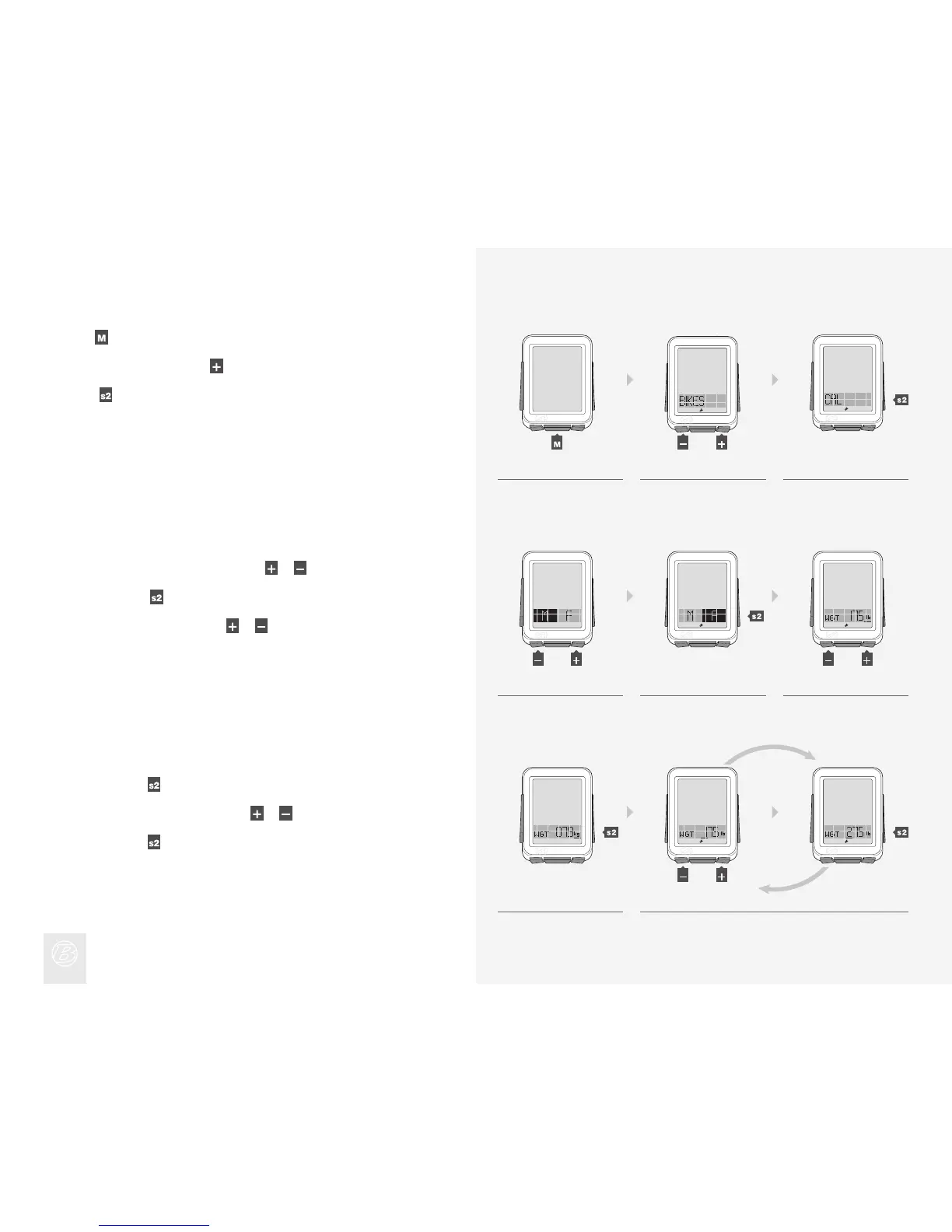
Setting Calorie Output
Hold for three seconds to go to Setting mode.
When BIKES appears, scroll
to CAL.
Press
.
1.
2.
3.
To change M (male) or F (female), press
or .
To select, press
.
To change WGT kg or lb, press
or .
4.
5.
6.
To select, press
.
To change the underlined digit, press
or .
To select, press
.
Repeat step 8 for the other digits.
7.
8.
4. 5. 6.
1. 2. 3.
7. 8.
(3 sec)
(or)
(or)
(or)
(or)











 To Next Page