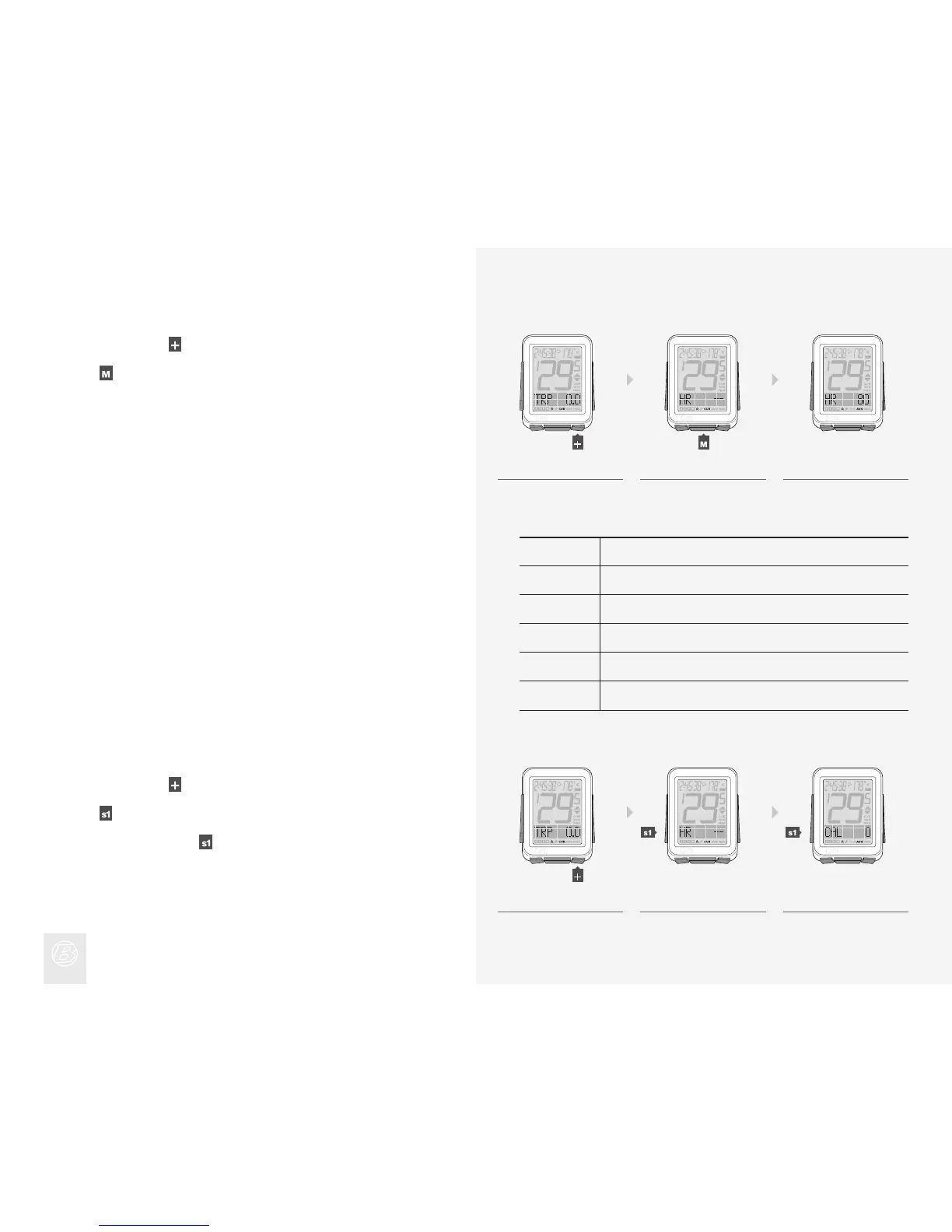
Viewing Zones
The NODE can compute and display the time your heart rate was in each zone.
Before it can collect this data, you must rst set the zones.
In Ride Mode, scroll
to HR.
Press
.
When CAL appears, press
again.
1.
2.
3.
Zone
% of Maximum Heart Rate Setting
1
2
3
4
5
50—60
60—70
70—80
80—90
90—100
1. 2. 3.
1. 2. 3.
Viewing Heart Rate CUR AVG MAX
In Ride Mode, scroll to HR.
Scroll
.
CUR changes to AVG, which changes to MAX. If you have set the heart rate
zones, a number will display beside the CUR heart rate. This number is the
current heart rate zone.
1.
2.
3.











 To Next Page