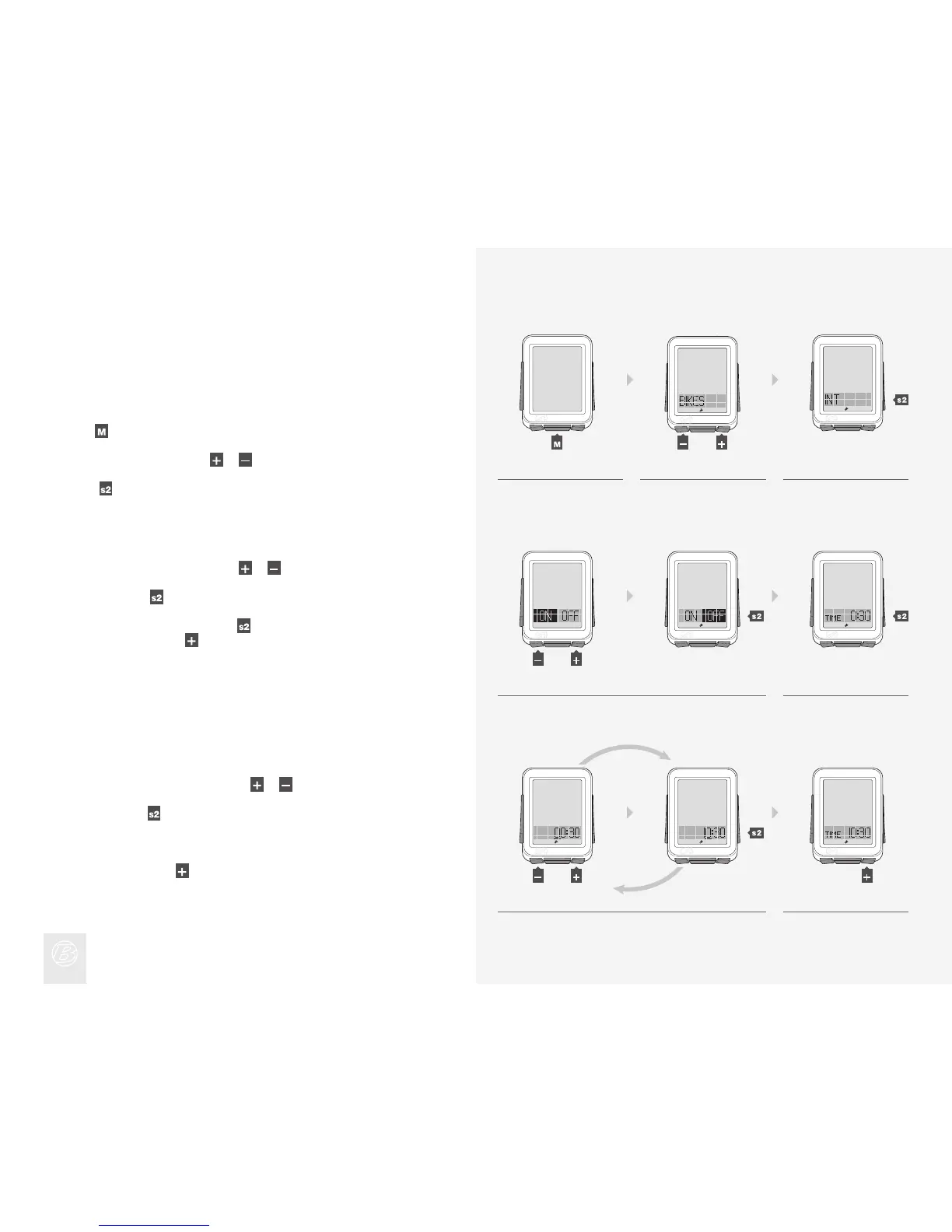
To Set Intervals
Setting intervals has four sections:
· ON/OFF (On/Off)
· TIME (the length of time of the interval)
· REST (the length of time between intervals)
· REPS (the number of repetitions)
Hold
for three seconds to go to Setting mode.
When BIKES appears, scroll
or to INT.
Press
.
1.
2.
3.
To change from ON or OFF, press or .
To select, press
.
To change the Interval time, press
.
To skip to REST, press
and go to step 9.
4.
5.
To change the underlined digit, press
or .
To select, press
.
Repeat step 6 for the other digits.
To go to REST, press
.
6.
7.
4. 5.
1. 2. 3.
6. 7.
(3 sec)
(or)
(or)
(or)












 To Next Page