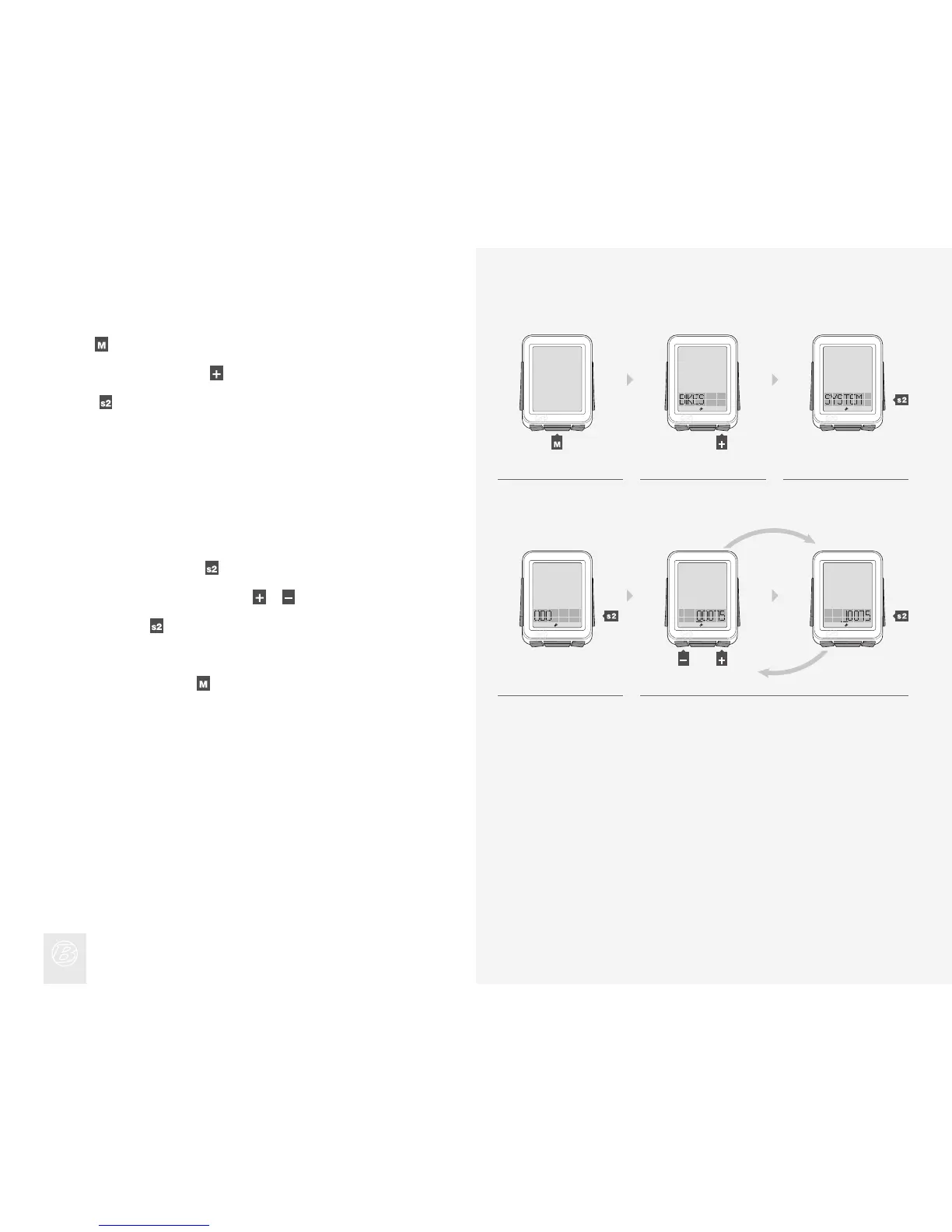
Setting the Odometer
When ODO appears, press .
To change the underlined digit, press
or .
To select, press
.
Repeat step 5 for the other digits.
To go to Ride mode, hold
for three seconds.
4.
5.
Hold
for three seconds to go to Setting mode.
When BIKES appears, scroll
to SYSTEM.
Press
.
1.
2.
3.
4. 5.
1. 2. 3.
(3 sec)
(or)











 To Next Page