EasyManua.ls Logo

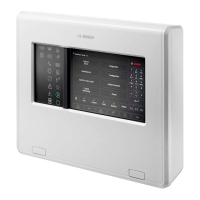
Bosch AMAX panel 2100 - User Manual

Bosch AMAX panel 2100
48 pages
Print Icon
To Next Page IconTo Next Page
Loading...
AMAX panel
AMAX panel 2100 | AMAX panel 3000 |
AMAX panel
3000 BE | AMAX panel 4000
en User Manual

Other manuals for Bosch AMAX panel 2100

Questions and Answers

  • C
    Clinton MarshAug 11, 2025
    Why is my Bosch AMAX panel 2100 Control Panel keypad not responding and making a wrong tone when I press any key?
    • D
      Debbie MurrayAug 11, 2025
      If your keypad is not responding and you hear a wrong tone when pressing any key, it could be due to abnormal RBGY wiring, the keypad being locked after entering incorrect passwords multiple times, or an incorrect jumper setting when using multiple keypads. Try reconnecting the RBGY wiring. If the keypad is locked, wait for 3 minutes before trying again. If you are using multiple keypads, reset the jumper referring to the information on keypad address settings.
  • T
    Taylor ColeAug 18, 2025
    How to fix a Bosch AMAX panel 2100 Control Panel keypad with no display after powering up?
    • E
      Emma WebbAug 18, 2025
      If there is no display on the keypad after powering up, it could be due to AC power or a battery fuse failure, or abnormal RBGY wiring. Check if the AC power and battery fuses are properly connected and operating normally. Also, try reconnecting the RBGY wiring.
  • D
    Debra CareyAug 26, 2025
    What to do if the fault indicator is constantly on or flashing on my Bosch AMAX panel 2100 Control Panel?
    • N
      Nicole SullivanAug 26, 2025
      If the fault indicator is constantly on or flashing, it could be due to several reasons. It might be because the date and time haven't been set, the backup battery is not connected or has low voltage (below 12V), the alarm siren or telephone network isn't connected, the telephone number is incorrectly set, the tamper switch isn't connected, or an external module required for programming isn't connected. To resolve this, set the date and time, connect the battery or ensure its voltage is above 12V, connect the alarm siren (or substitute it with a 1K resistor), correctly set the telephone number, connect the telephone network, connect the tamper switch, or connect the necessary programming modules like DX2010, DX3010, B426, or ITS-DX4020-G.
  • T
    Tiffany MaysSep 2, 2025
    What to do if the zone indicator is constantly on in my Bosch Control Panel?
    • A
      Ashley MorganSep 2, 2025
      If the zone indicator is constantly on, the cause may be wrong zone wiring, an abnormal detector function, or the zone EOL resistor not correctly connected to the end of the detector. Try entering zone wiring once again, resetting the detector, and correctly connecting the zone EOL resistor to the end of the detector.

Bosch AMAX panel 2100 Specifications

General IconGeneral
Partitions2
Event Log256 events
Input Voltage16.5 VAC
Zones8
CommunicationBuilt-in PSTN dialer
Battery Backup12V 7Ah

Related product manuals