PLENA matrix Configuration | en 27
Bosch Security Systems B.V.
User manual
2020-12 | V1.1 |
– To change the unit from DHCP to a static IP configuration, follow the procedure
above to open the connect to target window. Once in the unit is selected, you can
change:
– Turn DHCP on/off.
– Set a static IP address.
– Change the device name for easy identification in larger systems.
7. The GUI should now be connected and online in the “User page” where inputs can be
mixed into different zones.
8. To access the DSP configuration page go to “Config” in the menu bar and select “DSP
setup”.
Notice!
For more information regarding the operation of features within the GUI, please read the GUI
operation document.
DSP matrix mixer PC GUI control functions:
User page:
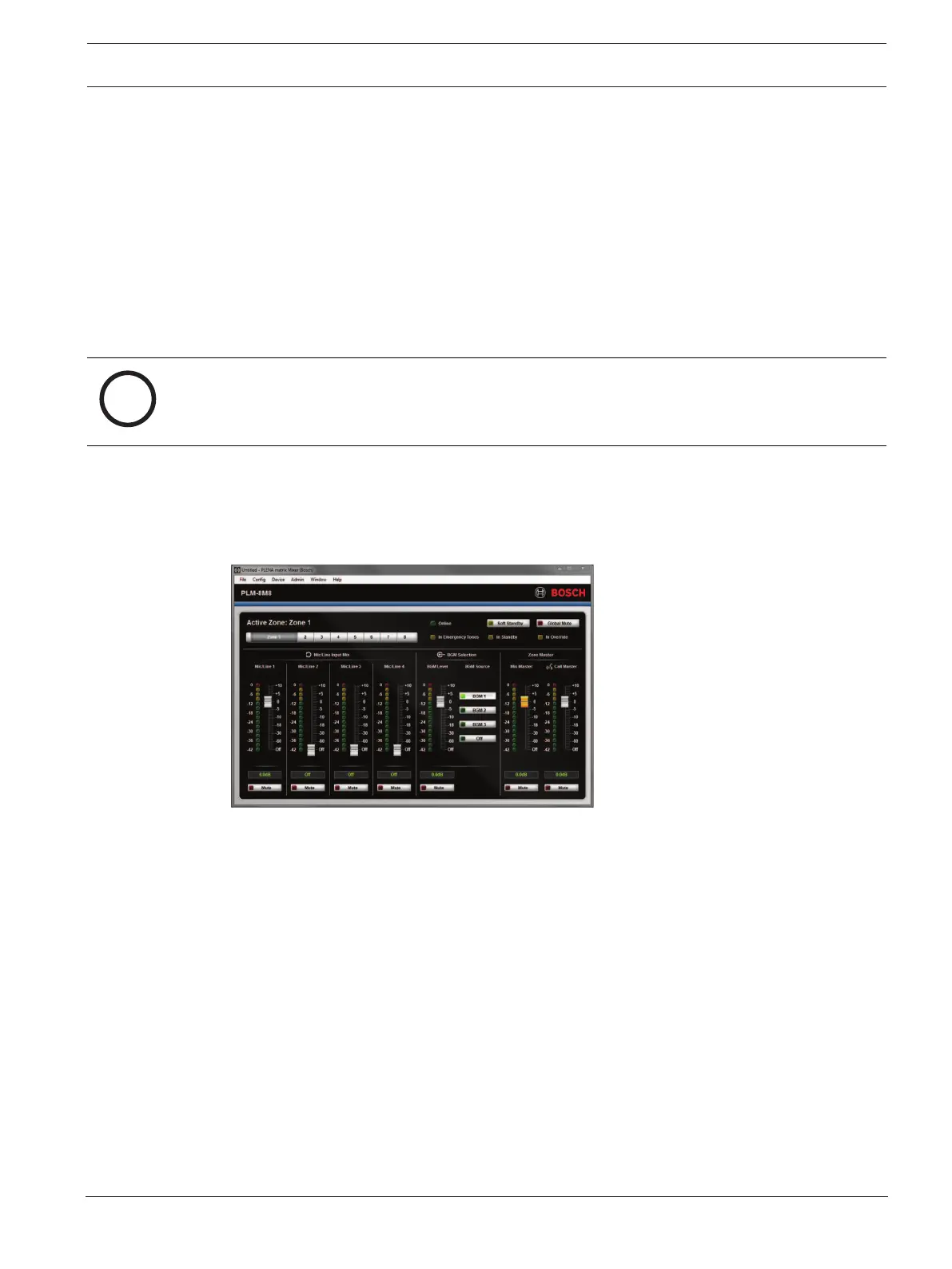
Figure7.1: DSP matrix mixer GUI main screen
– Mixing and Level control of the 4 Mic./line inputs; per zone.
– Selection of the Line inputs and level control; per zone.
– Master level control; per zone.
– Call station input level control; per zone.
– Soft standby.
– Global mute.
– Connect to device.











 To Next Page