PLENA matrix Operation | en 35
Bosch Security Systems B.V.
User manual
2020-12 | V1.1 |
8.3 Wall Control Panel
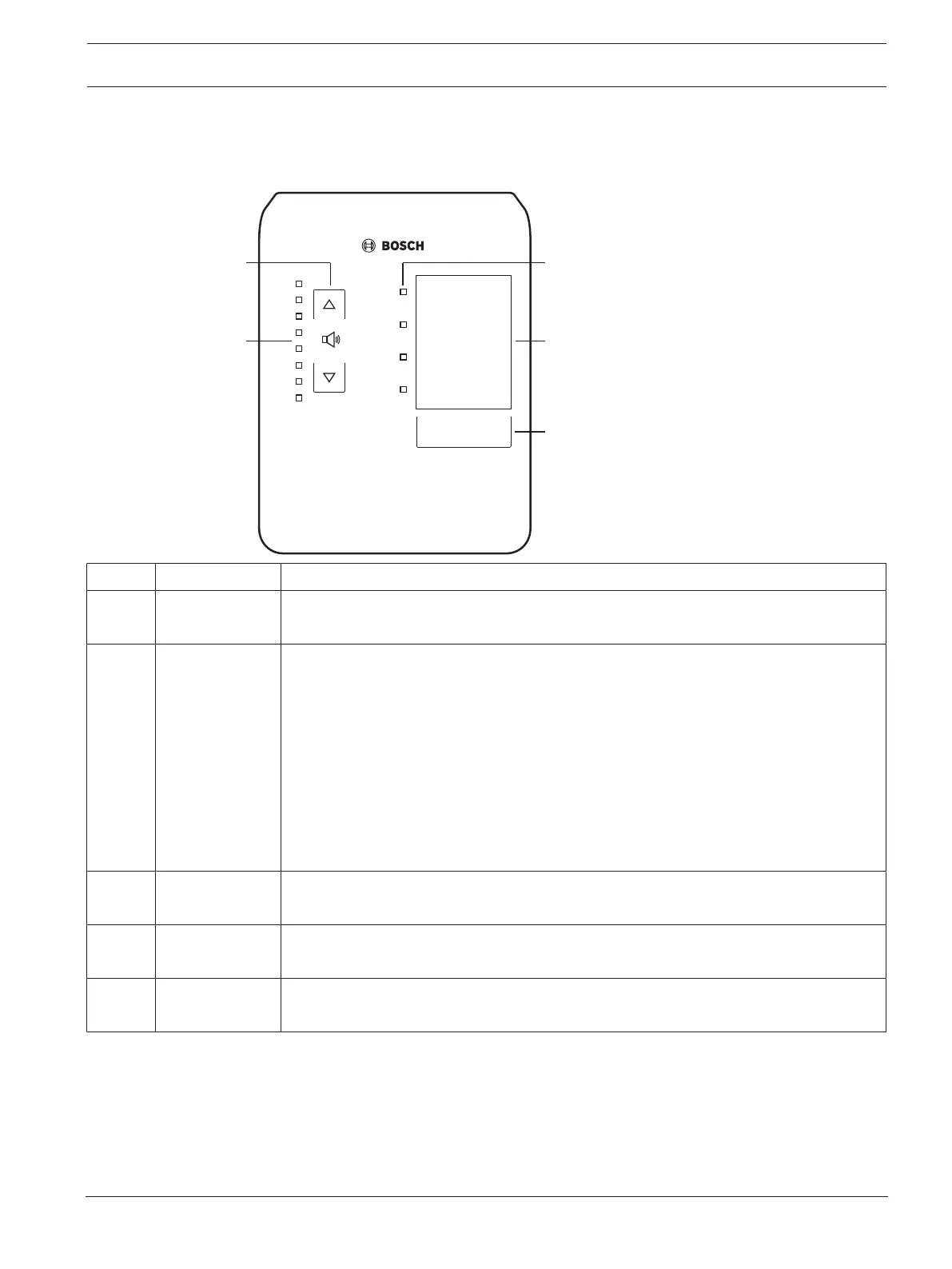
The wall control panel is used to select the input source and to adjust the audio volume level
in the pre‑selected loudspeaker zones.
Number Item Description
1 Volume level up/
down button
2 x capacitive button to control the zone audio volume level up or down.
2 Volume control
LED
– 8 x LED indicating the selected audio source’s volume level:
– Top LED: 0dB attenuation.
– -6dB attenuation.
– -12dB attenuation.
– -18dB attenuation.
– -24dB attenuation.
– -30dB attenuation.
– -36dB attenuation.
– Bottom LED: <= -40dB attenuation.
– LEDs off: Mute.
3 Input source
selection LED
4 x LED indicating; Line input sources (1, 2, 3 or off) or mic./line (1, 2, 3 or 4).
4 Input source
label
A paper label to identify input sources can be inserted behind the thin plastic cover.
Paper labels can be typed and printed out via the PC GUI software.
5 Input source
selection button
Capacitive button to toggle through the connected line input sources (1, 2, 3 or off)
or mic./line (1, 2, 3 or 4) input source.
Continue with:
–
Select the input source, page 35
–
Adjust the audio output volume level, page 36
8.3.1 Select the input source
1. Select the input source with the capacitive touch button labelled “Select”:
– The input source selection LED indicates the input source or off.











 To Next Page