28 en | Configuration PLENA matrix
2020-12 | V1.1 |
User manual
Bosch Security Systems B.V.
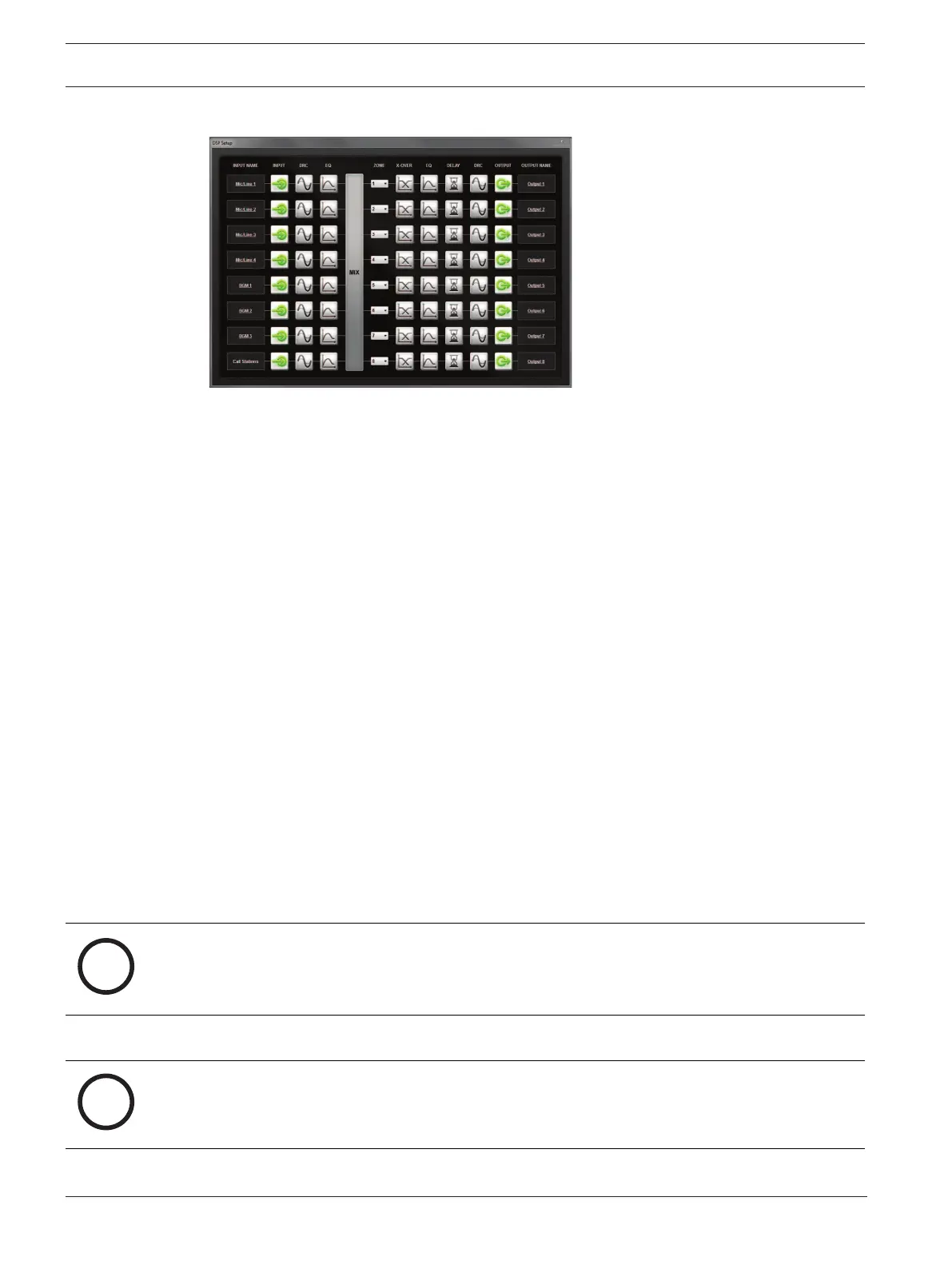
DSP setup page:
Figure7.2: DSP matrix mixer GUI setup screen
– Input level control (iPad, +48V, HPF).
– Input DRC – Dynamic Range Compression.
– Input Parametric EQ (Mic./Line 5 bands, Line inputs 3 bands).
– Assign.
– Crossover (8th order).
– Output Zone EQ (7 bands).
– Delay.
– DRC- Dynamic Range Compression.
– Output level Control.
– Output assignment.
Other DSP matrix mixer configurations in the GUI:
– Priority set up.
– Ducking levels.
– Password set up.
– Call station set up.
Refer to
– Troubleshooting, page 41
7.5 Multi Channel DSP Amplifier PC GUI
All DSP features for the multi channel DSP amplifier are controlled via the PC software GUI.
With the amplifier PC GUI: fault monitoring can be viewed and DSP features can be configured
or controlled via the connected PC.
Notice!
Unlike the DSP matrix mixer, the amplifiers can work as a basic amplifier (i.e. without the use
of the DSP features). Level controls for each amplifier channel are on the rear of the unit.
Refer to
PC GUI software, page 16
installation to install the PC GUI, if needed.
Proceed as follows:
Notice!
Changes and updates to this procedure are available in the software down load file.











 To Next Page