42
|
ENG
TROUBLESHOOTING
SYMPTOM SOLUTION
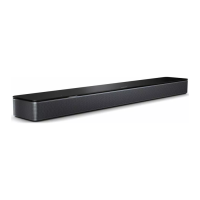
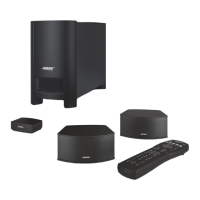
Soundbar doesn’t
connect to bass
module or
surround speakers
Refer to your bass module or surround speakers owner’s guide for
troubleshooting (see page 29).
Make sure your bass module or surround speakers are compatible
with the soundbar (see page 29).
Unplug the power cords for the soundbar and optional bass module
or surround speakers, wait 30 seconds, and firmly plug them into the
AC (mains) outlet.
Connect the bass module to the soundbar using a 3.5 mm audio
cable (see page 31).
No audio from
bass module or
surround speakers
Make sure your bass module or surround speakers are compatible
with the soundbar (see page 29).
Make sure the software is current in the Bose app.
Adjust the bass level using the Bose app (see page 22).
Switch to a dierent source (see page 19).
Sound is coming
from TV speaker
Turn o your TV speakers. Refer to your TV owner’s guide.
Make sure that the soundbar’s HDMI cable is inserted into a port on
your TV labeled HDMI eARC (Enhanced Audio Return Channel), not
a standard HDMI port. If your TV doesn’t have an HDMI eARC port,
connect to the HDMI ARC port. If your TV doesn’t have an ARC port,
connect to the soundbar using the optical cable (see page 49).
Disconnect the HDMI cable from your TV’s HDMI eARC (or ARC) port
and reconnect it.
Unplug the power cords for the soundbar and optional bass module
or surround speakers, wait 30 seconds, and firmly plug them into the
AC (mains) outlet.
Decrease your TV volume to its lowest seing.
If the soundbar is connected to your TV’s HDMI eARC (or ARC) port,
make sure that Consumer Electronics Control (CEC) is enabled in
your TV system menu. Your TV may refer to CEC by a dierent name.
Refer to your TV owner’s guide.
Adjust the Advanced CEC seing in the Bose app. You can
access this option from the Seings menu. For more information,
visit: support.Bose.com/UltraSBC_CECsupport.Bose.com/UltraSBC_CEC
Poor or
distorted audio
Test dierent sources if available.
Make sure that your TV can output surround sound audio. Refer to
your TV owner’s guide.
If the audio is being played from another device, reduce the volume
of that device.
Adjust the bass level using the Bose app (see page 22).
Power o your TV speakers. Refer to your TV owner’s guide.
Check for sound (see page 50).
Run ADAPTiQ audio calibration (see page 16).



 To Next Page