41
P12
BÖWE CS3000
BÖWE CS3000
8 Data Display 8
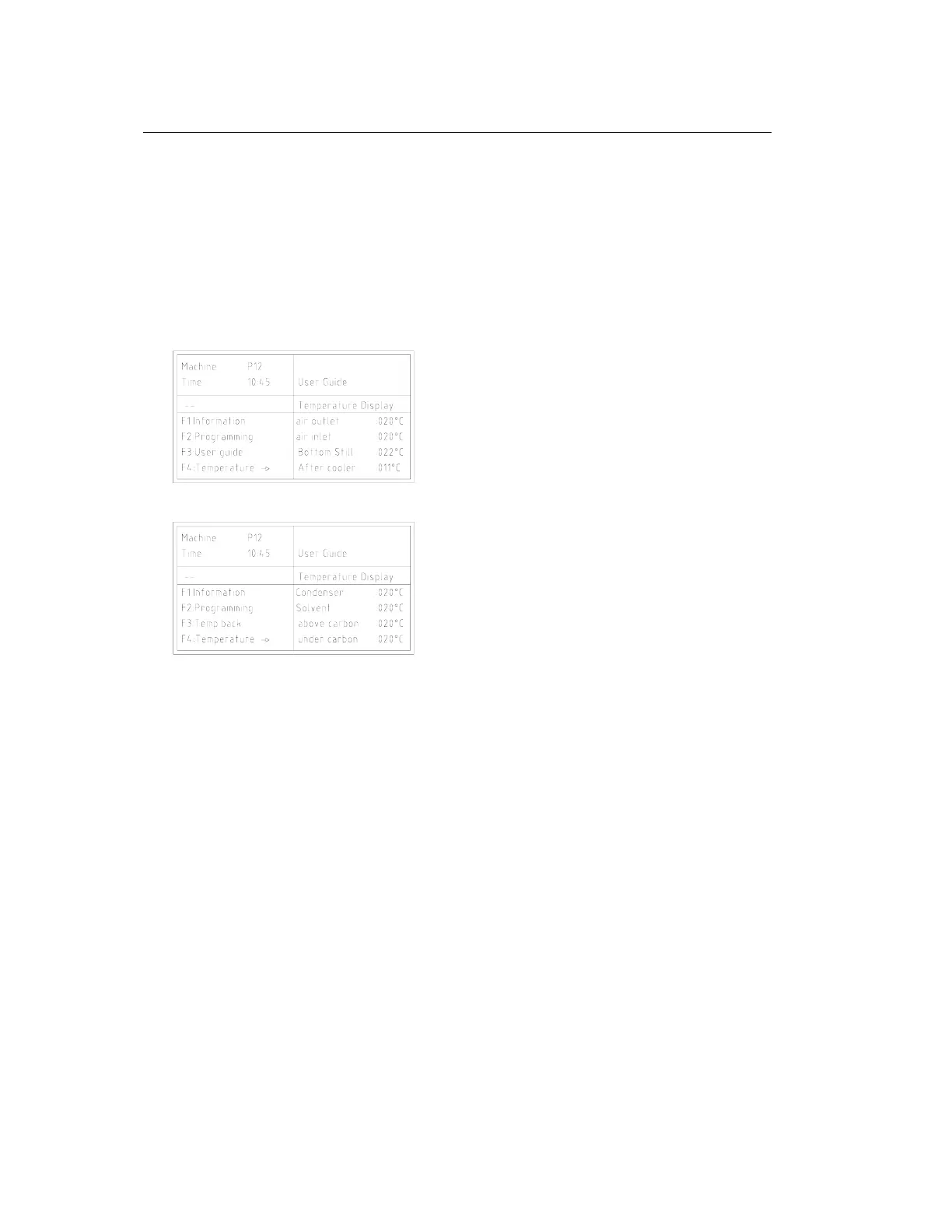
8.1 Temperature Display
8.1
- Press function key "F4" to
display temperatures 1 - 4.
- Use the "F4" button to scroll forward in the temperature display and the "F3" button to scroll
backward.
The temperatures are displayed on several pages.
End the temperature display
Follow the directions in window 5 ("F3" + "F4")
or press "F4" until you leave the display.
707734-03-04
8.2 Operating Data
8.2
When you input 72E, the display shows the operating hours and the cycle counter.
You can scroll through the operating data with the cursor ⇒ or ⇐.
Entry Display Description
1 T 000052 Total number of operating hours for all drycleaning programs
2 D-T000045 Total number of operating hours (on-time) for the distillation heater
3 G-Az00007 Number of all cycles run since the initialization
4 D-Az00005 Number of all cycles run since the last distillation maintenance
5 F-Az00004 Number of all cycles run with the filter circuit since the last
filter maintenance
6 P01 00102 Number indicating how often each program was run
7 P02 00553
. ..
72 P67 00005
Use the ⇓ cursor to return to entry 1.
If you do not input anything for approximately 60 seconds, the display goes out automatically.
End the data display with the "C" button.


 To Next Page