24
35
36
37
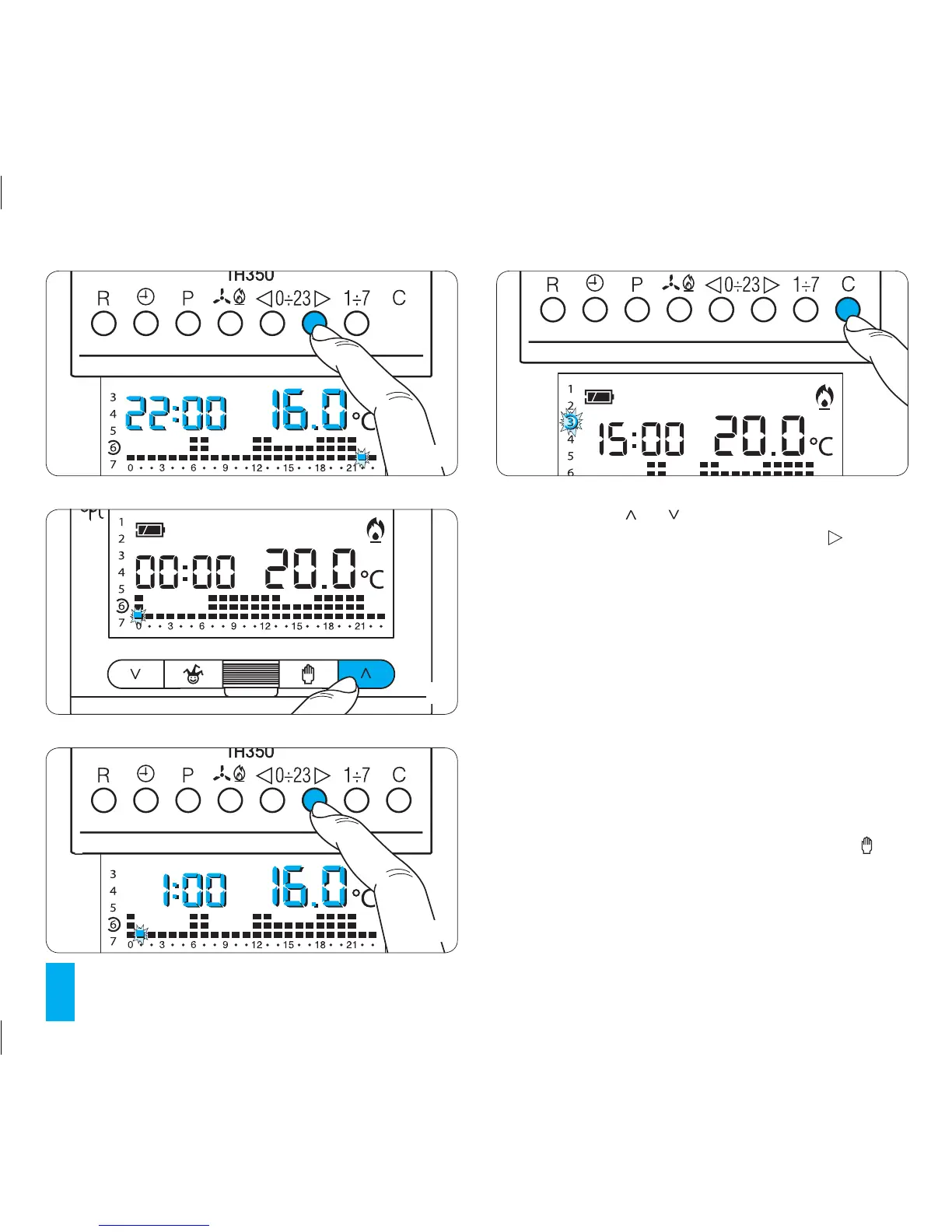
6.4- Use button or (fig. 36) to select the desired
temperature range. Then press button 0÷23 to go to
the next hour and select the desired temperature in the
same way (fig. 37).
Continue in this fashion until hour 23 is reached.
Programming for Monday is now complete.
6.5- If the same programme is also to be used for the
following day(s) press button C (fig. 38) The programme
will automatically be copied for those days as indicated
by the corresponding segment.
6.6- To programme subsequent days differently,
advance the day using button 1÷7 and repeat the same
procedure as set forth in point 6.4 (fig. 39).
6.7- Once programming is complete, in order to go
back to the current day and time press button (fig.
40); In any case, this will happen 10 seconds after the
last action.
Any programming task can be performed at any time.
Hourly programming is saved to permanent memory.
38



 To Next Page